42 43Amplier Envelope
Sequential Prophet X User’s Guide
Amplier Envelope
Amplier Envelope
After passing through the lters, a synthesized sound goes into an
amplier, which controls its overall volume. The amplier has a
dedicated, 5-stage envelope generator (ADSR plus delay).
The Amplier Envelope is used to shape the volume characteristics of
a sound over time by giving you control over its attack, decay, sustain,
and release stages. Along with the lter envelope, this is one of the most
important factors in designing a sound.
Without a volume envelope, the volume of a sound wouldn’t change
over the duration of a note. It would begin immediately, remain at its full
volume for the duration of the note, then end immediately when the note
was released. Again, that’s not very interesting sonically and it’s not typi-
cally how instruments behave in the real world.
To give you a real-world example, the main difference between the sound
of the wind and the sound of a snare drum is that they have very different
volume envelopes. Otherwise, they are essentially both white noise.
Wind has a relatively slow attack, a long sustain, and a long decay and
release. A snare drum has a sharp attack, no sustain, and very little decay
or release. But again, they are both fundamentally white noise.
Amplier Envelope
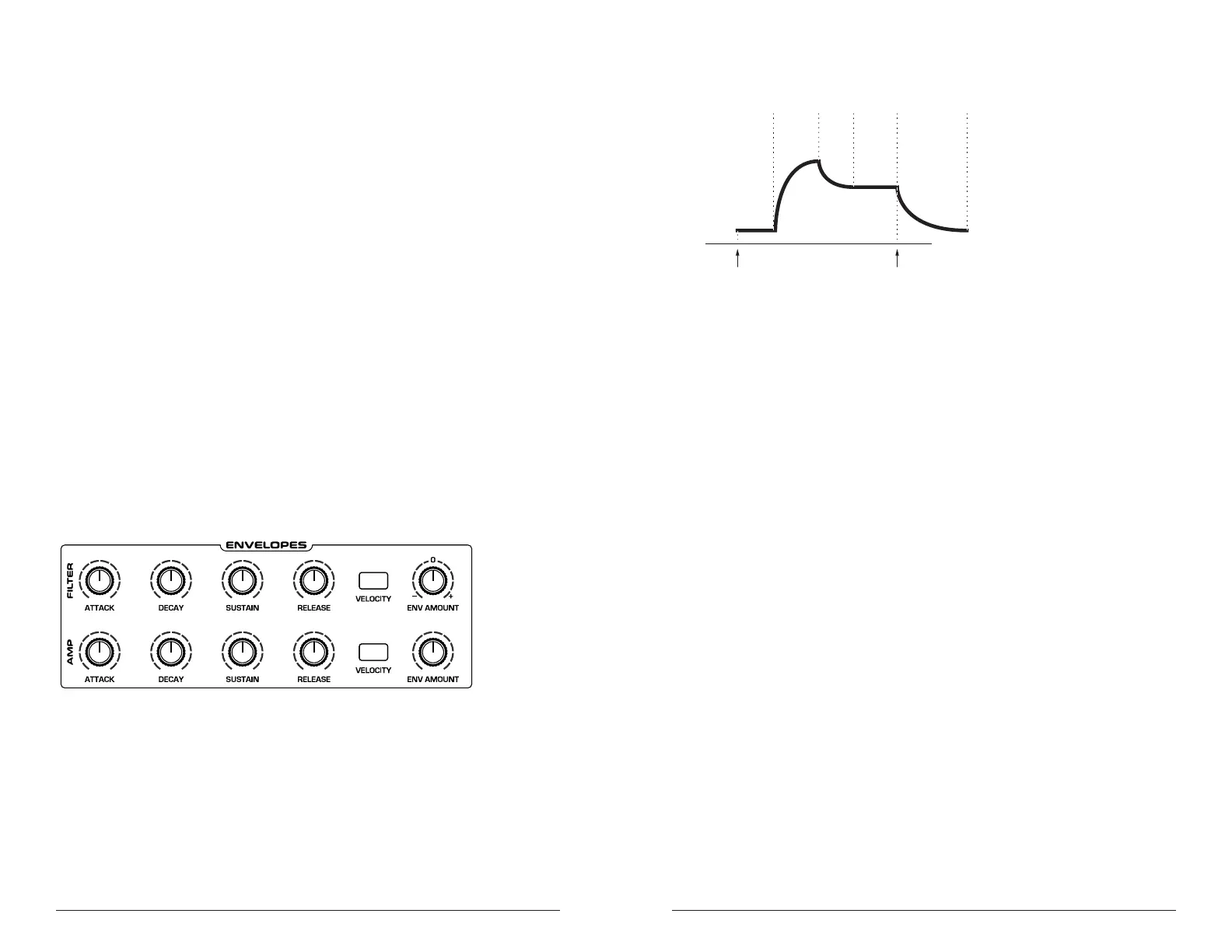
attack
decay
sustain
release
amplitude
time
note offnote on
delay
A typical 5-stage, DADSR envelope
Amplier Envelope Parameters (Front Panel)
Attack: 0...127—Sets the attack time of the envelope. The higher the
setting, the slower the attack time and the longer it takes for a sound to
reach its full volume. Pads typically have softer (longer) attacks. Percus-
sive sounds have sharper (shorter) attacks.
Decay: 0...127—Sets the decay time of the envelope. After a sound
reaches its full volume at its attack stage, decay controls how quickly the
sound transitions to the level set with the sustain control. The higher the
setting, the longer the decay. Percussive sounds, such as synth bass, typi-
cally have shorter decays.
Sustain: 0...127—Sets the sustain level of the envelope. The higher the
setting, the louder the sustained portion of the sound will be. The sound
will stay at this level for as long as a note is held on the keyboard.
Release: 0...127—Sets the release time of the envelope. This controls
how quickly a sound dies out after a note is released.
Env Amount: 0...127—Sets the amount of modulation from the Enve-
lope to the VCA. In most cases you will probably want to set this fully
clockwise for maximum VCA volume. If you experience signal clipping,
try reducing the env amount.















 To Next Page