Doc# E145701 E - 5
E: Using the USB to IrDA Adapter CAB6490
Electro Industries/GaugeTech
The Leader In Power Monitoring and Smart Grid Solutions
13.Position the USB to IrDA Adapter so that it points directly at the IrDA on the front
of the Shark® 100 meter. It should be as close as possible to the meter, and not
more than 15 inches/38 cm away from it.
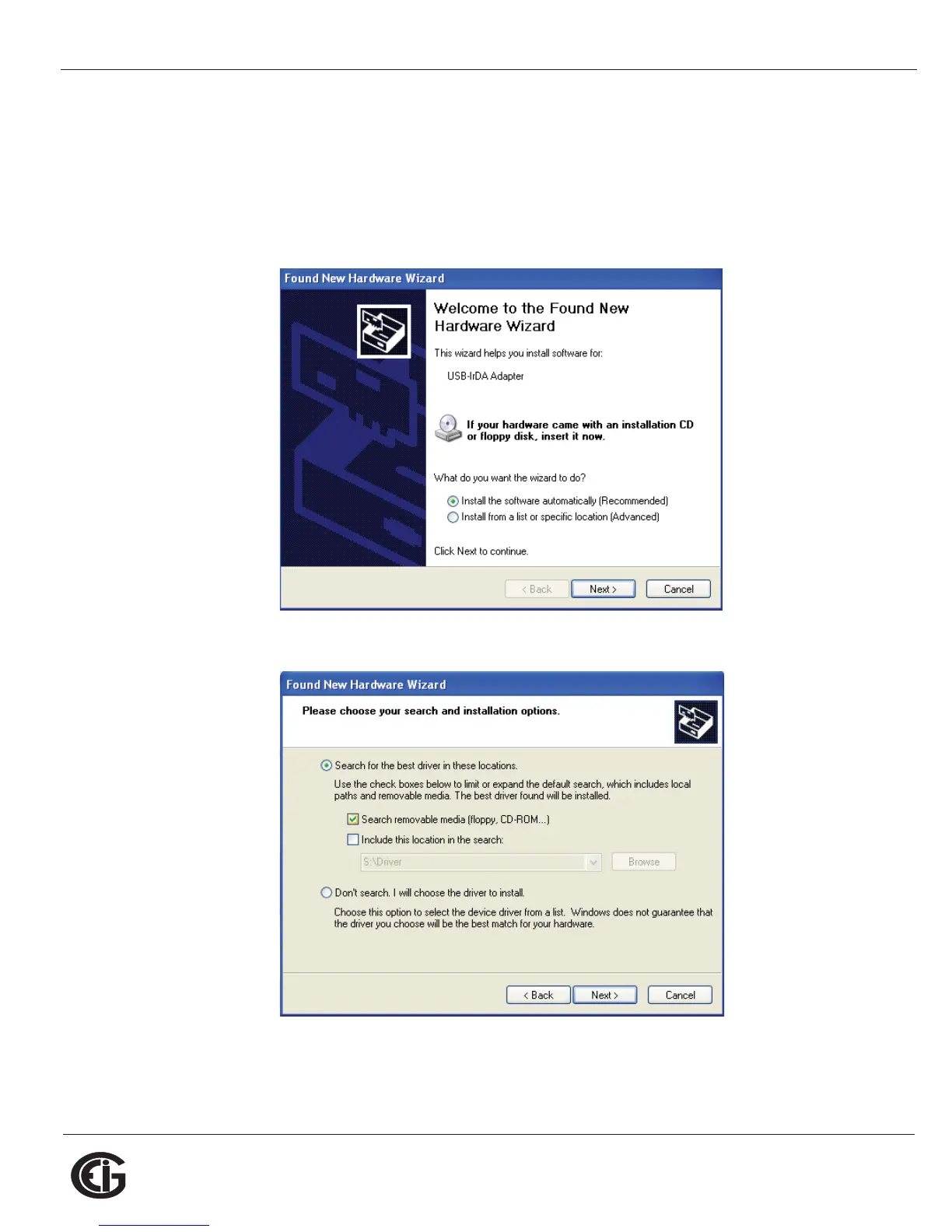
14.The Found New Hardware Wizard screen opens again. This time, click the Radio
Button next to Install the software automatically.
15.Click Next. You will see the screen shown below.
16.Make sure the first Radio Button and the first Checkbox are selected, as shown
above screen. Click Next. You will see the two screens shown on the next page.



 To Next Page