28
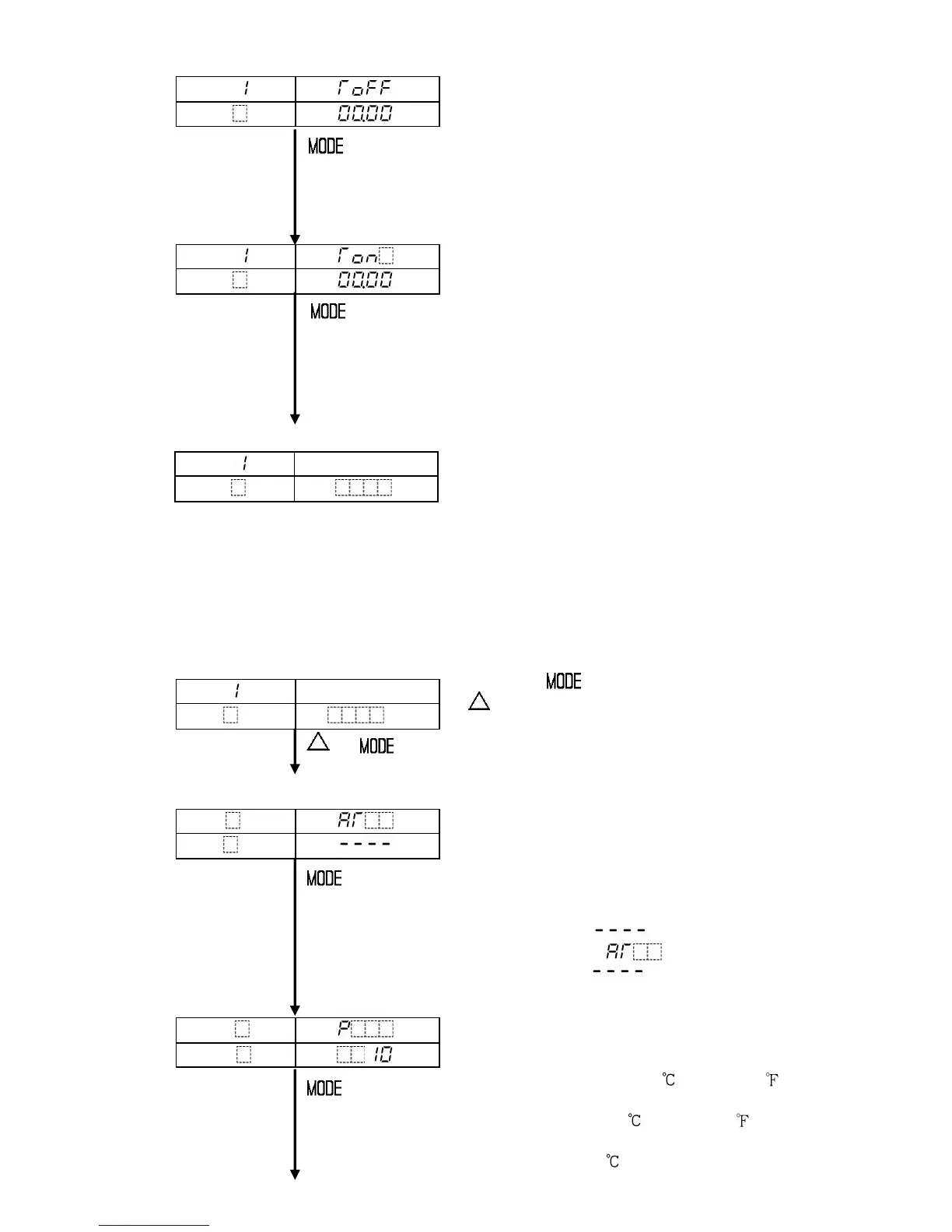
Pattern 1 Time signal output OFF time setting
Sets Time signal output OFF time after the
program control run.
Available only when Time signal output is
selected from Event output function selection.
• Setting range: 00:00 to 99.59
(Hour:Minute or Minute:Second)
• Default value: 00:00 (Hour:Minute)
Pattern 1 Time signal output ON time setting
Sets Time signal output ON time after the
Time signal output OFF time.
Available only when Time signal output is
selected from Event output function selection.
• Setting range: 00:00 to 99.59
(Hour:Minute or Minute:Second)
• Default value: 00:00 (Hour:Minute)
[Program standby mode or program control run mode]
(6) PID parameter setting mode
Sets parameters and items necessary for the control such as PID auto-tuning Perform/
Cancel, P, I, D and Proportional cycle, etc.
The settings in this mode are applied to all program pattern numbers.
[Program standby mode or program control run mode]
Press the key while holding down the
key.
PID parameter setting mode is selected, and
+ PID auto-tuning Perform/Cancel is indicated.
[PID parameter setting mode]
PID auto-tuning Perform/Cancel selection
PID auto-tuning Perform or Cancel can be
selected.
Available only during program control run
and during PID action
Not available for program standby mode
• Setting range: PID AT Cancel
PID AT Perform
• Default value: PID AT Cancel
Proportional band setting
Sets the proportional band for the control output.
ON/OFF action when set to 0 or 0.0.
• Setting range: 0 to 1000 (0 to 2000 )
For the input with a decimal point,
0.0 to 999.9 (0 to 999.9 )
For DC input, 0.0 to 100.0%
• Default value: 10
PTN
PV
STEP
SV



 To Next Page