42
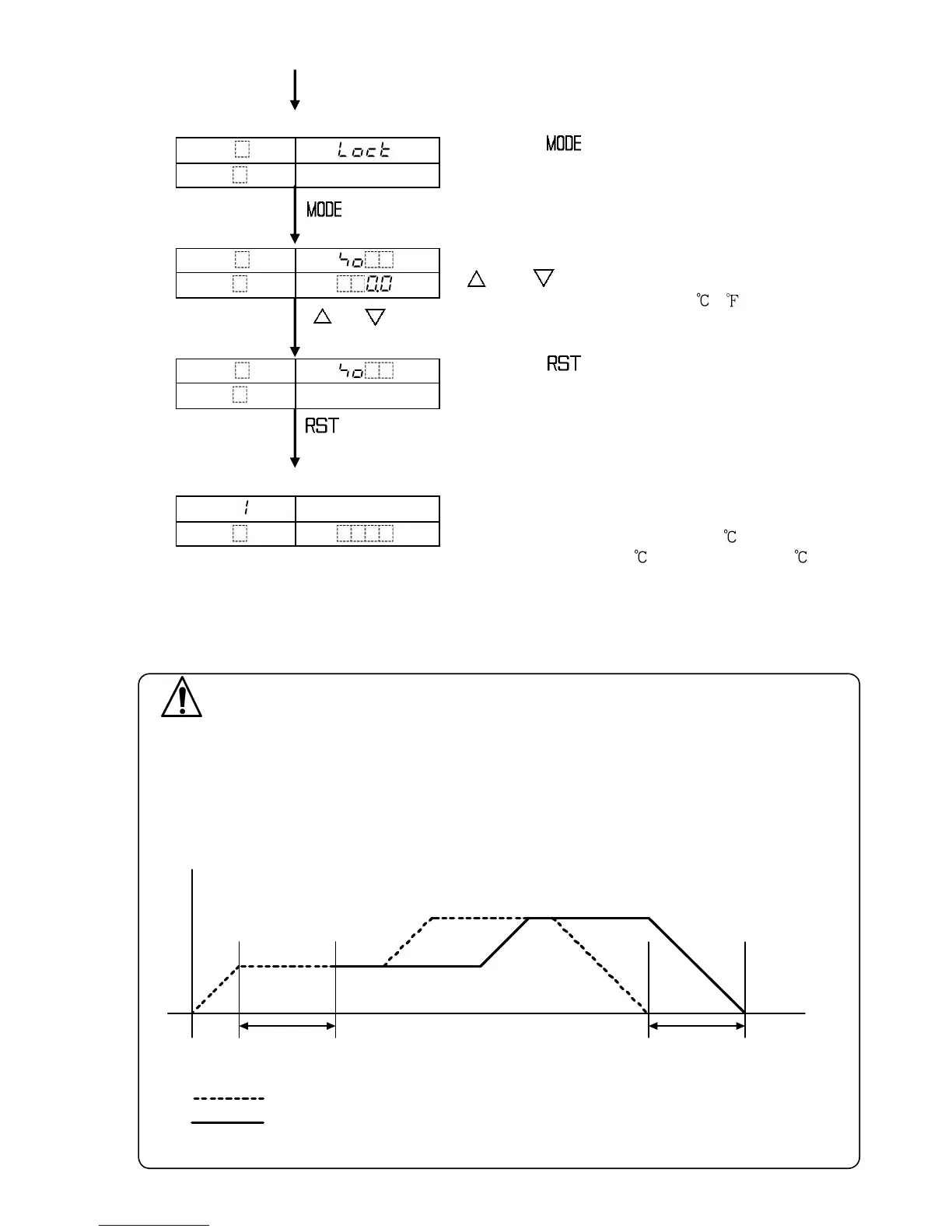
[Auxiliary function setting mode 1]
Press the key 3 times.
Sensor correction setting item is selected.
(Press 3 times)
Set the sensor correction value with
or key.
Setting range: -100.0 to 100.0 ( )
, For DC input, -1000 to 1000 (The placement of
the decimal point follows the selection)
Press the key.
The controller reverts to the program standby
mode or program control run mode
[Program standby mode or program control run mode]
The value on the PV display is the one corrected
by the sensor.
(e.g.) If actual temperature is 200 , and sensor
correction value is 2.0 , PV becomes 202 .
7.7 PID auto-tuning.
In order to decide each value of P, I, D and ARW automatically, this system
makes the controlled object’s temperature fluctuate.
Notice
• Perform the PID auto-tuning during the trial run.
• During the PID auto-tuning, none of the setting items can be set.
• If PID auto-tuning is performed, PID auto-tuning starts at the same time as performance,
and step time and time signal time do not progress until the auto-tuning ends.
After the PID auto-tuning ends, the remaining step time is performed.
• If power failure occurs during the PID auto-tuning, the tuning stops.
(Fig. 7.7-1)
PTN
PV
STEP
SV
Selected value



 To Next Page