16
5.3 Setting items in Auxiliary function setting mode 2
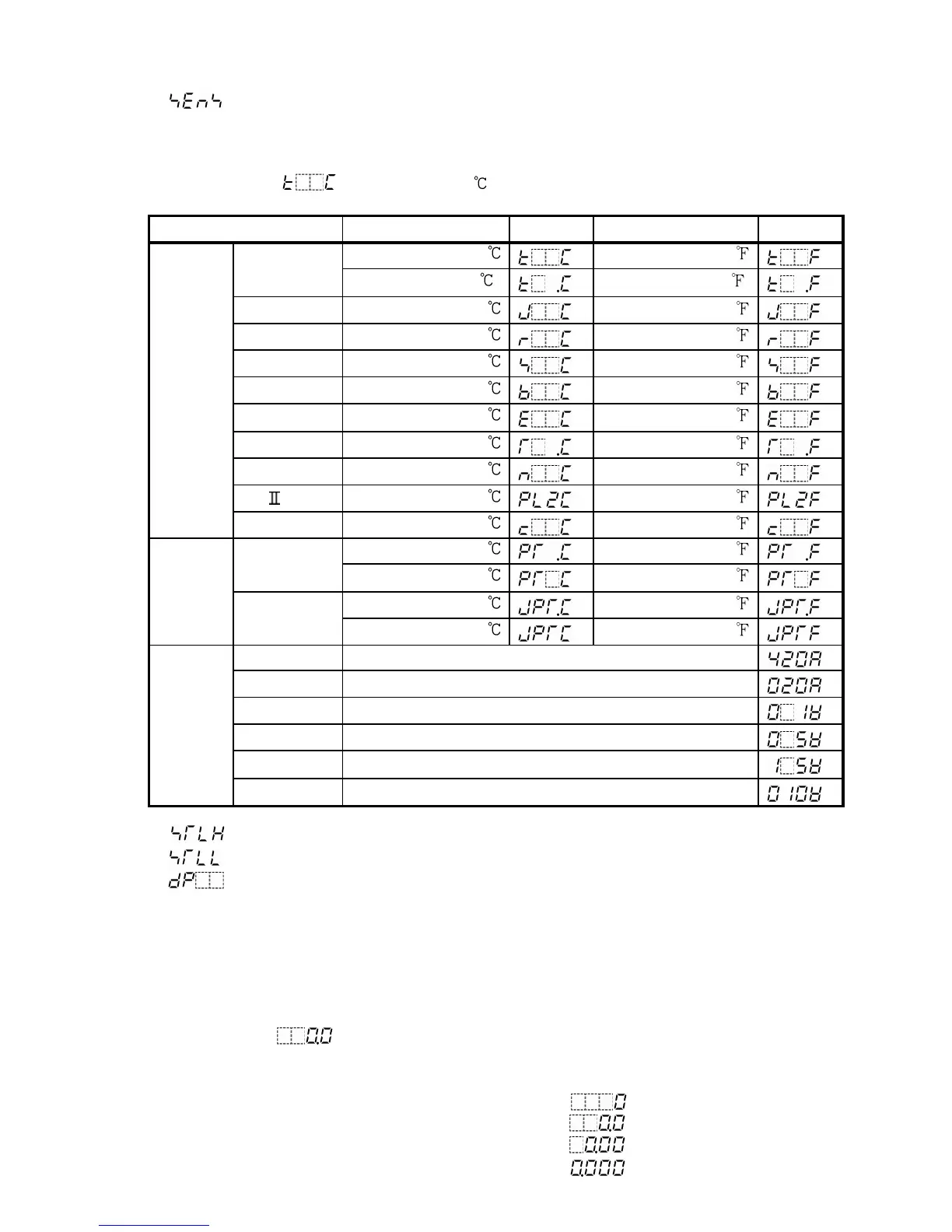
(1) : Input type selection
Selects a sensor type and temperature unit.
Set the same sensor type as the users’.
Selecting item: Refer to (Table 5.3-1) below.
Default value: (K, -200 to 1370 )
(Table 5.3-1)
Input types Scale range
Character
Scale range
Character
4 to 20mA
-1999 to 9999
0 to 20mA
-1999 to 9999
0 to 1V
-1999 to 9999
0 to 5V
-1999 to 9999
1 to 5V
-1999 to 9999
DC
current
DC
voltage
0 to 10V
-1999 to 9999
(2) Scaling high limit setting
(3) Scaling low limit setting
(4) Decimal point place selection
For DC current and voltage inputs, the input indication can be freely set.
Default value: Scaling high limit value; 9999, Scaling low limit value; -1999
No decimal point
For example, if DC voltage input 0 to 1V DC is set, 0V corresponds to -1999 and
1V corresponds to 9999. To indicate 0V as 0.0 and 1V as 100.0, Scaling high limit is
1000, Scaling low limit is 0, and select the decimal point place as “1 digit after the
decimal point ( )”.
• Setting range: Scaling high limit: Scaling low limit value to input range high limit value
Scaling low limit: Input range low limit value to scaling high limit value
Decimal point place selecting item: No decimal point
1 digit after the decimal point
2-digit after the decimal point
3-digit after the decimal point



 To Next Page