17
• Default value: Scaling high limit value; 9999
Scaling low limit value; -1999
Decimal point place selection: (No decimal point)
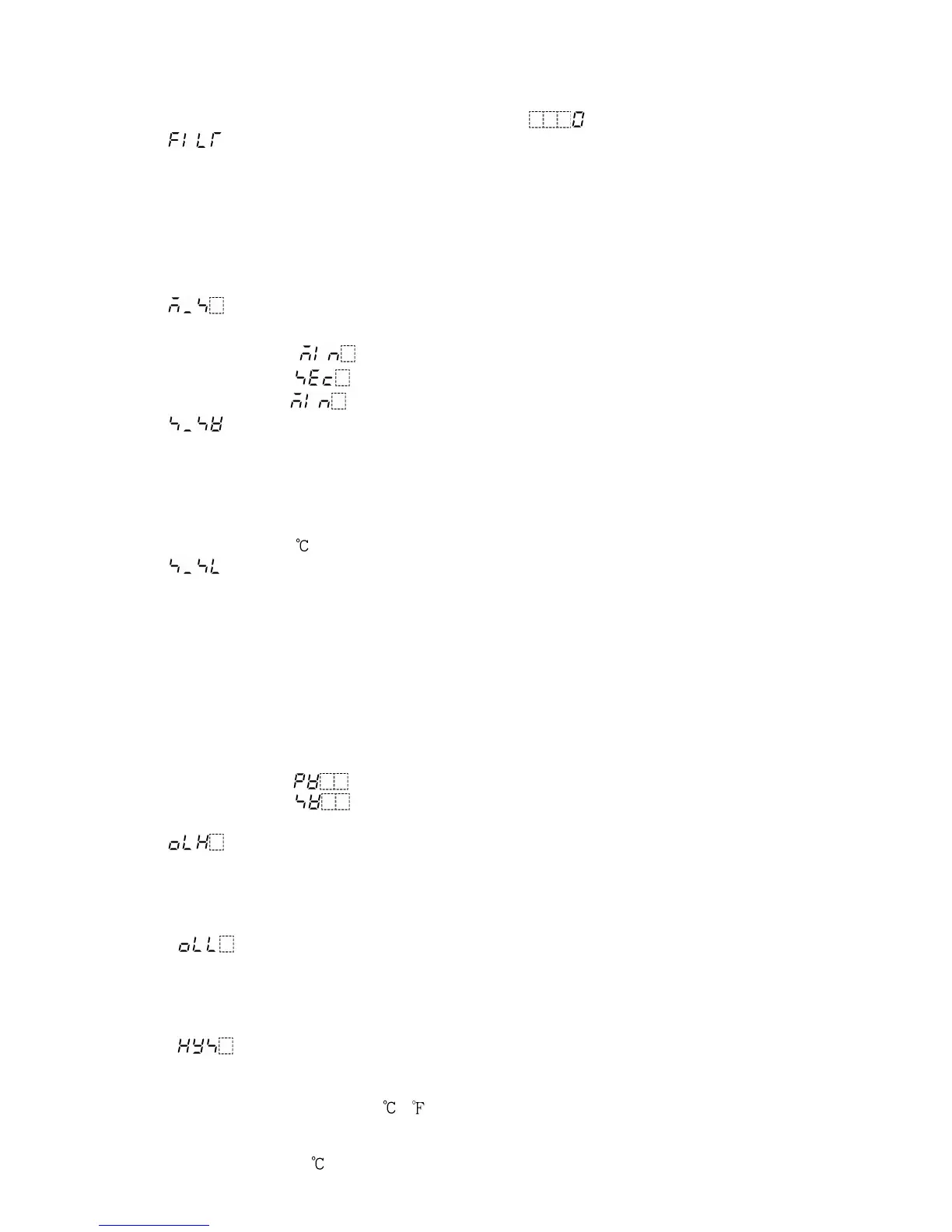
(5) : PV filter time constant setting
Sets the PV filter time constant.
This reduces input fluctuation caused by noise.
If the input changes in a step, set the time that reaches 63% of the step.
However, if setting value is set too large, it affects control result due to delay of
response.
• Setting range: 0.0 to 10.0 seconds
• Default value: 0.0 seconds
(6) Step time unit selection
Selects the unit of program progressing time.
• Selecting item: Hour:Minute
Minute:Second
• Default value: Hour:Minute
(7) Step SV setting when control starts
Sets the step SV when program control starts.
Program control starts with the set value regardless of the program control start form
SV start or PV start.
• Setting range: SV low limit to SV high limit
• Default value: 0
(8) Program control start form selection
Selects a program control start form.
PV start: When the program control starts, the setting value (SV) and time are
advanced to the PV and the control starts. However, if the value set in
“(7) Step SV setting when control starts” is larger than the PV, PV start is
cancelled, and the control starts from the value which has been set during
“(7) Step SV setting when control starts.
SV start: When the program control starts, the control starts from the value which
has been set during “(7) Step SV setting when control starts”.
• Setting range: : PV start
: SV start
• Default value: PV start
(9) Control output high limit setting
Sets control output high limit value.
Not available for ON/OFF action
• Setting range: Control output low limit value to 105%
• Default value: 100% (Setting greater than 100% is effective to DC current output type)
(10) Control output low limit setting
Sets control output low limit value.
Not available for ON/OFF action
• Setting range: -5% to control output high limit value
• Default value: 0% (Setting less than 0% is effective to DC current output type)
(11) Control output ON/OFF action hysteresis setting
Sets control output ON/OFF action hysteresis.
Available only for ON/OFF action
• Setting range: 0.1 to 100.0 ( )
For DC input, 1 to 1000 (The placement of the decimal point follows the
selection.)
• Default value: 1.0



 To Next Page