18
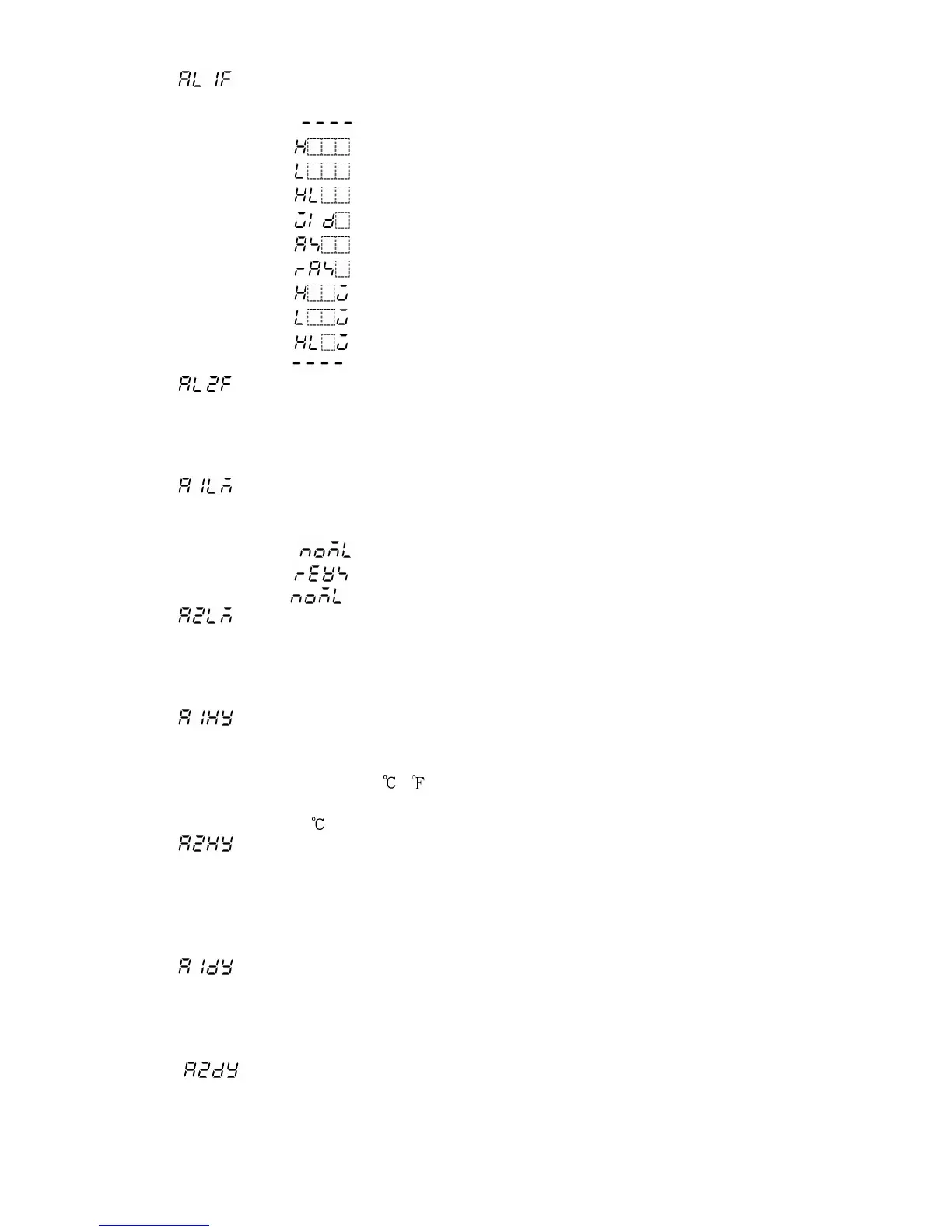
(12) Alarm 1 (A1) action selection
Selects Alarm 1 (A1) action type, referring to 8.5 Alarm 1 (A1) action (pp.48, 49).
• Selecting item: No alarm action
High limit alarm
Low limit alarm
High and Low limits alarm
High and Low limit range alarm
Process High alarm
Process Low alarm
High limit alarm with standby
Low limit alarm with standby
High and Low limits alarm with standby
• Default value: No alarm action
(13) Alarm 2 (A2) action selection
Selects Alarm 2 (A2) action type, referring to 8.5 Alarm 2 (A2) action (pp.48, 49).
The selecting item and default value are the same as those of Alarm 1 (A1) action
selection.
Not available if P24 (option) is added.
(14) Alarm 1 (A1) Energized/Deenergized selection
Selects Alarm 1 (A1) Energized/Deenergized.
Not available if No alarm action is selected in Alarm 1 (A1) action selection
• Selecting item: Energized
Deenergized
• Default value: Energized
(15) Alarm 2 (A2) Energized/Deenergized selection
Selects Alarm 2 (A2) Energized/Deenergized.
Not available if No alarm action is selected in Alarm 2 (A2) action selection
The selecting item and default value are the same as those of Alarm 1 (A1) Energized/
Deenergized selection.
(16) Alarm 1 (A1) hysteresis setting
Sets Alarm 1 (A1) hysteresis.
Not available if No alarm action is selected in Alarm 1 (A1) action selection
• Setting range: 0.1 to 100.0 ( )
For DC input, 1 to 1000 (The placement of the decimal point follows the selection.)
• Default value: 1.0
(17) Alarm 2 (A2) hysteresis setting
Sets Alarm 2 (A2) hysteresis.
Not available if No alarm action is selected in Alarm 2 (A2) action selection
Not available if P24 (option) is added.
The setting range and default value are the same as those of Alarm 1 (A1) hysteresis
setting.
(18) Alarm 1 (A1) action delayed timer setting
Sets Alarm 1 (A1) action delayed timer.
Not available if No alarm action is selected in Alarm 1 (A1) action selection
• Setting range: 0 to 9999 seconds
• Default value: 0 seconds
(19 ) Alarm 2 (A2) action delayed timer setting
Sets Alarm 2 (A2) action delayed timer.
Not available if No alarm action is selected in Alarm 2 (A2) action selection
Not available if P24 (option) is added.
The setting range and default value are the same as those of Alarm 1 (A1) action
delayed timer setting.



 To Next Page