58
12. Character table
Photocopiable material
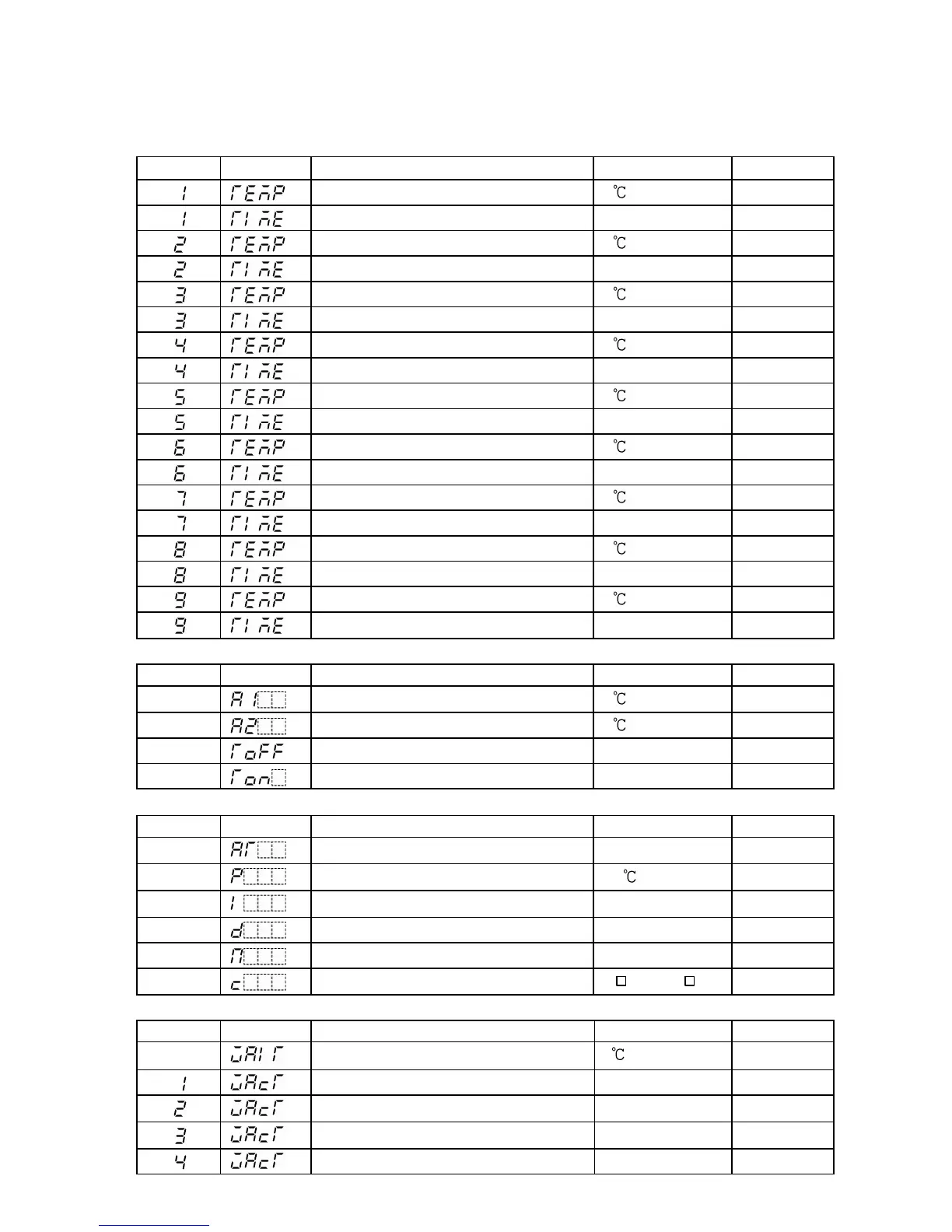
<Setting value/Time setting mode>
Step No. PV display
Setting item Default value Data
Step 1 Step SV 0
Step 1 Step time 00.00 (H:M)
Step 2 Step SV 0
Step 2 Step time 00.00 (H:M)
Step 3 Step SV 0
Step 3 Step time 00.00 (H:M)
Step 4 Step SV 0
Step 4 Step time 00.00 (H:M)
Step 5 Step SV 0
Step 5 Step time 00.00 (H:M)
Step 6 Step SV 0
Step 6 Step time 00.00 (H:M)
Step 7 Step SV 0
Step 7 Step time 00.00 (H:M)
Step 8 Step SV 0
Step 8 Step time 00.00 (H:M)
Step 9 Step SV 0
Step 9 Step time 00.00 (H:M)
<Alarm/Time signal setting mode>
Step No. PV display
Setting item Default value Data
Alarm 1 (A1) action point 0
Alarm 2 (A2) action point 0
Time signal OFF time 00.00 (H:M)
Time signal ON time 00.00 (H:M)
< PID parameter setting mode>
Step No. PV display
Setting item Default value Data
PID Auto-tuning Perform/Cancel Cancel
Proportional band 10
Integral time 200sec.
Derivative time 50sec.
Anti-reset windup 50%
Proportional cycle
R/ (30s), S/ (3s)
<Wait parameter setting mode>
Step No. PV display
Setting item Default value Data
Wait value 0 (No Wait action)
Step 1 Wait function Used/Not used Not used
Step 2 Wait function Used/Not used Not used
Step 3 Wait function Used/Not used Not used
Step 4 Wait function Used/Not used Not used



 To Next Page