30
[Program standby mode or program control run mode]
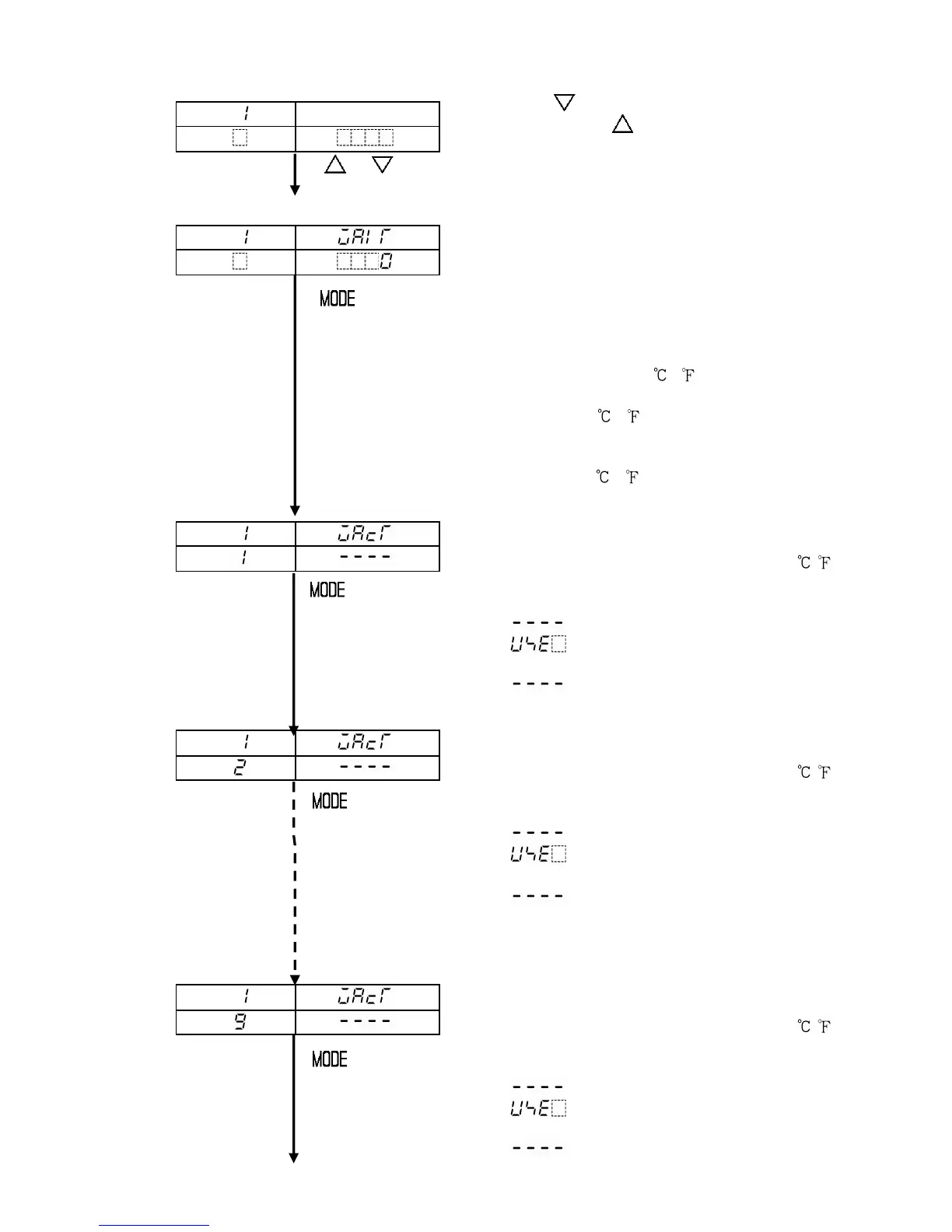
Press the key for 3 seconds while
holding down the key.
Wait parameter setting mode is selected, and
+ (3s) Wait value setting item is indicated.
[Wait parameter setting mode]
Wait value setting
Sets Pattern 1 Wait value.
The step whose temperature is rising:
Step SV – Wait value
The step whose temperature is falling:
Step SV + Wait value
Off when set to 0 or 0.0
• Setting range: 0 to 100 ( )
For the input with a decimal point:
0.0 to 100.0 ( )
For DC input: 0 to 1000 (The placement of
the decimal point follows the selection)
• Default value: 0 ( )
Step 1 Wait function selection
Selects Step 1 Wait function Used or Not used.
Not available if Wait value is set to 0 or 0.0 ( )
during Wait value setting.
• Selecting item:
: Wait function Not used
: Wait function Used
• Default value:
: Wait function Not used
Step 2 Wait function selection
Selects Step 2 Wait function Used or Not used.
Not available if Wait value is set to 0 or 0.0 ( )
during Wait value setting.
• Selecting item:
: Wait function Not used
: Wait function Used
• Default value:
: Wait function Not used
Step 9 Wait function selection
Selects Step 9 Wait function Used or Not used.
Not available if Wait value is set to 0 or 0.0 ( )
during Wait value setting.
• Selecting item:
: Wait function Not used
: Wait function Used
• Default value:
: WAIT function Not used
PTN
PV
Actual temp.
STEP
SV



 To Next Page