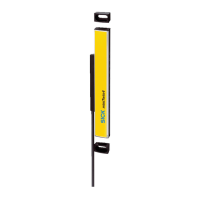
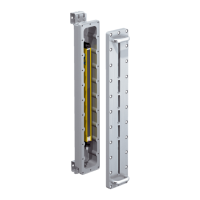
Figure 27: Mounting the QuickFix bracket to a profile
Secure the sender and receiver in the bracket
1.
Insert the housing of the sender and receiver into the bracket so that it fits snugly.
2. Secure the position of the sensor and receiver in the bracket using the M5 screw.
Torque: 2.5Nm to3Nm
5.3.2 Mounting the FlexFix bracket
Overview
In the FlexFix bracket, the sender and receiver can be rotated ±15° around their
longitudinal axis.
2 FlexFix brackets are used to mount the sender and receiver.
As a rule, each FlexFix bracket is mounted to the mounting surface with 2 screws. In
exceptional cases (e.g. reduced vibration and shock requirements), a FlexFix bracket
can be mounted with only one screw if this does not impair the function.
Important information
NOTICE
T
he housing of the safety light curtain can become scratched if the screw heads
protrude when the FlexFix brackets are mounted on the back.
This can be avoided by taking one of the following measures:
►
Use flat-head screws with washers.
►
If using cylinder head screws, use 2 screws per bracket and no washers.
MOUNTING 5
8028570/2023-07-27 | SICK O P E R A T I N G I N S T R U C T I O N S | deTec4 C4P-EAxxx3SC05
47
Subject to change without notice



 To Next Page
 Loading...