NOTE
If suit
able wiring has been established, activate the integrated laser alignment aid.
Complementary information
In man
y cases, the optional AR60 laser alignment aid and the alignment tool available
as an accessory can make alignment even easier. If deflector mirrors are installed, the
laser alignment aid can be used at the receiver. If there is a large protective field height,
it can be used at the top end of the sender and at the receiver.
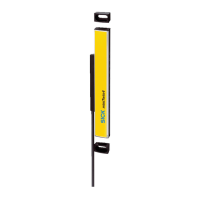
Since the optional AR60 laser alignment aid is placed with the adapter inside the
protective field of the safety light curtain, at most diagnostic LEDs 1 and 2 light up blue
and the OSSD LED lights up red. To check whether the OSSD LED of the receiver lights
up green and diagnostic LEDs 5,6,7 and 8 light up blue, remove the optional AR60
laser alignment aid.
Further topics
•
"Indic
ation of the alignment quality", page 65
•
"Mounting", page 41
•
"Laser alignment aid", page 35
8.3.2 Alignment with the QuickFix bracket
Prerequisites
•
T
he sender and receiver are mounted with a QuickFix bracket
Alignment with the QuickFix bracket
T
he QuickFix bracket offers you the following adjustment options for aligning the sender
and receiver with each other:
•
Shift vertically
Figure 39: QuickFix bracket: adjust vertically
8 C
OMMISSIONING
64
O P E R A T I N G I N S T R U C T I O N S | deTec4 C4P-EAxxx3SC05 8028570/2023-07-27 | SICK
Subject to change without notice



 To Next Page
 Loading...