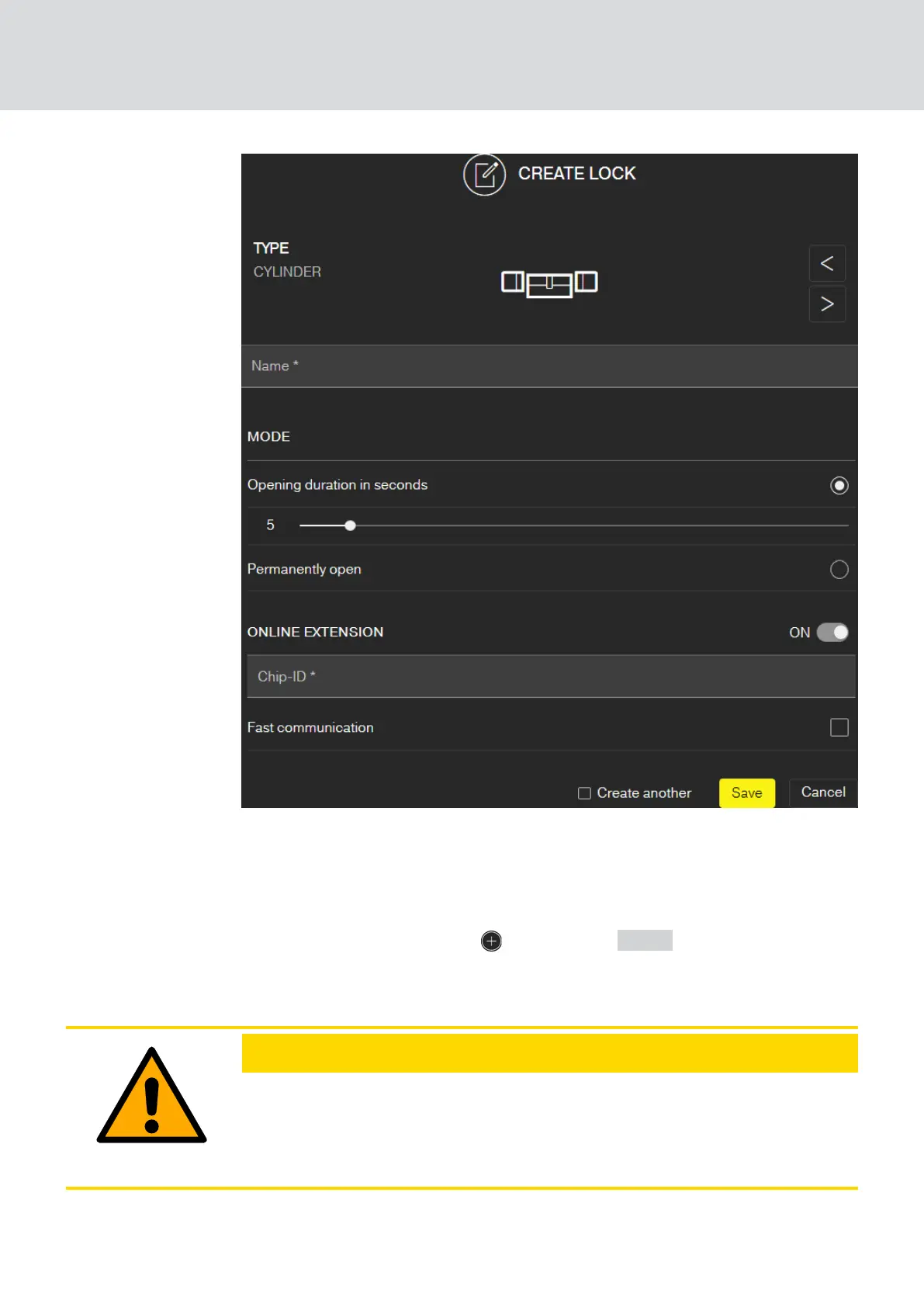
This how you add a new online locking device:
ü SmartBridge added (See
Setting up SmartBridges [}39]
).
ü Matrix screen open
1. Click on the Add lock icon (beneath the SAVE button).
2. Select the lock type, e.g. "CYLINDER" for a normal locking cylinder.
3. Assign a name, e.g. front door.
CAUTION
Security risk with permanent opening
A door which is permanently open may pose a security risk. SimonsVoss
Technologies GmbH therefore recommends limiting the opening time in-
terval.
MobileKey (Manual)
6. MobileKey online upgrade
42 / 75



 To Next Page