5 Basic functions
A setup wizard will appear the first time that you log on to a MobileKey
account, making it easy to configure. This wizard will help you to add
locking devices and keys quickly and conveniently.
5.1 Creating a lock
ü Matrix screen open
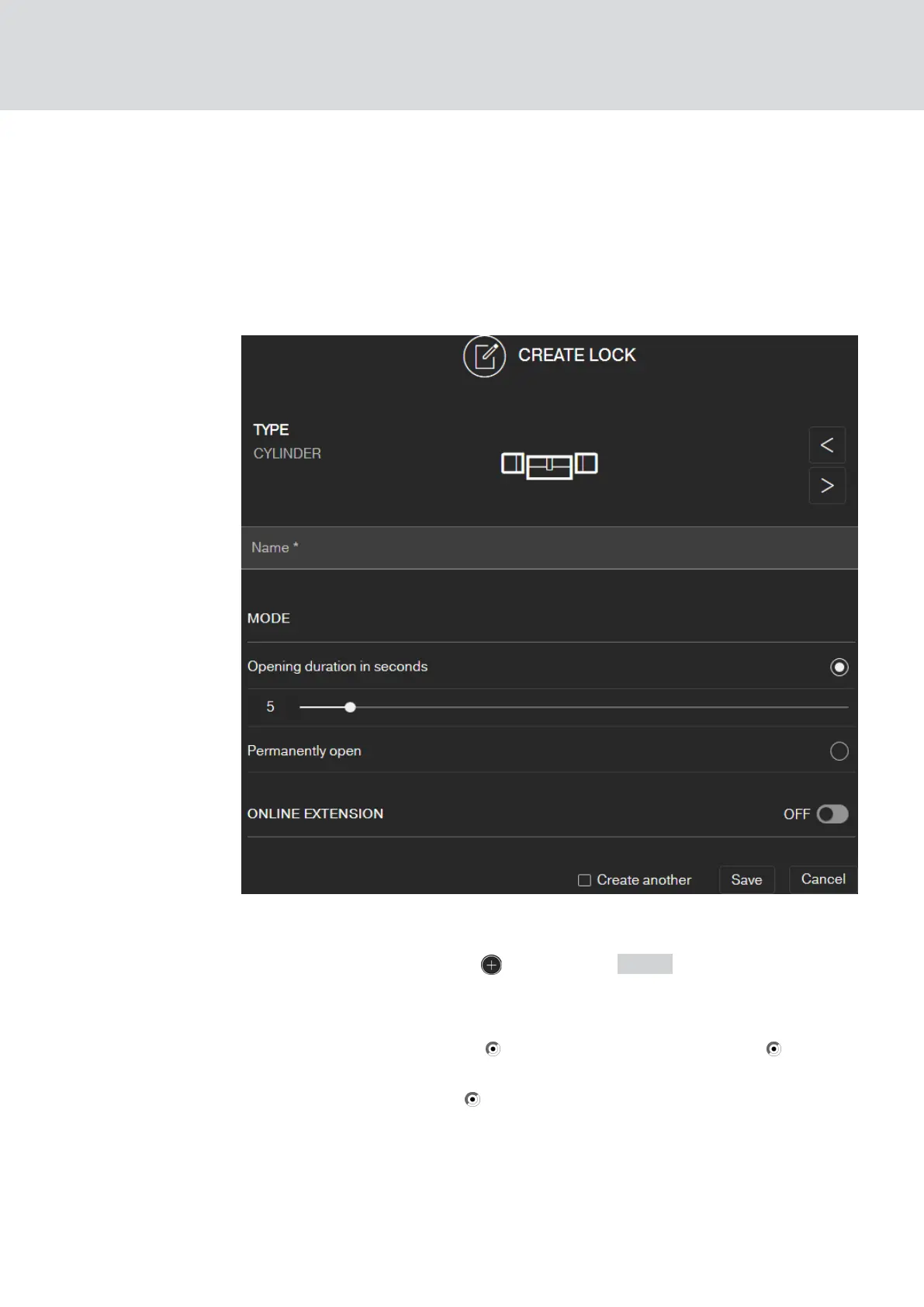
1. Click on the Add lock icon (beneath the SAVE button).
2. Select the lock type, e.g. "CYLINDER" for a normal locking cylinder.
3. Assign a name, e.g. front door.
4. Select one of the options: Opening duration in seconds or Per-
mantently open.
9 If you have selected Permantently open the lock will remain
engaged ready for use until it is actuated again with a key or by
remote opening.
MobileKey (Manual)
5. Basic functions
18 / 75



 To Next Page