4-7
Printer Management
6
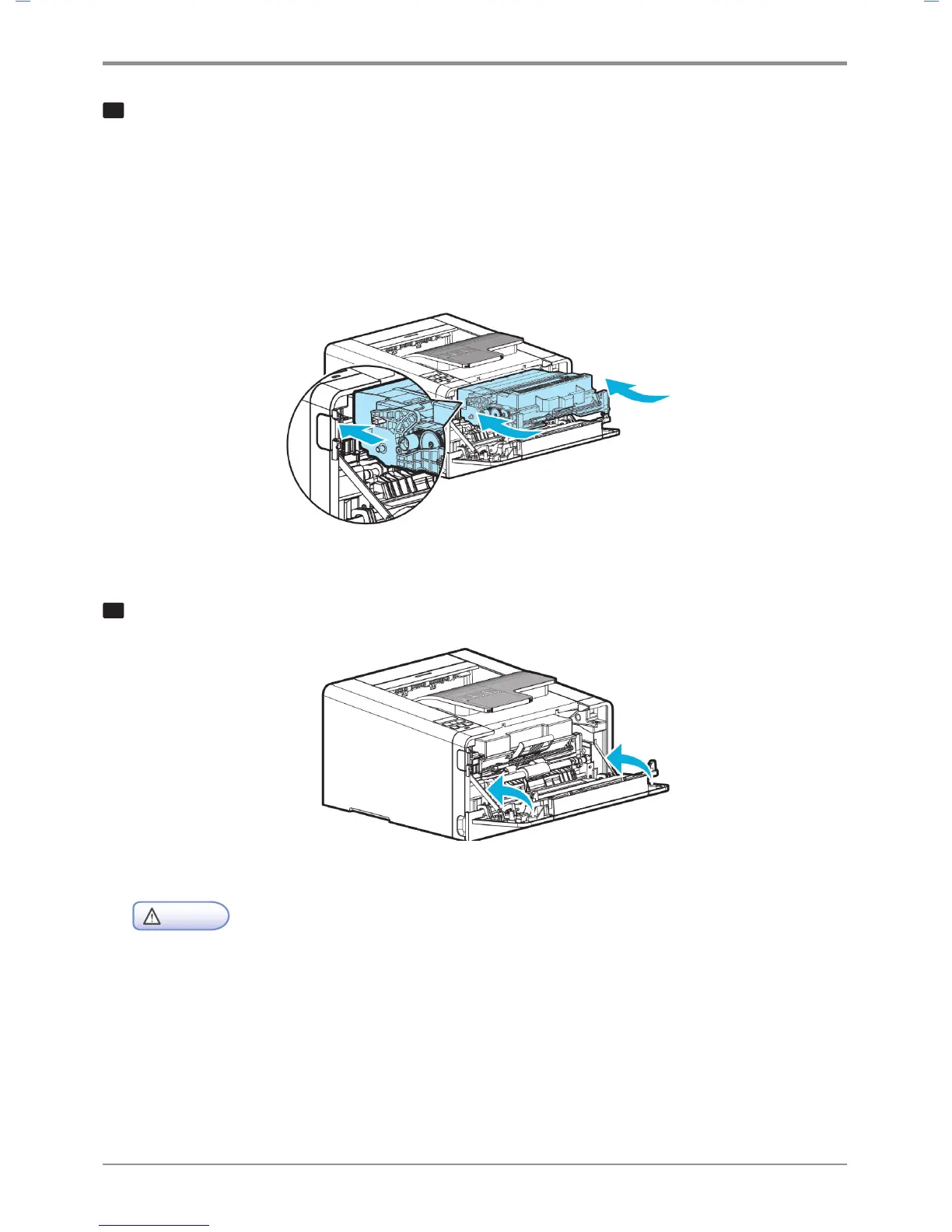
Follow the steps below to install cartridge.
A. Hold the handle of the cartridge. (Back of your hand facing down.)
B. Align the hooks on either side of the cartridge at the front (arrow sticker) with the guides
(arrow sticker) of the printer.
C. Push the cartridge into the printer until you hear a click.
7
Close the front cover
- Check if the MPT is closed when closing the front cover. If the front cover is closed with
the MPT open, it may cause malfunction.
Caution



 To Next Page