Sinterit LISA X User Manual | 55
12.11 CHECKING THE TENSION OF THE RECOATER DRIVE UNIT CORD (REV. A-B)
You will need: 2 mm allen key, 7 mm wrench, 10 mm torque wrench
Every approx. 400 hours is required to check the tension of the Recoater Drive Unit Cord. A properly tensioned cable is
springy, with no curve, and under nger pressure, it exes by about 0,5 cm.
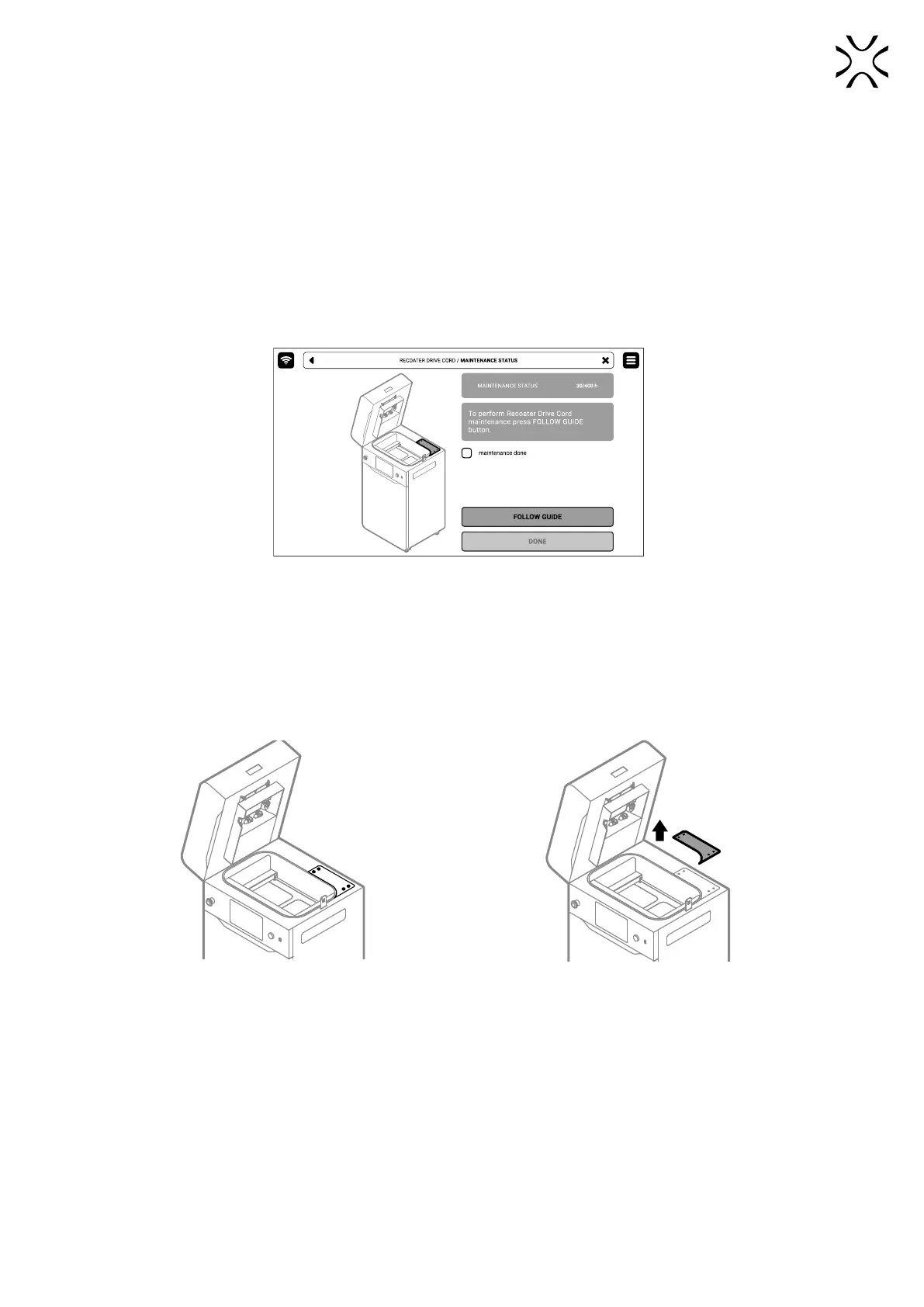
1. On the PRINTER STATUS tab, select the Recoater DRIVE CORD position.
2. The maintenance tab of the checking Recoater Drive Unit Cord will appear on the screen. You can use the step-by-step
guide (press FOLLOW GUIDE) or perform the replacement yourself.
3. In this case, mark MAINTENANCE DONE once you have completed the procedure, and then the DONE button. The
timer will reset to zero (g. 12.61).
Fig. 12.61 The screen of the maintenance of the Recoater Drive Unit Cord.
4. Choose UNLOCK LID on the screen.
5. Push on the lid and pull it up using the lid handle. Remember, you only have 10 seconds to open it before the lock
activates again.
6. Using a 2 mm allen key remove the four screws securing the access panel on the top side of the printer (g. 12.62).
7. Remove the access panel on the top side of the printer (g. 12.63).
Fig. 12.62 Remove four screws from the access panel. Fig. 12.63 Remove the access panel.
8. Now you have access to the tightening mechanism.
9. To tighten the cord, use a 7 mm wrench and loosen the three screws marked in gure 12.64.
10. Screw the marked bolt with a torque wrench (g. 12.65). Tighten the cord for a value of 21 Ncm.



 To Next Page