Page 48 of 92
Chapter: 4. Installation
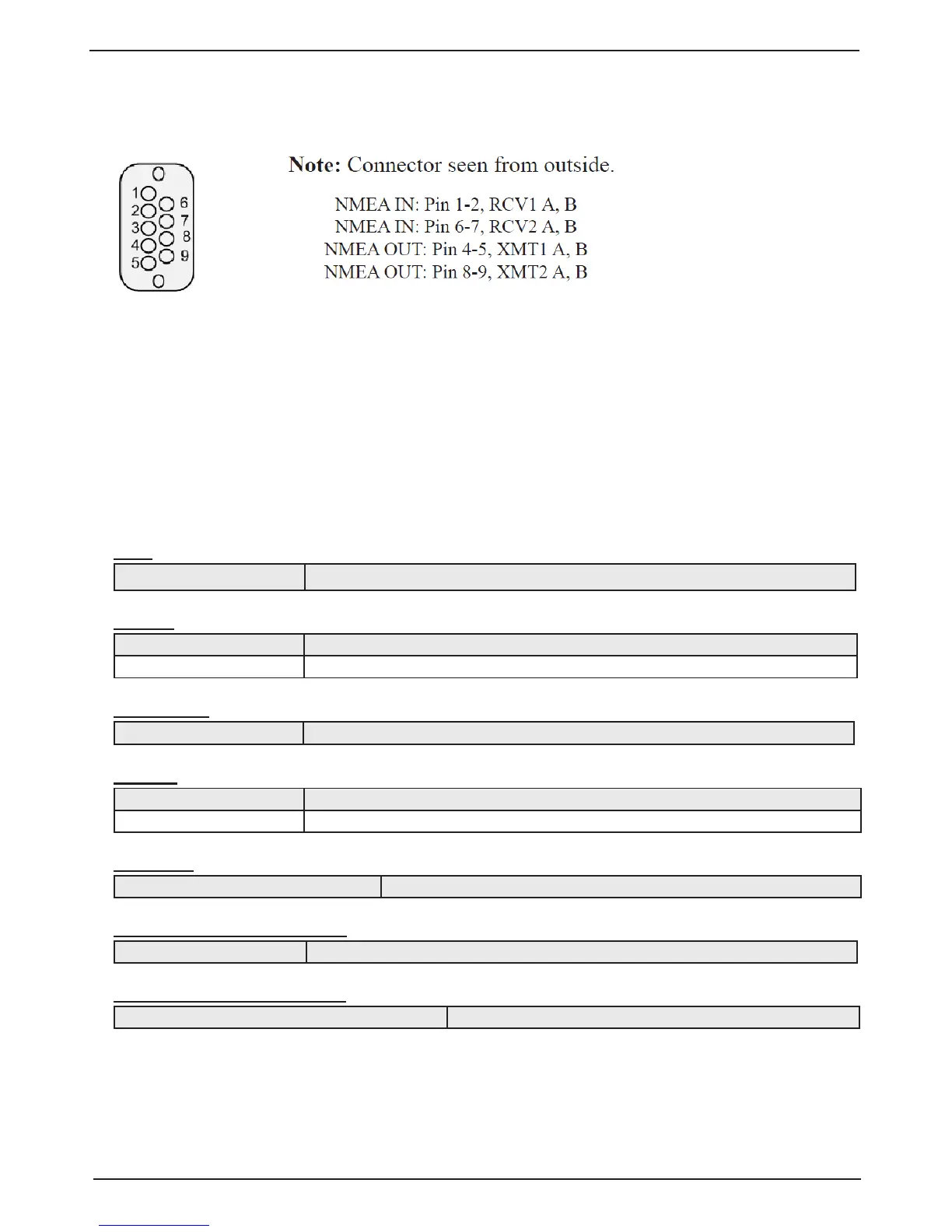
NMEA interface
Pin D-Type NMEA connector XJ402 in cabinet front
NMEA Setup
“Screen COM” is used for verication of received and control of transmitted IEC-61162-1:2007(E)
(NMEA 0183) messages. See “Screen com, Menu 1, NMEA setup.” on page 20 . The 4800 baud
rate is the most common, but the baud rate may also be set to other values to interface with dierent
kind of equipment. When a NMEA talker is connected to one of the inputs, all received messages will
be displayed on the screen. If no messages are displayed, check the signal polarity, the baud rate and
input mode (input, output or o). If messages are marked red, check message protocol. The following
messages are accepted for input and interpreted by the program. The talker identier is ignored.
Time
Day, month, year ZDA,hhmmss.ss,xx,xx,xxxx,xx,xx*hh<CR><LF>
Position
Geographical lat/lon GLL,llll.ll,a,yyyy.yy,a,hhmmss.ss,A,a*hh<CR><LF>
GPS position GGA,hhmmss.ss,llll.ll,yyyy.yy,a,x,xx,x.x,x.x,M,x.x,xxxx*hh <CR><LF>
Rate of Turn
Rate of turn ROT,x.x,A*hh<CR><LF> (Required for docking.)
Heading
Heading, true, present HDT,xx.x,T*hh<CR><LF>
True heading and status THS,x.x,a*hh<CR><LF>
Composite
GPS, transit specic RMC,hhmmss.ss,A,llll.ll,a,yyyy.yy,a,x.x,x.x,xxxxxx,,,*hh <CR><LF>
External trip reset over NMEA
Trip reset $PSKPRSTT*<hh><CR><LF>
External dimming over NMEA
External dimming of display unit $--DDC, a, xx,*hh<CR><LF>



 To Next Page