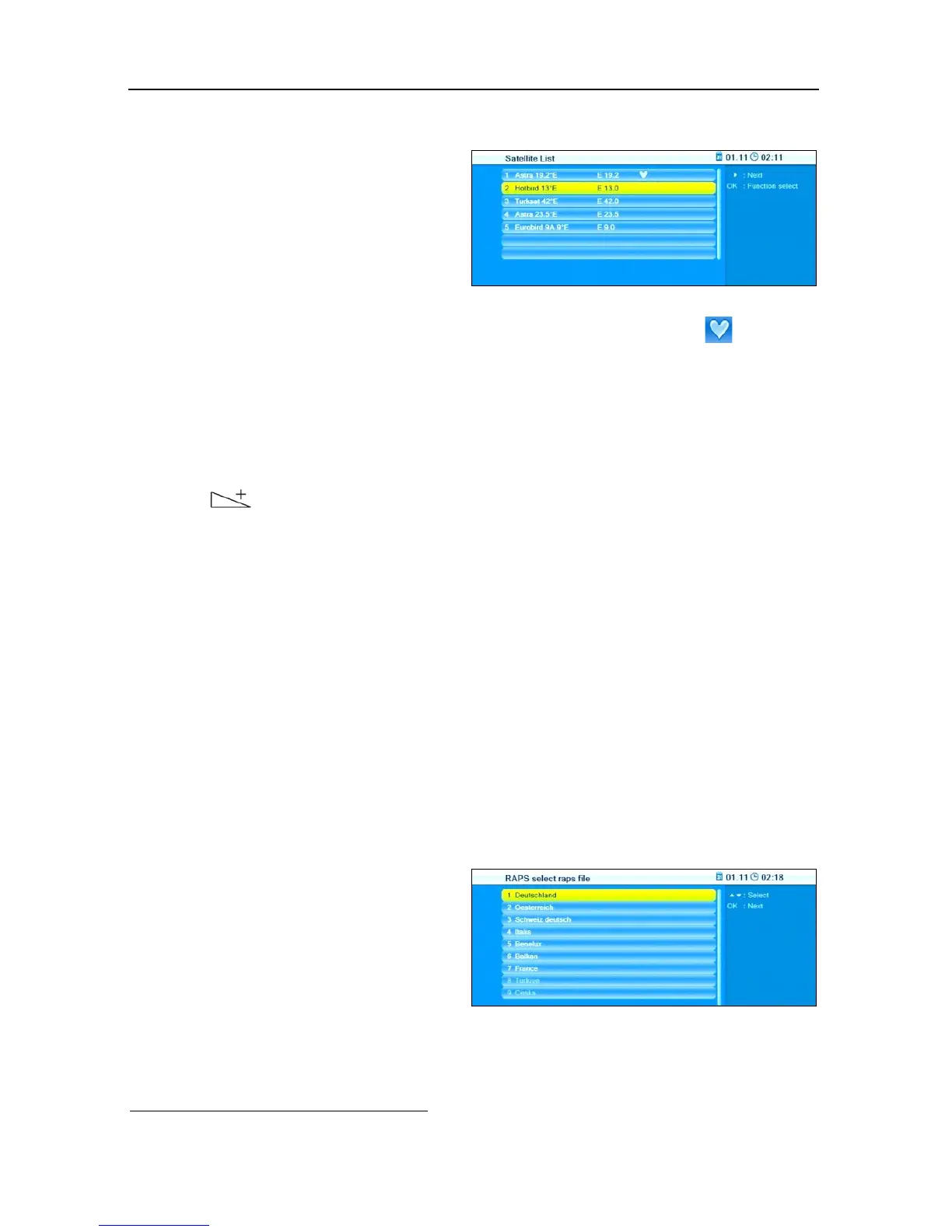
The window displays the satellites included in the RAPS file. As the RAPS lists are
available via the satellite Astra 19.2°, Astra 19.2° is already marked (and can-
not be deselected!).
Select a satellite by pressing the keys PR+ and PR-.
Press OK to select a non-marked satellite.
Press OK to deselect a marked satellite.
Press to go to the next window RAPS select raps file.
Examples:
• Your antenna system is designed for receiving Astra 19.2°E and Hotbird 13°E.
These satellites are found and marked in the list. You are planning to soon
extend your antenna system for receiving of Eurobird 9A 9°E. You can addi-
tionally mark Eurobird 9A 9°E already now to avoid repeated installation in
the future.
• Your antenna system is designed for receiving Astra 19.2°E and Türksat 42°E.
However, the receiver in the children's room should only receive the German
channels. For this, manually deselect Türksat 42°E (found by RAPS-DiSEqC
scan).
5.1.6 Country
Select the country in which you
want to use the receiver - and
correspondingly also the RAPS
list - by pressing the keys PR+
and PR. The selectable countries
are based on your satellite selec-
tion as per section 5.1.5.
Press OK to go to the next window Your regional channel.
7
DiSEqC = Digital Satellite Equipment Control, a digital control signal technology with satellite
receiving systems



 To Next Page