Installation
- 1 scanner
- 1 power cord
- 2 USB cables
- 1 hex key
- 1 user manual
- 1 calibration object
- 1 software installation CD including calibration data
- 1 removable object holder
- 1 measuring range template
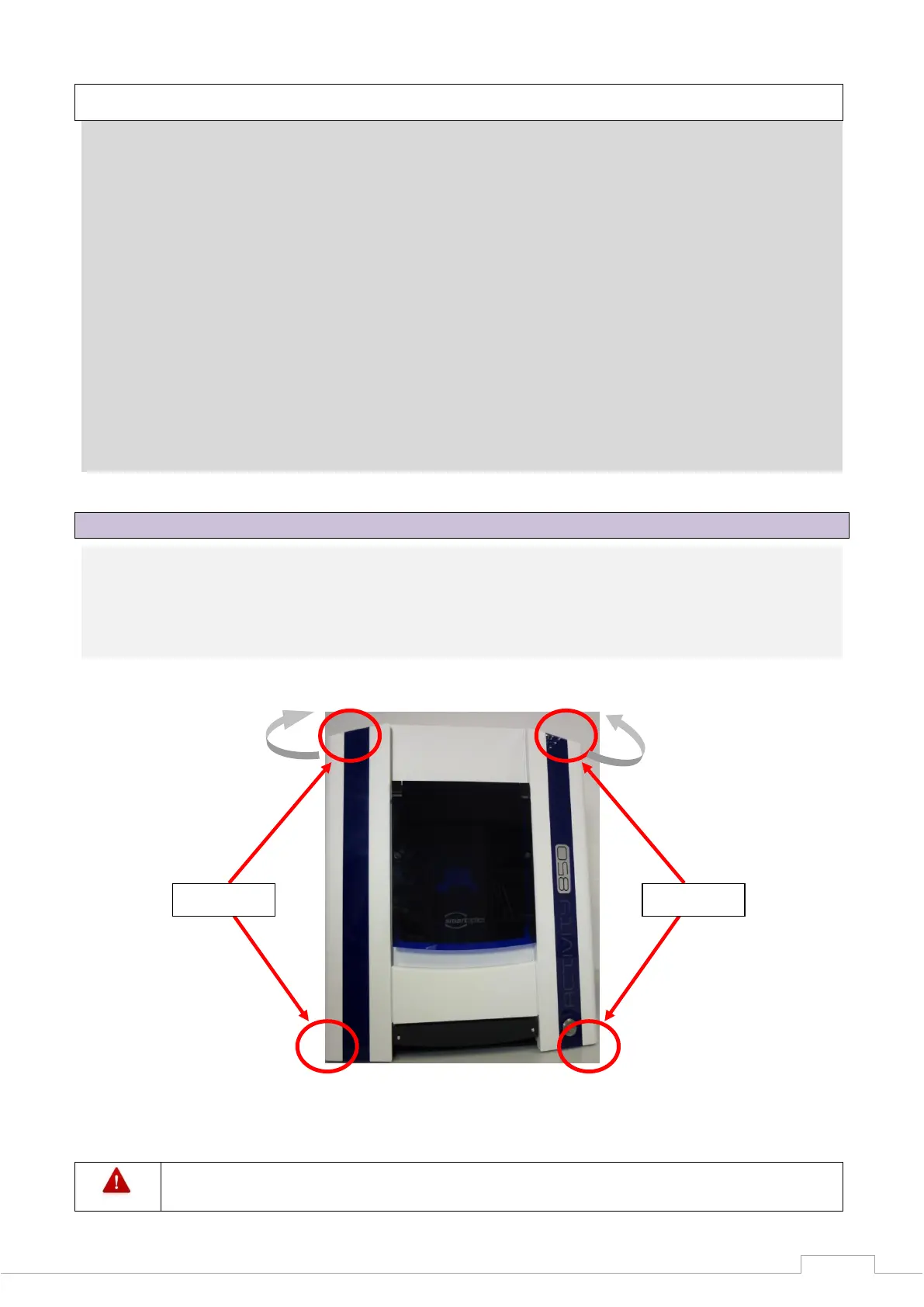
8.3 Carrying points
Carrying points are provided to move the device. Please note these specifications.
Stand so that one person each is positioned to the left and right of the scanner. Take hold of the
scanner with one hand at the bottom front of the scanner and the other hand at the top rear. In
this way, the scanner can be safely tilted slightly to the rear.
Never carry the scanner with the flap open, and do not carry the scanner using the flap
itself.
Carrying points, rear
(back of the device)
Gerätes)


 To Next Page