Scanning procedure
12.4 Case study: complete jaw scan
Clamp the model on the removable object holder. Ensure the height alignment in the measuring
range. (See Fig. 34).
For certain applications, e.g. archiving in orthodontics, it is necessary to simply and
quickly scan a complete jaw. Unless high detail accuracy is required for this, we
recommend setting the thinning to MEDIUM or STRONG.
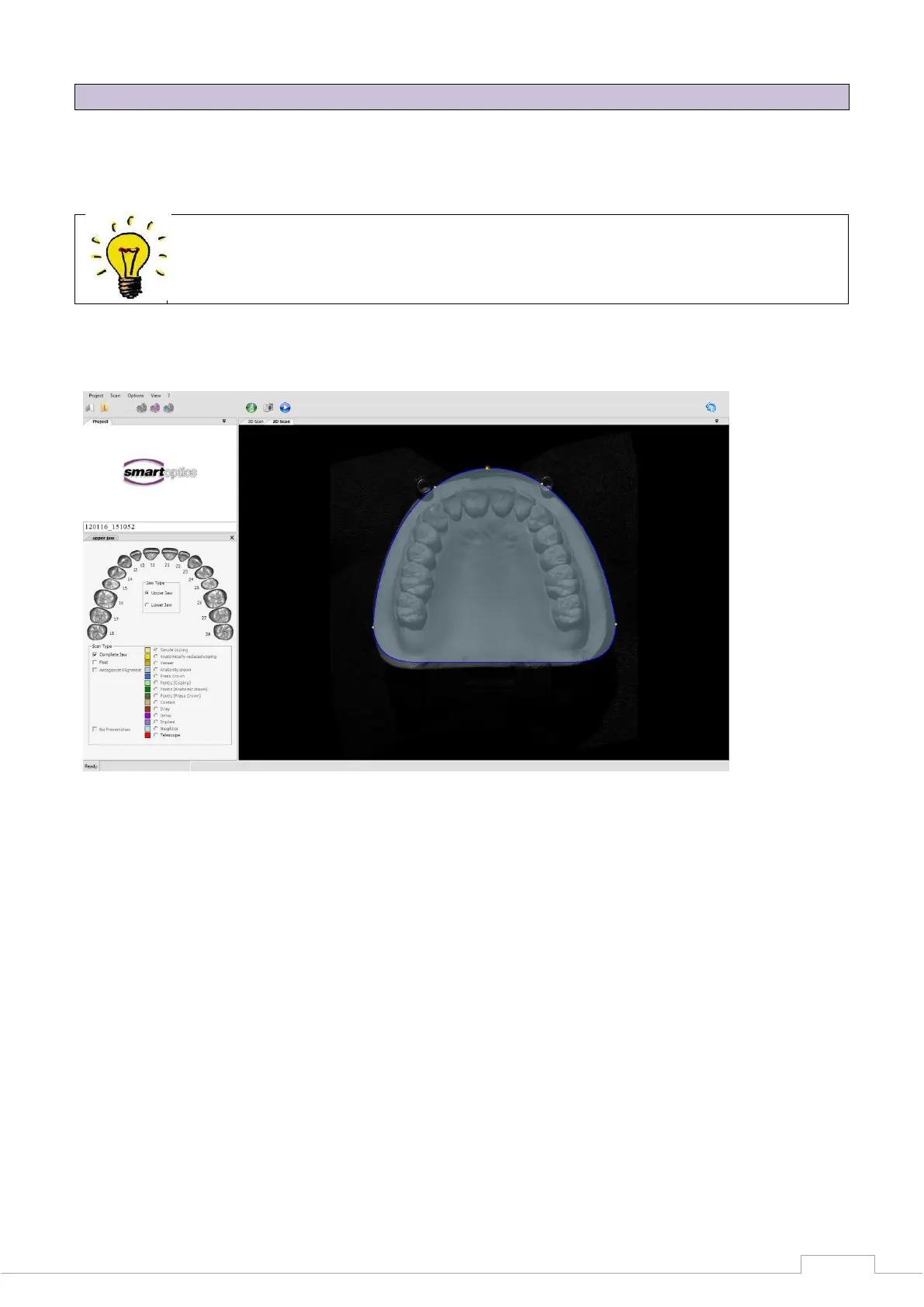
Create a new project as described in section 9.3 and start the 2D scan.
Figure 51: Complete jaw 2D scan
Select between lower and upper jaw correspondingly under "Jaw type".
Activate the "Complete jaw" checkbox under "Scan type" (see Figure 52).


 To Next Page