Symbols
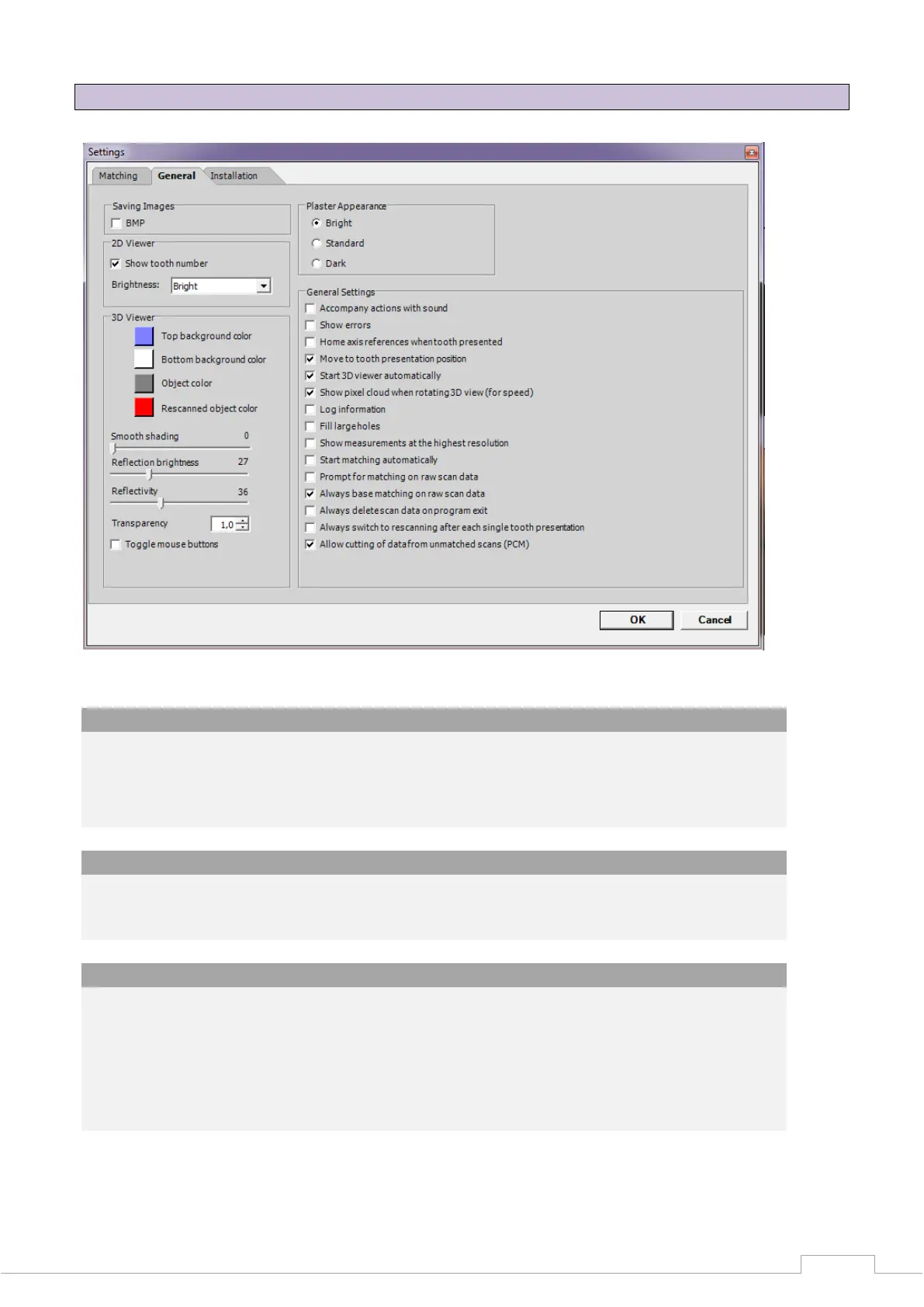
13.5 Options Settings General
Figure 73: Settings - General
Saving images
BMP:
A BMP (bitmap) of the relevant recording position is created upon activation.
This image, in which the light stripe pattern can also be seen, is also saved in the project
directory. These images serve as an aid if any measuring errors occur.
2D viewer
Brightness:
You can set the light intensity of the camera live image here. These settings do not have
any effect on the 3D measurements.
3D viewer
Colour top:
You can set the background colour of the viewer for the upper area here.
Colour bottom:
You can set the background colour of the viewer for the lower area here.
Object colour
You can determine the colour in which the 3D object is to be displayed here.


 To Next Page