Installation
9.4 Importing calibration data
The scanner–specific calibration data must be imported during the initial installation.
Start the Activity software via the Desktop icon or from the Start Menu.
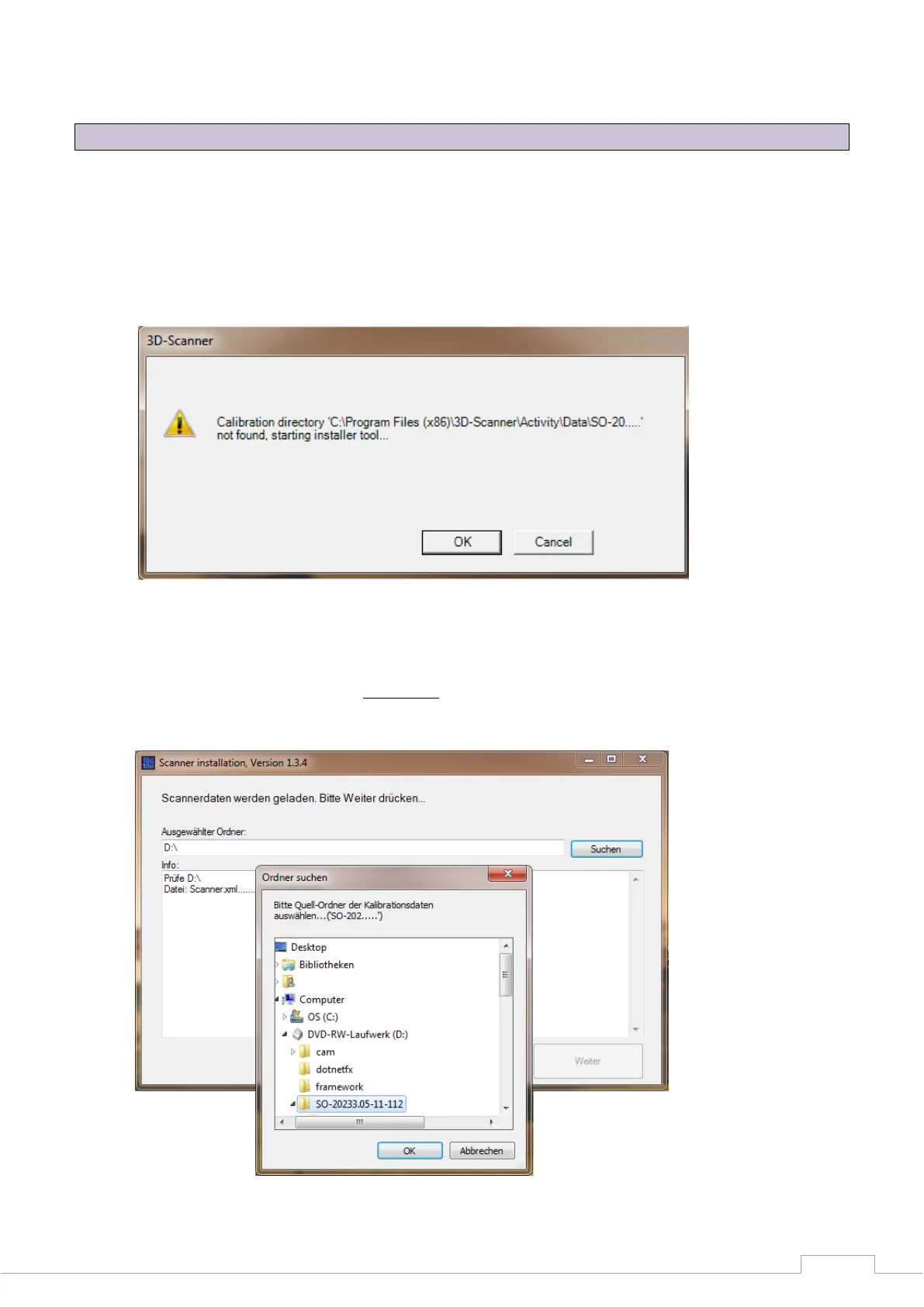
This is followed by a software message (Calibration directory not found). Click "OK" to start the
"Installer Tool".
Figure 14: No calibration data
This tool makes it easier to install the required sensor data.
Click "Search" to select the file path (SO-202.... ).
When doing so, select only the parent folder and confirm with "OK".
Figure 15: Folder search


 To Next Page