Scanning procedure
After completing the scan and cutting the data set to size, you need to perform a matching.
To do this, click on the following icon:
Figure 44: "Matching" process
The recorded individual measurements are automatically added together by special
algorithms, and an STL is created. This process is known as matching. You can set the
quality of the STL under Item 10.4.
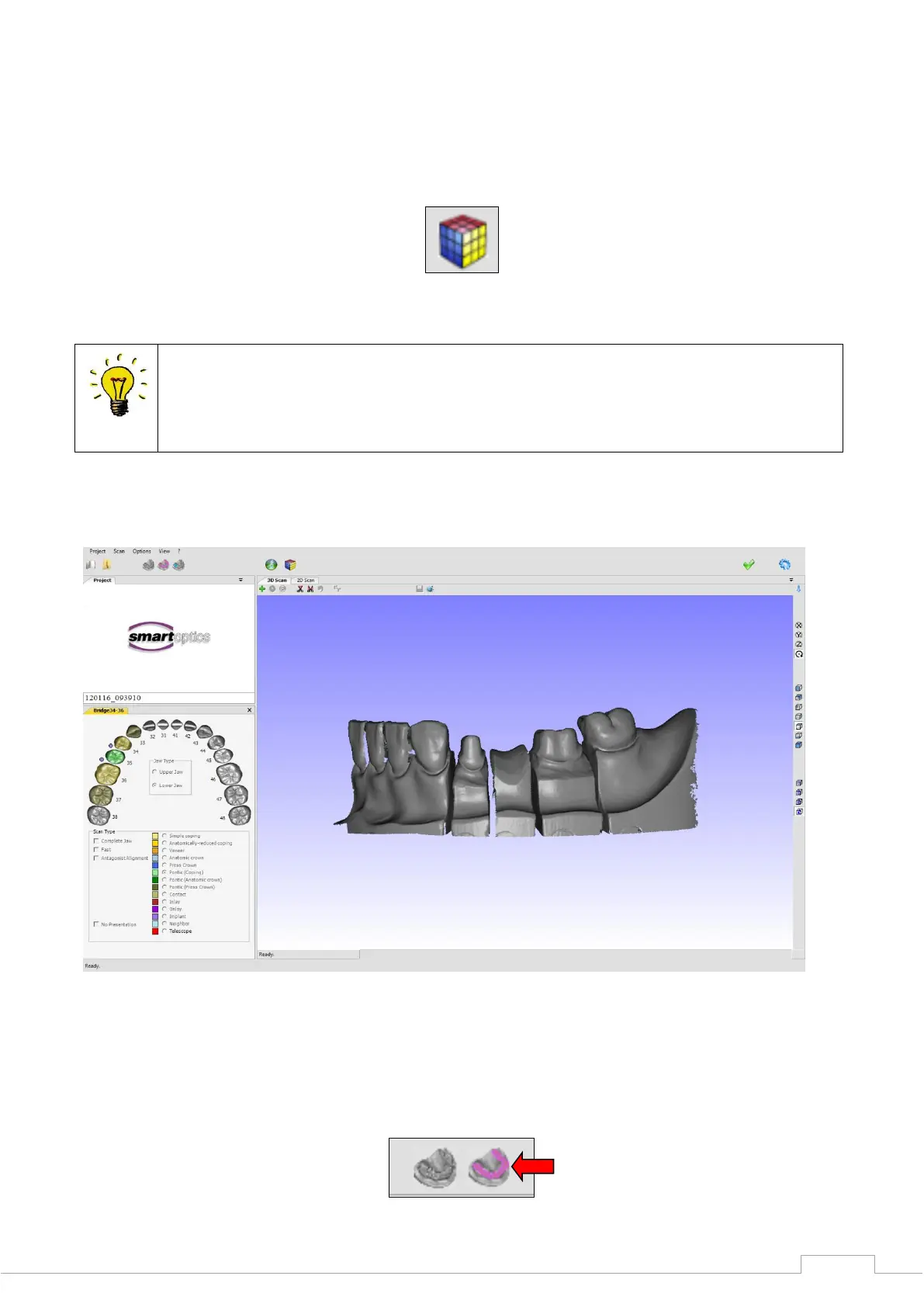
After matching the records, the completed data set is reloaded into the 3D viewer. If more areas
are missing, the rescan mode can be repeated on the STL data set.
Figure 45: 3D STL data set
Once the model data set is compiled, it is possible to add a bite registration scan to the project.
The bite registration function must be activated for this:


 To Next Page