Installation
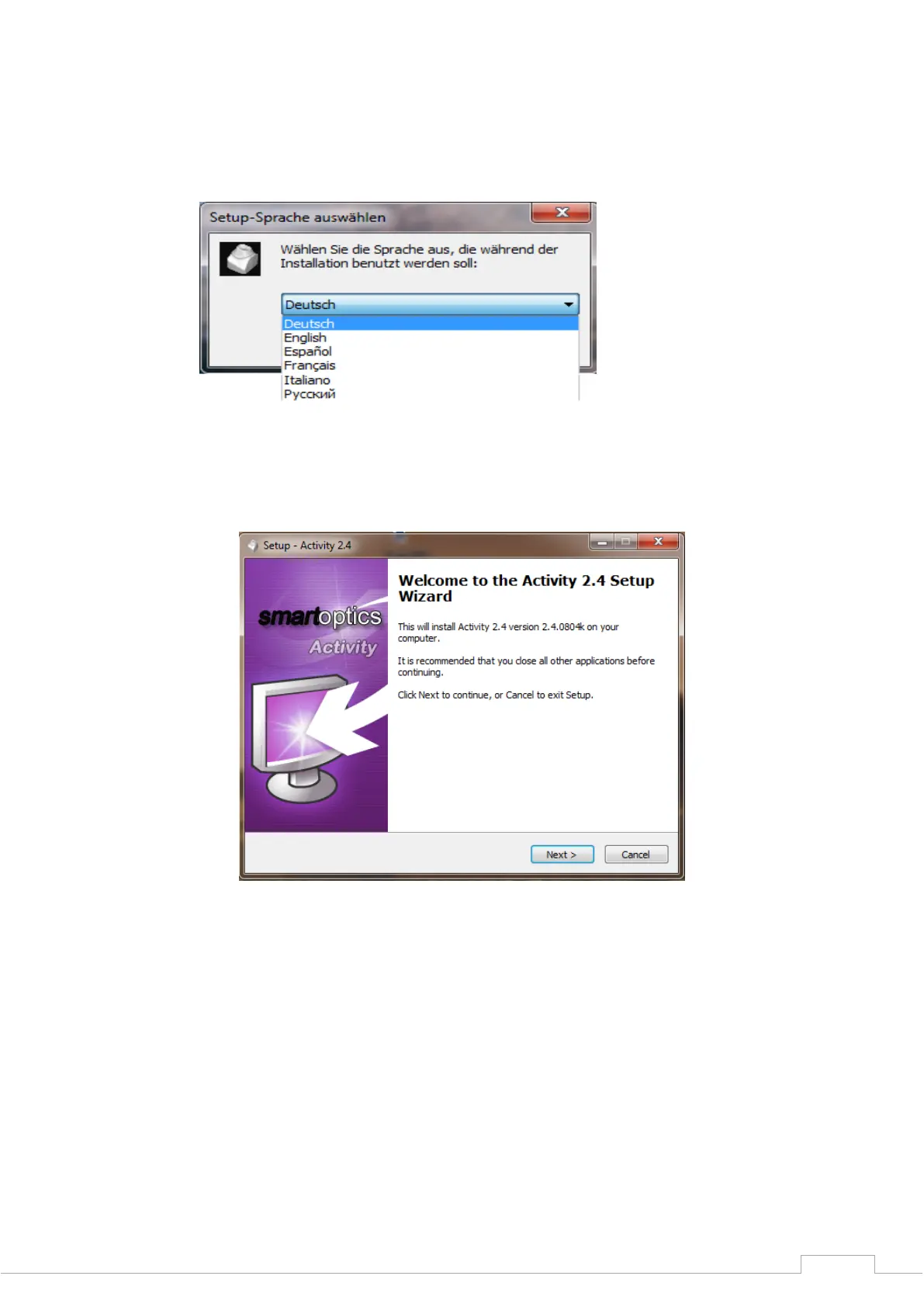
Now select the required language (Fig. 6) and confirm your selection with the "Next" icon (Fig. 7).
Figure 6: Language selection
Figure 7: Setup Wizard
Define the installation location for the software by using the "Browse" button to define the path.
The installation program suggests a standardized path that you can use. Having selected the path,
please confirm this with "Next".


 To Next Page