CHAPTER 3
USING YOUR INTERACTIVE WHITEBOARD SYSTEM
20 smarttech.com/kb/170549
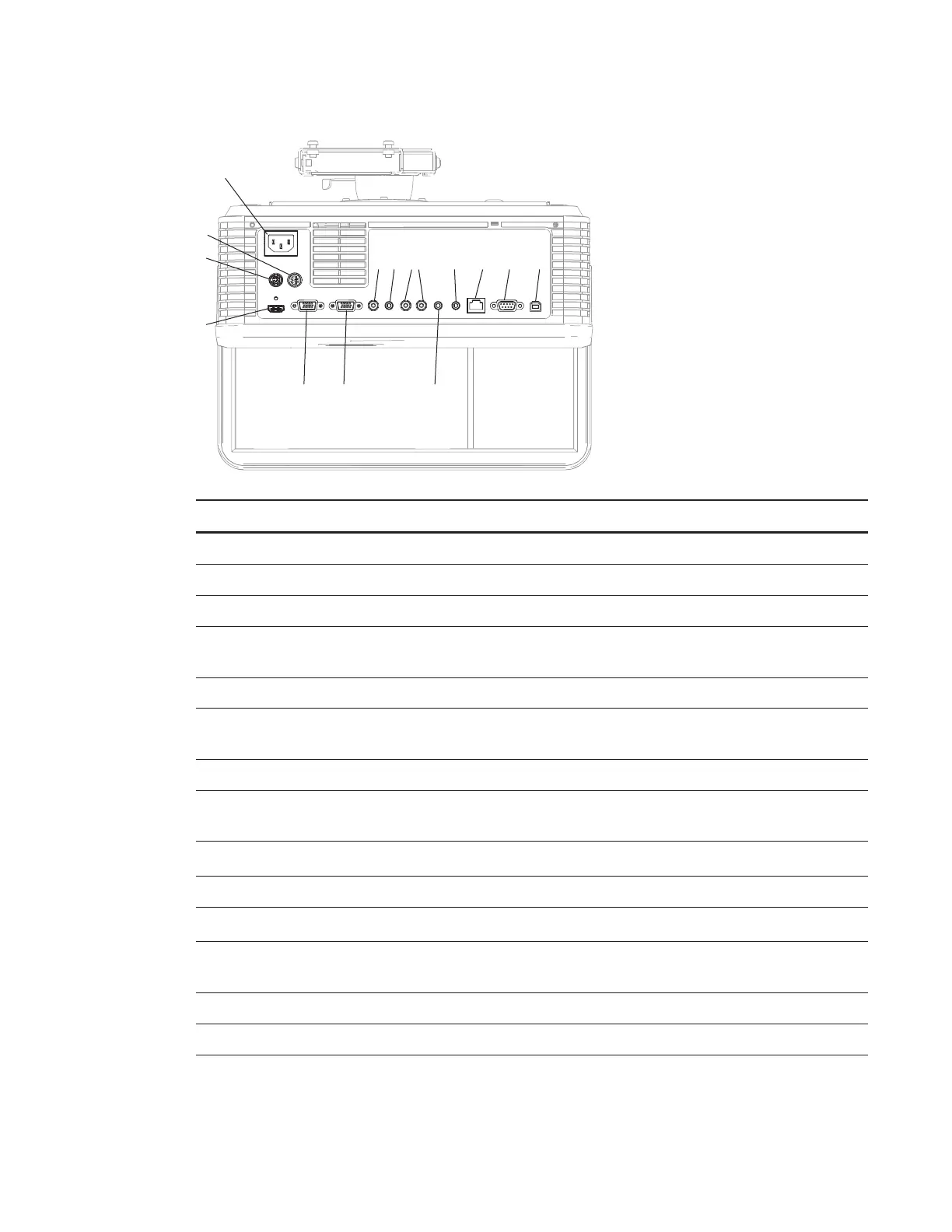
1
3
4
5 6 10
7
2
8 9 11 12 13 14
No. Connector Connect to:
1 Power Mains power supply
2 7-pin mini-DIN [Not used]
3 4-pin power mini-DIN 5V/2A output [Not used]
4 HDMI input High-definition video and audio source
(not included)
5 DB15F (DE-15F) RGB video input (VGA 1) Primary computer (not included)
6 DB15F (DE-15F) RGB video output (VGA
Out)
Secondary display (not included)
7 RCA Composite video input
8 3.5 mm phone jack audio input (×2) Audio sources associated with primary
and secondary computers
9 Left and right RCA audio input
Audio source (not included)
10 3.5 mm phone jack audio output Speakers (not included)
11 3.5 mm phone jack microphone Microphone (not included)
12 RJ45 (8P8C) Network (for web page management and
SNMP access)
13 DB9F (DE-9F) RS-232
14 USB B Computer (for service access only)



 To Next Page