CHAPTER 5
TROUBLESHOOTING YOUR INTERACTIVE WHITEBOARD SYSTEM
34 smarttech.com/kb/170549
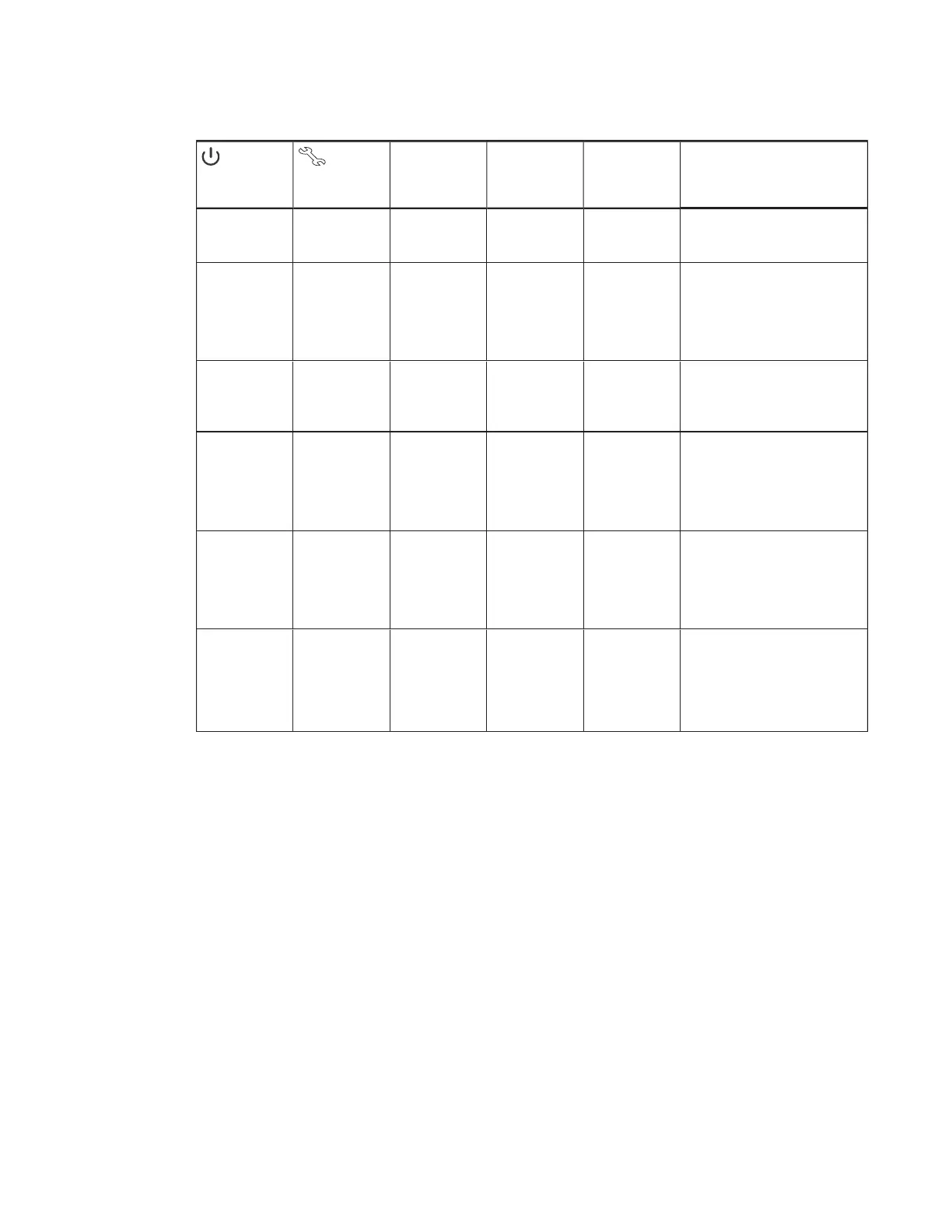
Projector Power
light
Projector Service
light
Pen tray Select
button status light
Projected image Touch and pen
control
Status and related troubleshooting
Solid green Off Flashing white Correct Touch only SMARTProductDrivers isn’t installed
or isn’t running correctly on the
connected computer.
Solid green Off Off N/A None There’s an issue with the connections
between the interactive whiteboard
and the other components of the
system.
See
Resolving interactive whiteboard
issues
below.
Solid amber Flashing red N/A None N/A There’s an issue with the projector
lamp.
See
The “Lamp Failure” message
appears
on page36.
Off Flashing red Off None None The projector’s operating
temperature has been exceeded.
See
The “Projector Overheated”,
“Fan Failure”, “Lamp Failure” or
“Color Wheel Failure” message
appears
on the next page.
Off Solid red N/A None N/A There’s an issue with the projector’s
fan or color wheel.
See
The “Projector Overheated”,
“Fan Failure”, “Lamp Failure” or
“Color Wheel Failure” message
appears
on the next page.
Off Off Off None None The projector power cable isn’t
properly connected.
OR
There’s an issue with the mains power
supply (for example, the circuit
breaker is off).
Resolving interactive whiteboard issues
This section includes information on resolving issues with your interactive whiteboard.
For information not covered in this section, see the
SMARTBoard M600 series interactive
whiteboard user’s guide
(smarttech.com/kb/170410).
Resolving operation issues
To resolve operation issues, complete the following tasks:
l Confirm that all cables are securely connected to the back of the pen tray, computer and
control module.



 To Next Page