COSMOS DRIVER SERIES 3000 - USE AND MAINTENANCE MANUAL
9 LEDs and address (Sercos II model)
The COSMOS 3000 - version Sercos II is equipped with several status LEDs.
The LEDs are of different colours and are grouped according to their function, in order to be easily understood.
9.1 Address setting
The address must be set by means of Visio operator interface (see paragraph 6.2.8.2 for the setting) and must be
unequivocal, otherwise the bus will not operate correctly.
9.2 P, E, O LEDs
P orange LED indicates that the main power supply is available.
E orange LED indicates that the driver is enabled.
O orange LED indicates that the digital I/O section is enabled.
9.3 FBS LEDs
These are signalling LEDs.
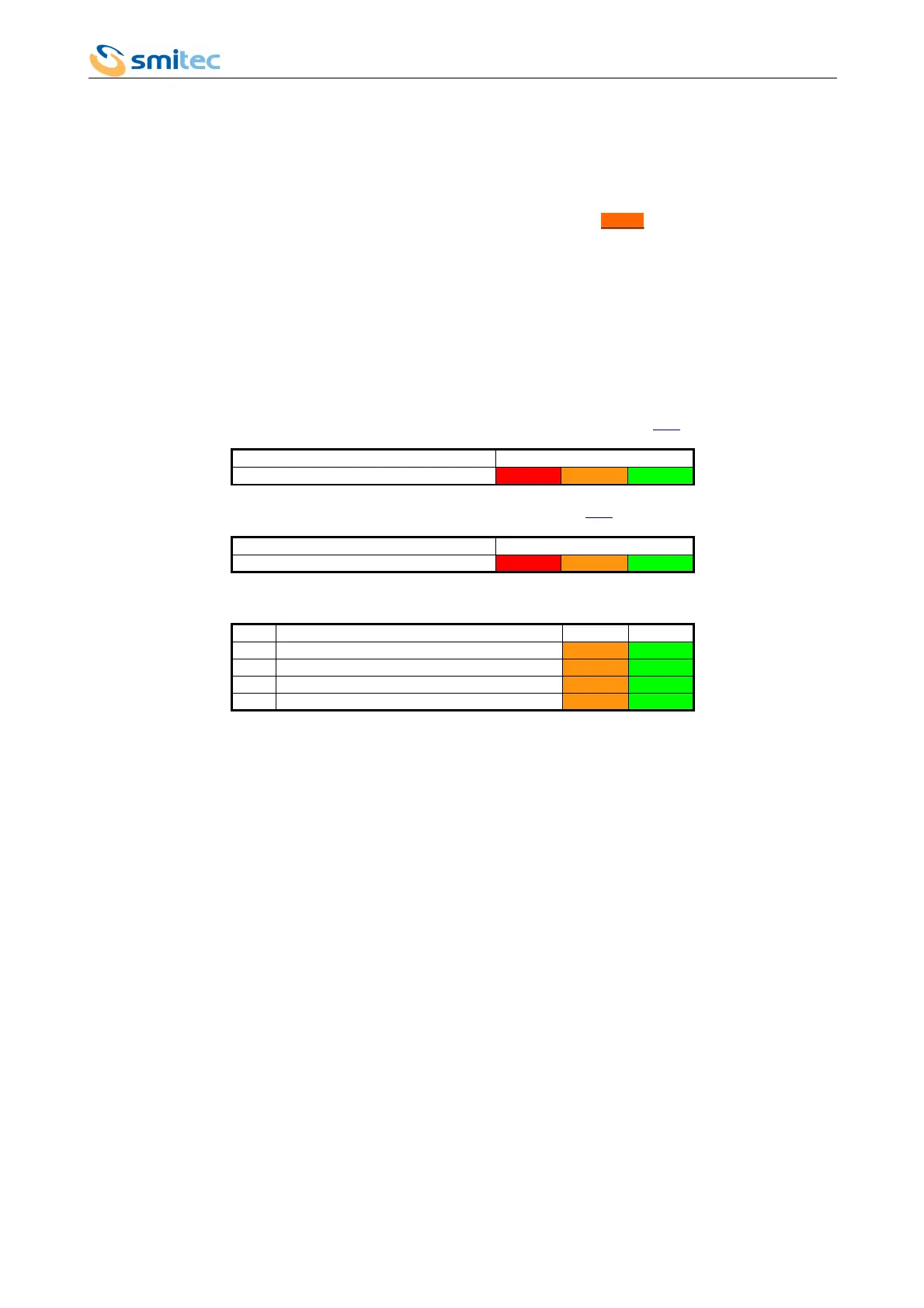
F is a red LED, B is an orange LED, whereas S is a green LED.
- If LED F is on, with a fixed light, LEDs B and S indicate the driver error code (see chapter 10.1 for error decodification).
Status FBS
Driver error ON Seq. Seq.
- If LED F is flashing, LEDs B and S indicate the Sercos error codes (see chapter 10.2 for the error decodification).
Status FBS
Sercos error FLASH Seq. Seq.
In both cases, LEDs B and S are flashing in the following sequence:
Seq. Meaning B S
1 Error code start FLASH FLASH
2 It indicates the tens in the error code FLASH D OFF
3 It indicates the units in the error code OFF FLASH U
4 Repetition of the sequence from point 1
After the simultaneous flashing of the orange and green LEDs, count the number of flashings of the orange LED and you
will obtain the number of tens in the error code; if you count the number of flashings of the green LED, you will obtain
the number of units in the error code.
Example: 1 flashing of the orange LED, 4 flashings of the green LED: the error code will be 14.
The driver error message takes priority over the sercos error message.
9.4 FLT LED
The red Fault LED switches on only in case of a serious hardware error.
9.5 D LED
It indicates distortion and/or interruption of Sercos II optical signal.
Ver. 1.07 Pag. 89



 To Next Page