COSMOS DRIVER SERIES 3000 - USE AND MAINTENANCE MANUAL
12 Firmware update
Further to upgrades or features implementation, COSMOS 3000 servodrives can be updated to a later firmware release.
The firmware can be updated from your PC via USB connection and for some models also via Ethernet using the master
device (available shortly).
12.1 Update on PC via USB connection
To carry out this operation you need a PC running Windows XP or later OS with a free USB port. Smitec proprietary
software Winmicro and the drivers for the USB port of COSMOS-3000 must be already installed. Refer to the instructions
included in the installation file.
1. Connect the USB cable (type A->mini-B) - mini-B side – to COSMOS 3000 servodrive; it doesn't need to be
switched off.
2. Connect the USB cable – side A – to a free USB port
3. Switch on the COSMOS 3000 servodrive
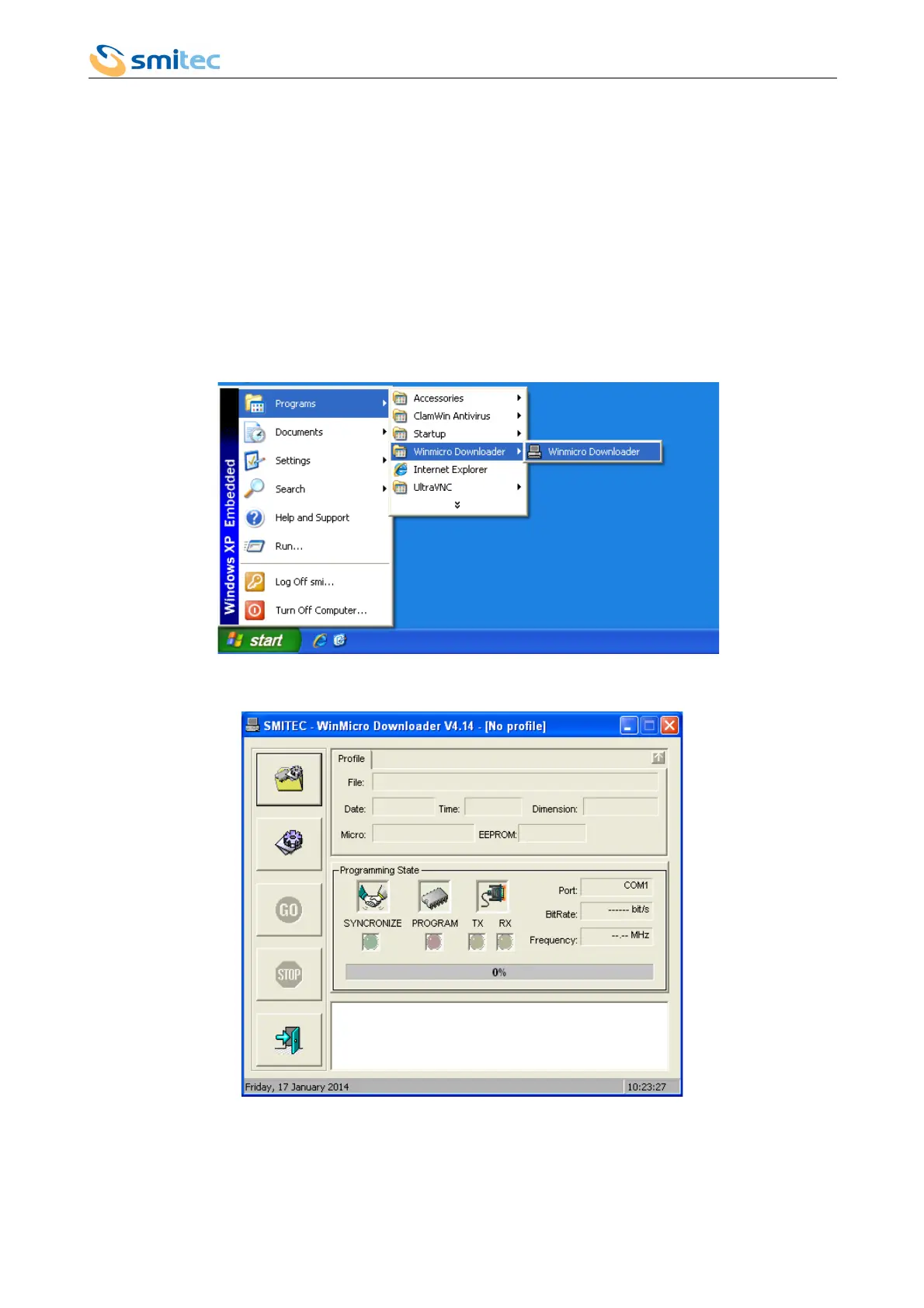
4. Start Smitec Winmicro software
5. Once started, the following window will pop up
Ver. 1.07 Pag. 100



 To Next Page