COSMOS DRIVER SERIES 3000 - USE AND MAINTENANCE MANUAL
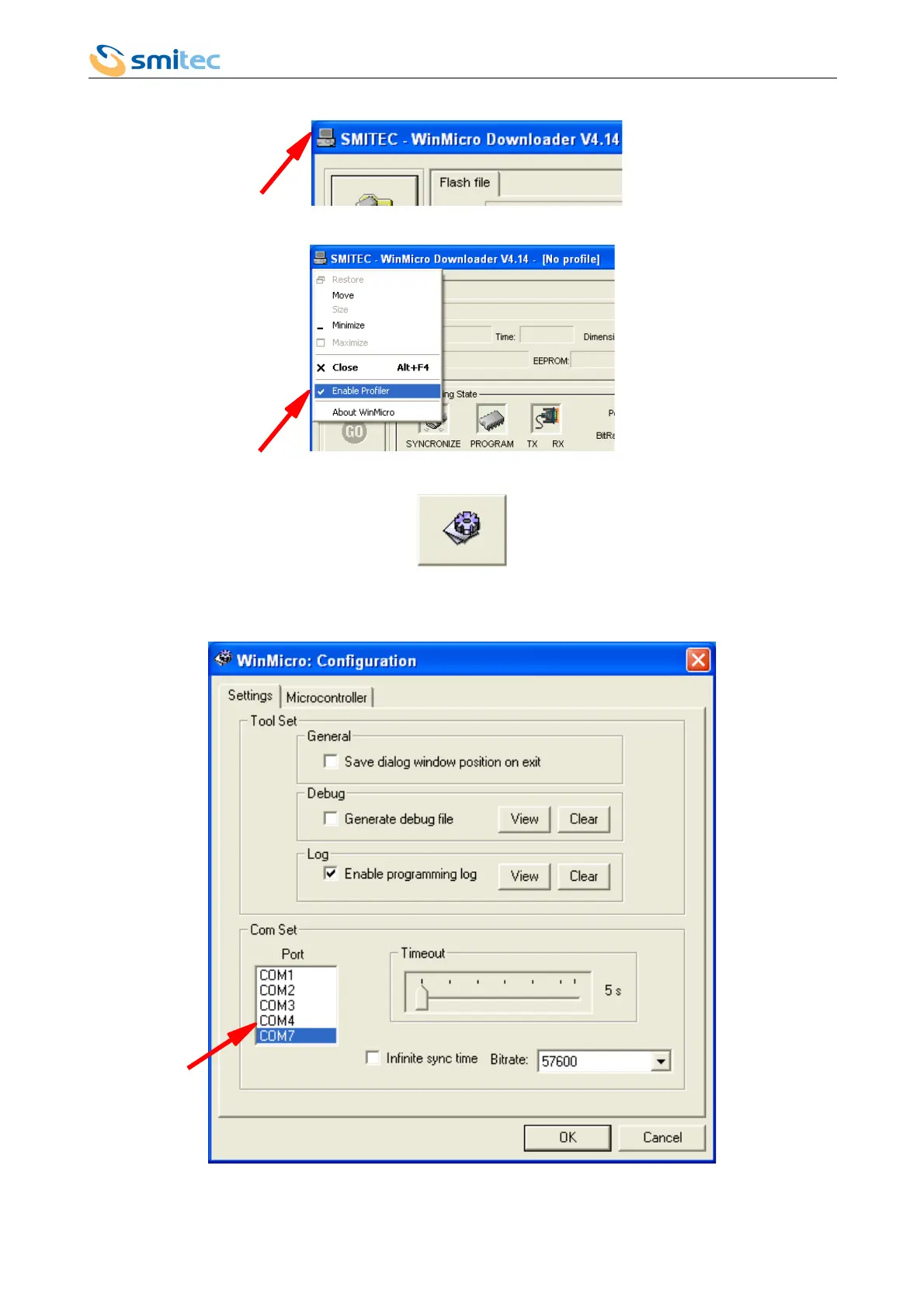
6. Open the program menu clicking on the top left icon.
7. Unflag the option “Enable Profiler”
8. Click on the “Settings” button
9. The Settings window will open: set the serial port number you will use for the programming (the Cosmos 3000
USB port is recognized by Windows as serial port); as a rule it's the higher COM number available.
Ver. 1.07 Pag. 101



 To Next Page