COSMOS DRIVER SERIES 3000 - USE AND MAINTENANCE MANUAL
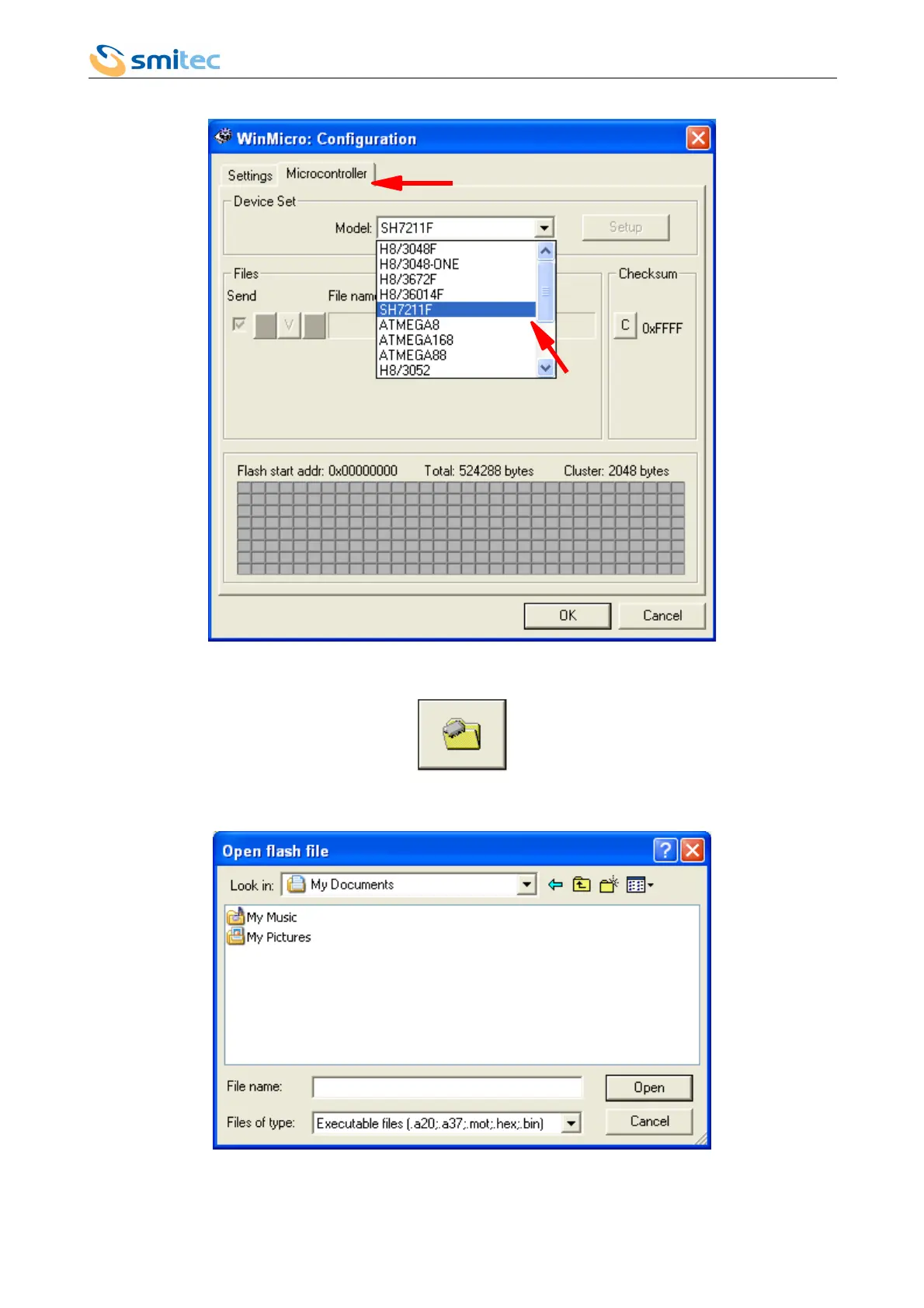
10. Switch to Microcontroller window and set the microcontroller type, which in COSMOS 3000 is SH7211F
11. Click on the OK button
12. Click on the button in the main window
13. The window for the selection of the file for the firmware update will pop up: make sure you select the correct
file
Ver. 1.07 Pag. 102



 To Next Page