BT-T080R User’s Manual
- 15 -
4.2.2 Installing and fixing print mechanism
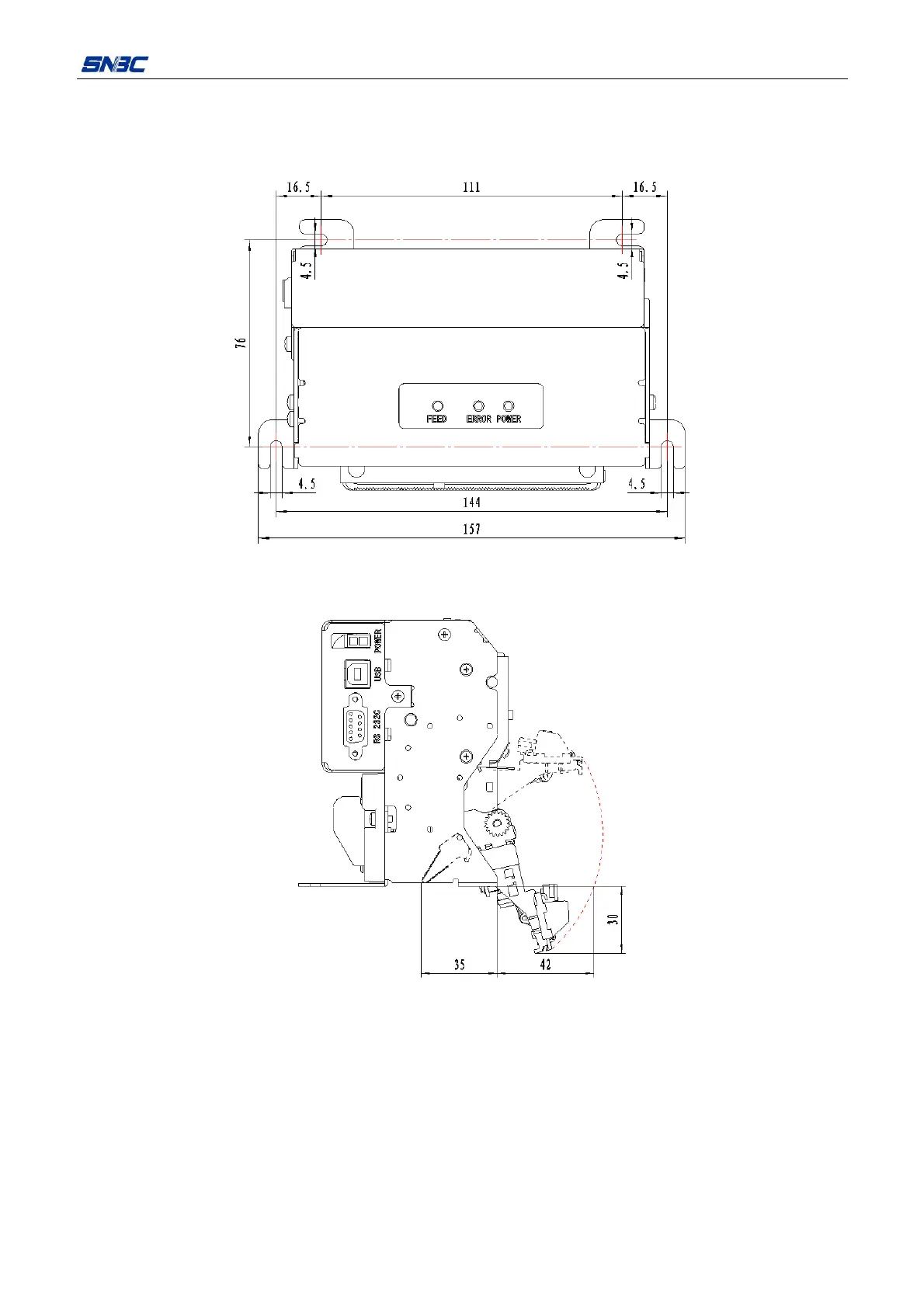
There are holes for fixing on BT-T080R printer mechanism holder, so the holder can be connected with the
customer’s printer reliably and conveniently. The printer should be placed horizontally.
Figure 4.2.2 Size of print mechanism installation
Note: Recommend using M4×8 pan head screw for fixing.
Figure 4.2.3 Paper out module avoidance space
When assembling anti-pull and anti-jam module and paper outlet module, it is suggested to reserve space
under the mechanism for opening and closing mechanism fixed blade in order to carry out the maintenance
of product conveniently. (see figure 4.2.3)



 To Next Page