BT-T080R User’s Manual
- 32 -
4.7 Installing and loading paper roll
Before installing the paper roll, please install the cantilever paper holder first according to the requirements
of 4.3 and 4.4 and set position for relevant paper near end sensor, making sure the specification of paper
roll is in conformity with the printer’s requirements (Detailed requirements please refer to 2.3.).
4.7.1 Installing paper roll
Steps for installing paper roll:
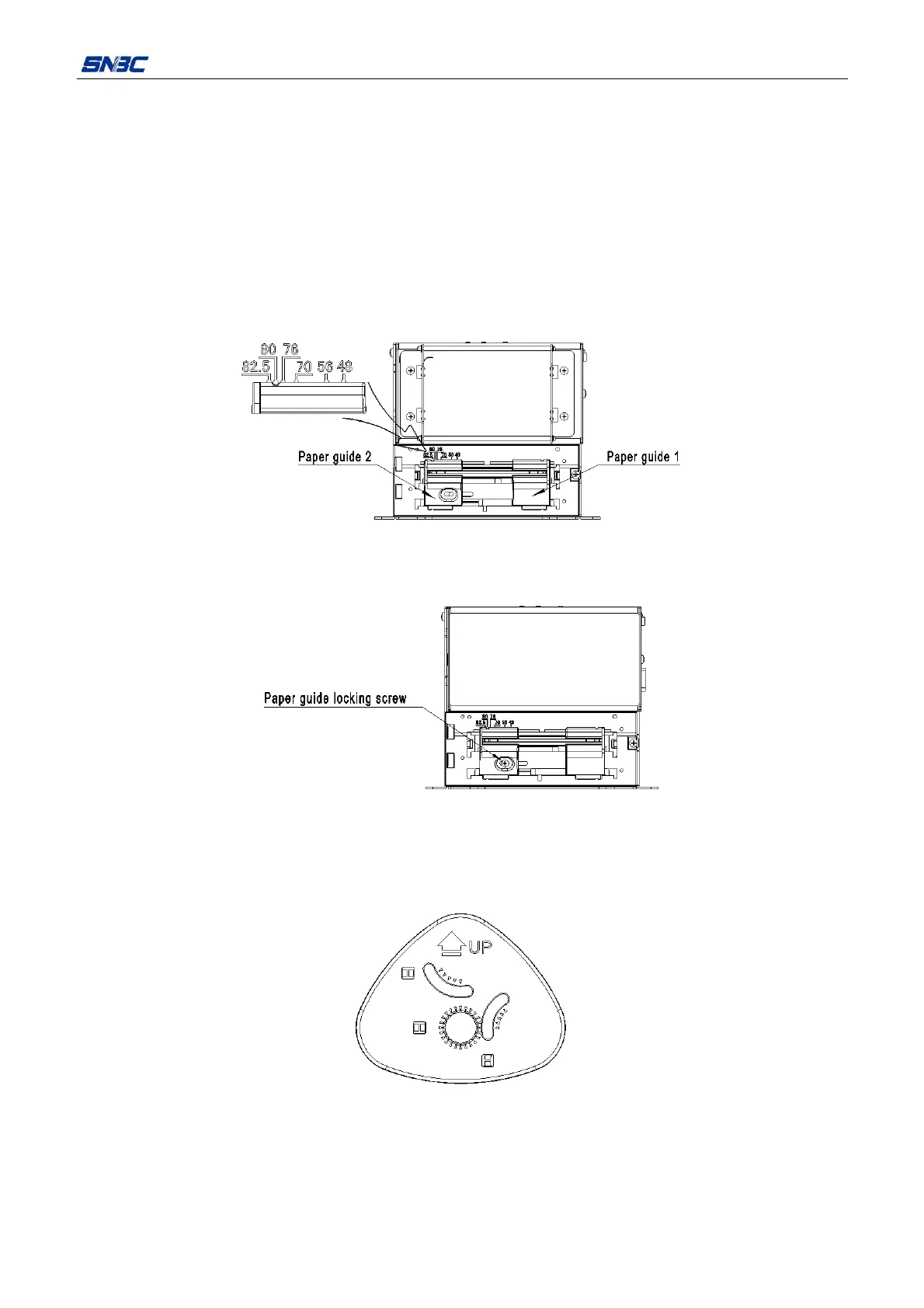
1) Move the paper guide 1 and paper guide 2 left and right, and make the path width mark on paper guide
2 move to the scale corresponding with paper width.
Figure 4.7.1 Adjusting paper guide
2) Fix the paper guide locking screw and lock the paper guide(optional);
Figure 4.7.2 Fix paper guide locking screw
3) Rotate the paper roll guide to keep its mark direction always upward; Turn the paper roll guide moving
knob to move the paper roll guide to the scale corresponding with paper width along the paper roll
shaft;
Figure 4.7.3 Always upward paper roll guide



 To Next Page