BT-T080R User’s Manual
- 30 -
90μm 10.3m 19.6m
100μm 9.3m 17.6m
Remaining paper
roll diameter
74.2m
m
81.8m
m
60μm 15m 30.5m
70μm 12.9m 26.2m
80μm 11.3m 22.9m
90μm 10m 20.4m
Paper roll core ID
φ60mm
Paper roll core OD
φ66mm
Remaining paper
length
100μm 9m 18.3m
Table 4.4.2 Minimum remaining paper detected by paper near end sensor
Note: The minimum remaining paper detected by paper near end sensor in the above table is theoretical,
and there is tolerance in the real work. Furthermore, it is related with paper roll core OD.
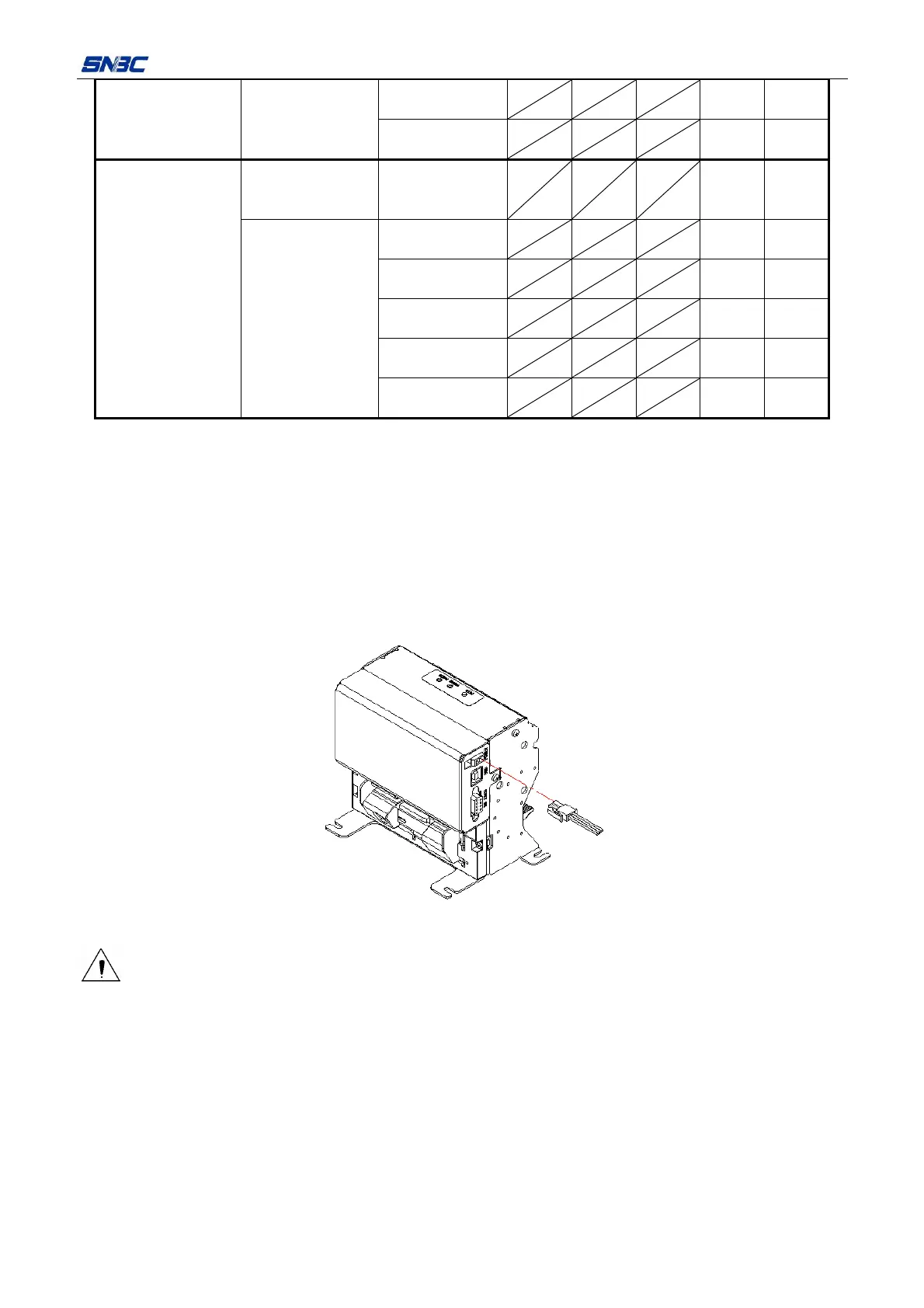
4.5 Connecting the AC power adapter
1) Make sure the printer is turned off.
2) Refer to the following figure, plug the power adapter cable pin into the power socket of print
mechanism.
3) Connect the AC power adapter to an electrical outlet.
Figure 4.5.1 Connecting power adapter
Caution:
¾ Use recommended power adapter or its equivalent ones;
¾ Connect power adapter connector at right angle between pin and socket.
¾ When connecting or disconnecting the cable connector of the AC adapter, always hold the connecter
shell and don’t pull the cable forcibly.
¾ Avoid dragging or pulling the cable of AC adapter, otherwise the cable may be damaged or broken,
and a fire and electric shock may be caused accordingly.
¾ Avoid placing the power adapter near an overheating device, otherwise the surface of cable may melt
and cause a fire or electric shock.
¾ If leaving the printer idle for a long time, please disconnect the power of printer.



 To Next Page