BT-T080R User’s Manual
- 27 -
Position 3 for installing buffer Buffer shaft position 2
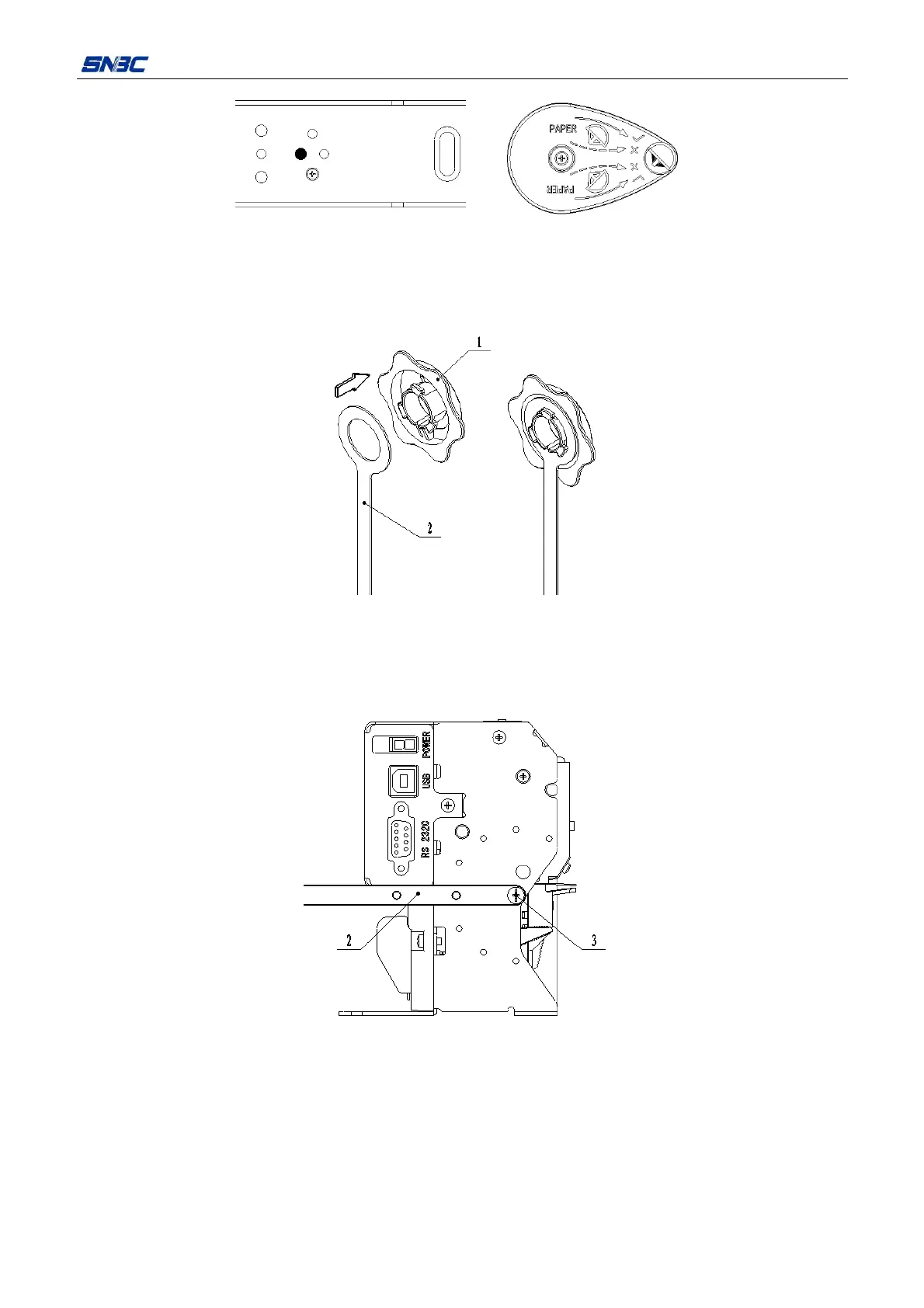
4.3.7 Installing the paper roll baffle
1)Refer to the following figure, install the paper roll baffle onto the baffle connection film.
Figure 4.3.20 Installing the paper roll baffle
1. Paper roll baffle 2. Paper roll baffle connection film
2)Refer to the following figure, install the baffle connecting film onto the print mechanism module.
Figure 4.3.21 Installing the baffle connection film
2. Baffle connection film 3. Screw (provided with mechanism)
Note:
The angle of installing baffle connecting film can be adjusted according to the angle of cantilever, but
be careful to avoid the power interface and communication interface.



 To Next Page