BT-T080R User’s Manual
- 40 -
5 Routine maintenance
5.1 Cleaning print head and platen roller
When the following cases occur, the print head and platen roller should be cleaned.
¾ Printout is not clear;
¾ Some columns on the page are not clear;
¾ Paper feeds or retracts with big noises.
Steps for cleaning the print head are as follows:
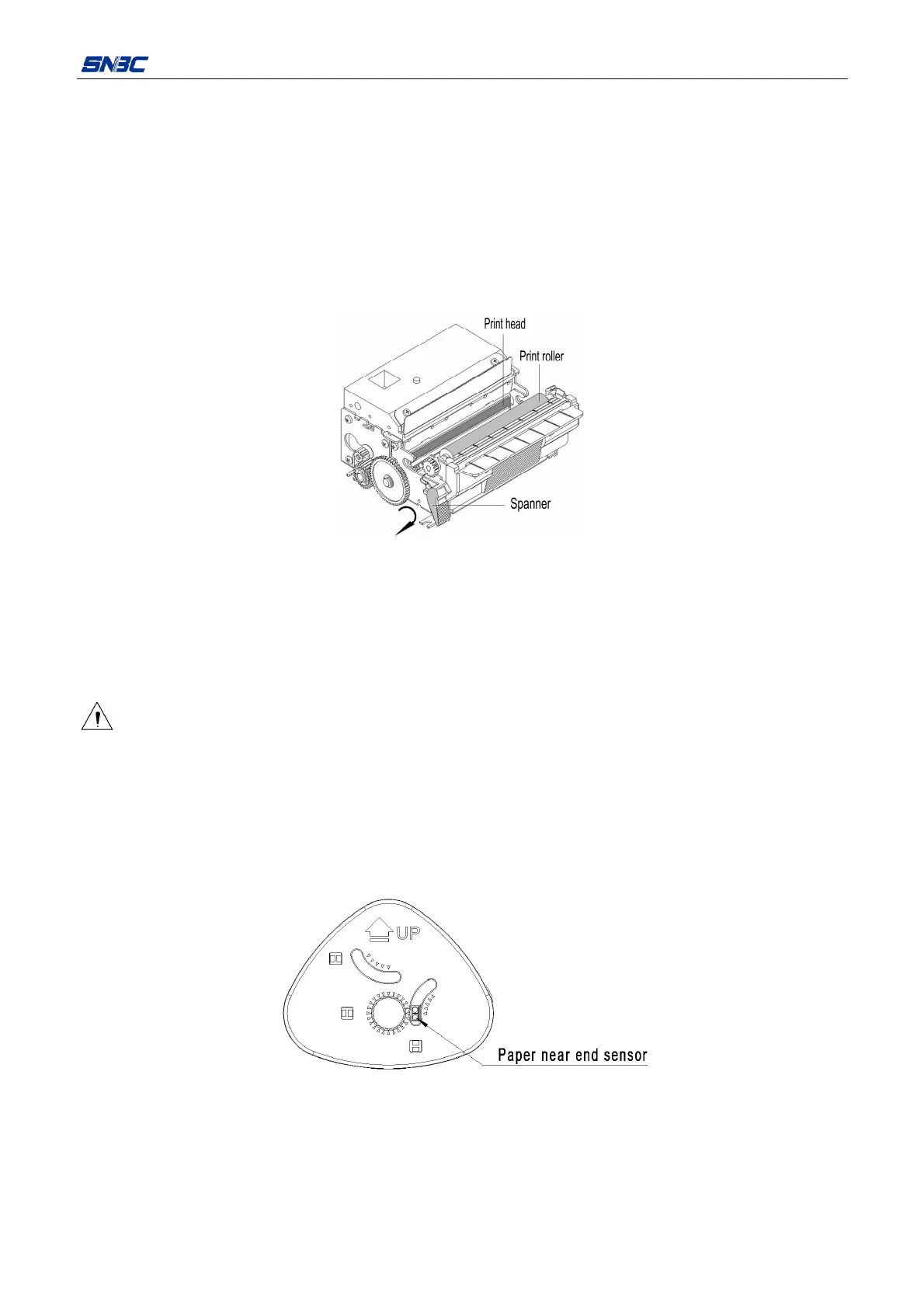
Figure 5.1.1 Cleaning the print head and platen roller
1) Turn off the printer power, turn the open spanner and pull out the platen roller (Refer to figure 5.1.1.);
2) Wipe off the dust or stains on the print head and platen roll with soft cotton cloth dipped with pure
alcohol (it must be wrung out before using);
3) Wait for 5-10 minutes until the pure alcohol evaporates completely, and then close the spanner in the
reverse direction.
Caution:
¾ If the print job is just over, please wait until the print head cools down completely.
5.2 Cleaning paper near end sensor
When the following case occurs, paper near end sensor should be cleaned.
¾ Paper near end sensor can not identify paper near end status.
Steps for cleaning paper near end sensor are as follows:
Figure 5.2.1 Cleaning paper near end sensor
1) Turn off the printer power;
2) Wipe off the dust or stains on the sensor with soft cotton cloth dipped with pure alcohol (it must be
wrung out before using);
3) Wait for 5-10 minutes until the pure alcohol evaporates completely, check the connecting cable to
ensure that the connection is correct, and then turn on the power.



 To Next Page