61EN
ISOM DIGIWARE - 546780C - SOCOMEC
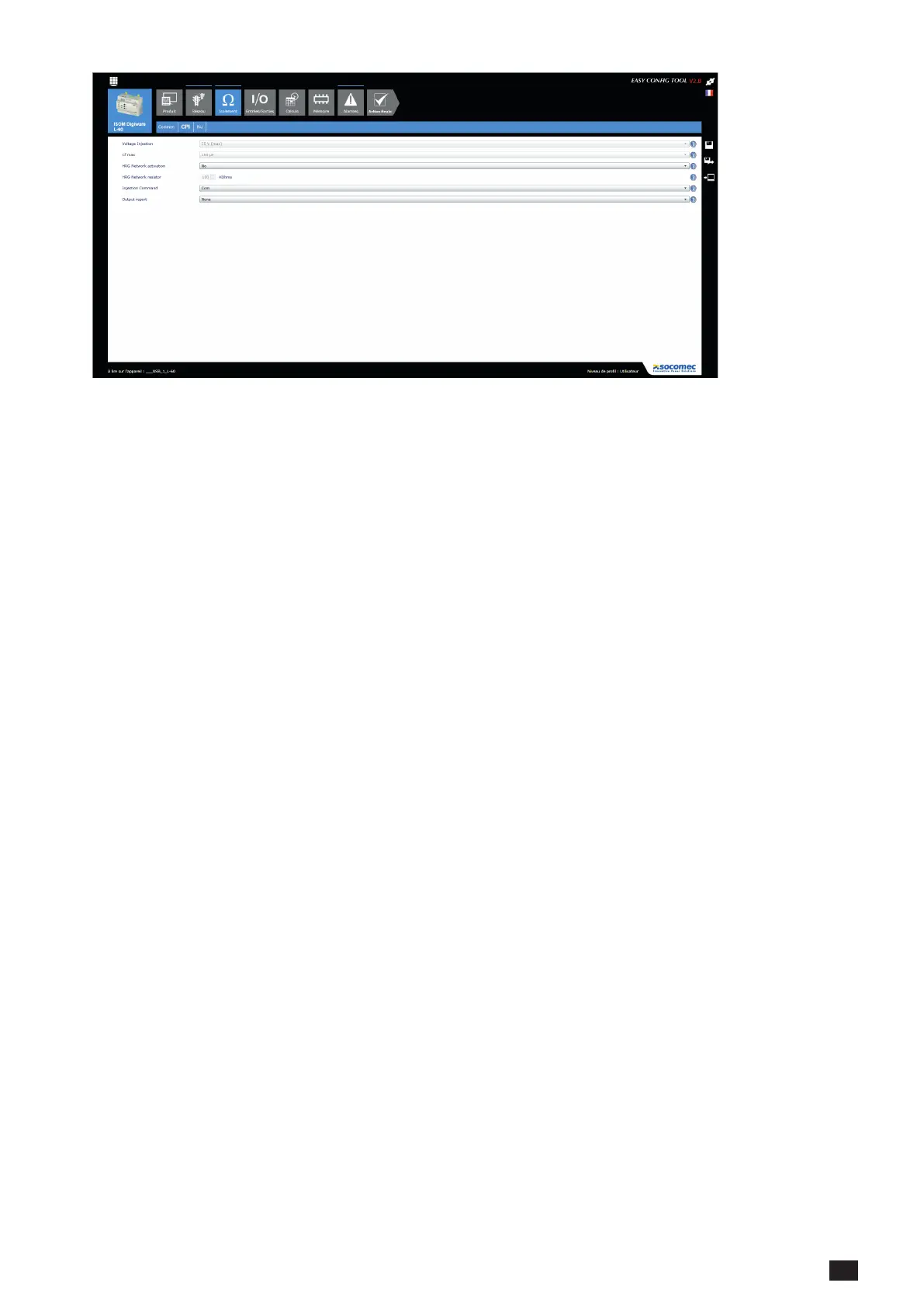
The "IMD" screen denes the general settings of the device in IMD mode:
1) Measuring voltage:
This data can set the measurement voltage according to the type of network.
It either depends on the prole or you can select it in the "custom" prole.
2) Maximum permissible leakage capacity:
This data has a major impact on the integrity of the reading. Above all, it inuences the measuring time of the device.
It either depends on the prole or you can select it in the "custom" prole.
3) Filter level:
Adjust the lter level of the device.
4) RHG network:
With this option you can monitoring the insulation on a high-resistance network (network earthed via a high-value
resistance).
5) RHG resistance:
Lets you adjust the ohm value of the earth resistance (only if RHG is active)
6) Boost command:
In manual boost mode, this denes how the IMD boost is controlled: via the logical input or via the communication
bus (Modbus or from the ISOM Digiware D-x5 display).
7) Output report:
Activate an output when the IMD is ON.




 To Next Page