Chapter 4: Setup and Operation 45
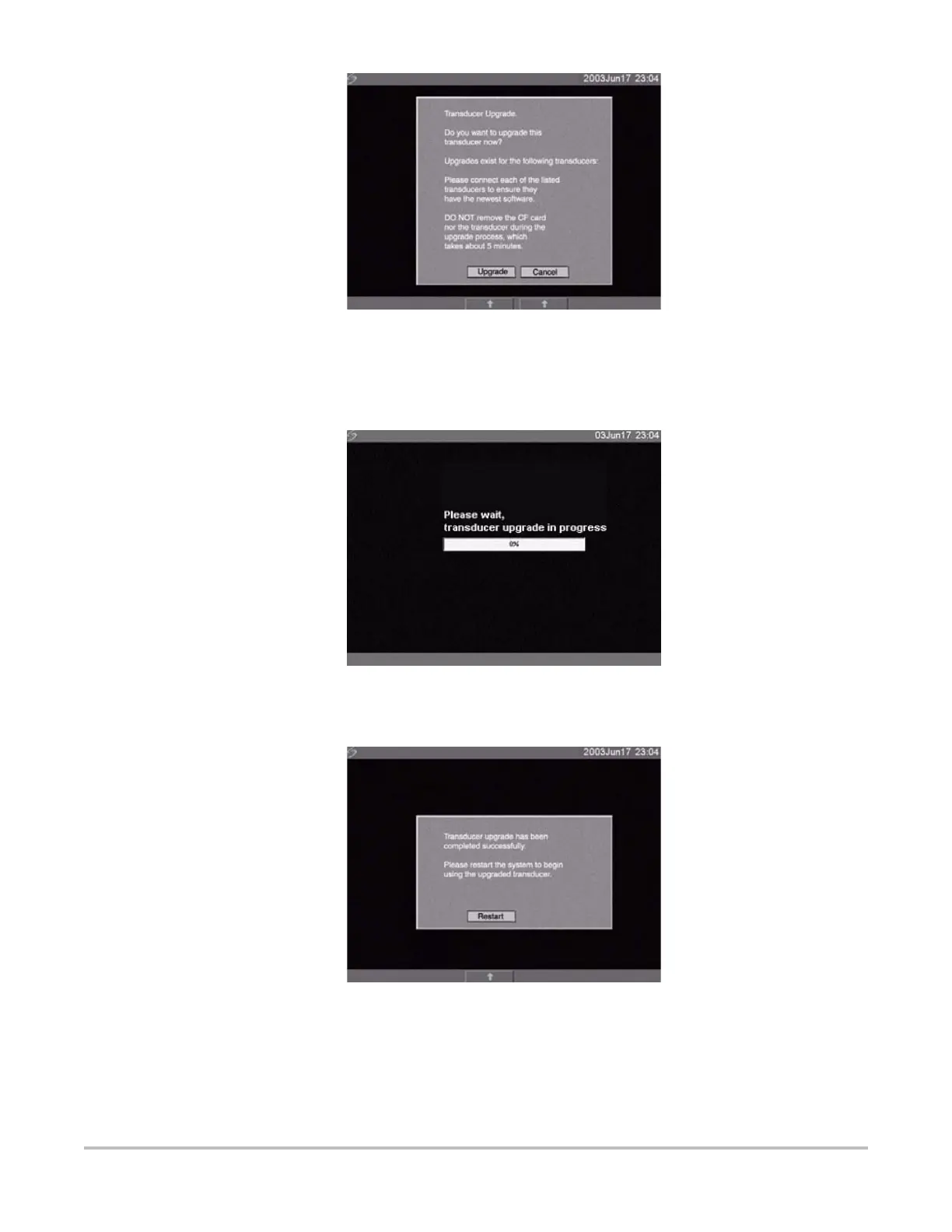
Figure 4.10 Upgrade Transducer Software
5 Select Upgrade to accept or Cancel to cancel the upgrade.
When you accept the transducer software upgrade, the system loads the new software and
displays the following message:
Figure 4.11 Transducer Software Loading
When the upgrade is completed, the system displays the following message.
Figure 4.12 Transducer Software Installation
6 Select Restart.
When the transducer software has been replaced, the system presents you with the license
update screen so that you may license the software for your transducer. Upgrade all
transducers before obtaining license keys. Repeat all steps in “Upgrade Transducer Software”.



 To Next Page