Chapter 7: Replacement Procedures 65
Speaker Replacement
Power Supply
Speaker
Replacement
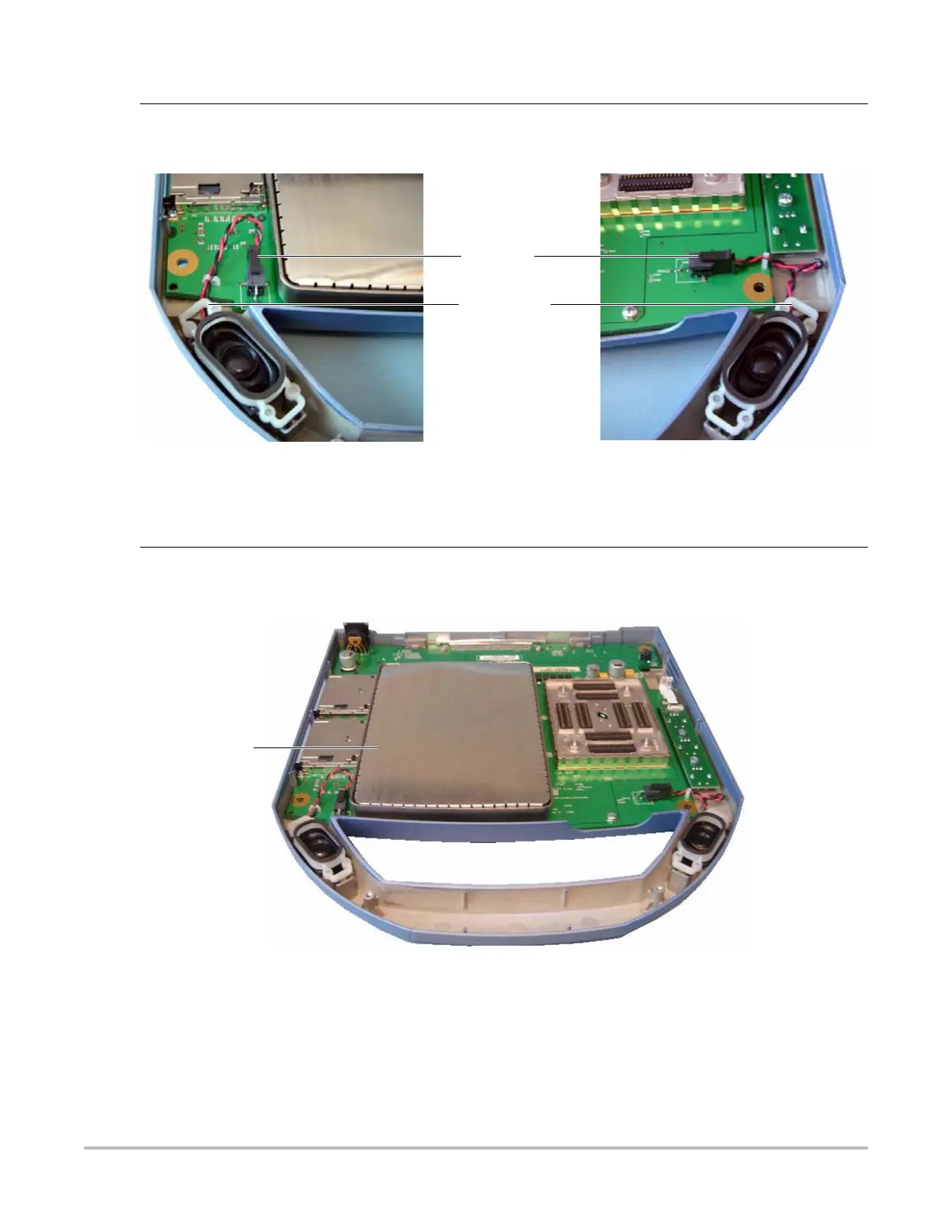
1 Press on the connector release and pull the connector out of the receptacle.
2 Gently pry off the retaining clip with a flat bladed pry tool. See Figure 7.8.
Figure 7.8 Speaker Replacement
Connector
Retaining clip
Power Supply 1 Gently pry the shield from the power supply and set it aside. This part will be used in
reassembly. Note that the shield fits only one way. See Figure 7.9.
Figure 7.9 Power Supply Shield
2 Remove the 7 screws that hold down the power supply PCB per Figure 7.10.
3 Gently lift the power supply and shield assembly away from the Main PCBA.
Power supply
shield



 To Next Page