106 Chapter 5: DICOM Connectivity
DICOM
DICOM Configuration
The TITAN system provides configuration pages for setting up DICOM devices for network
connectivity. The DICOM configuration pages are typically configured by network administrators
or PACS managers.
Configuring Locations
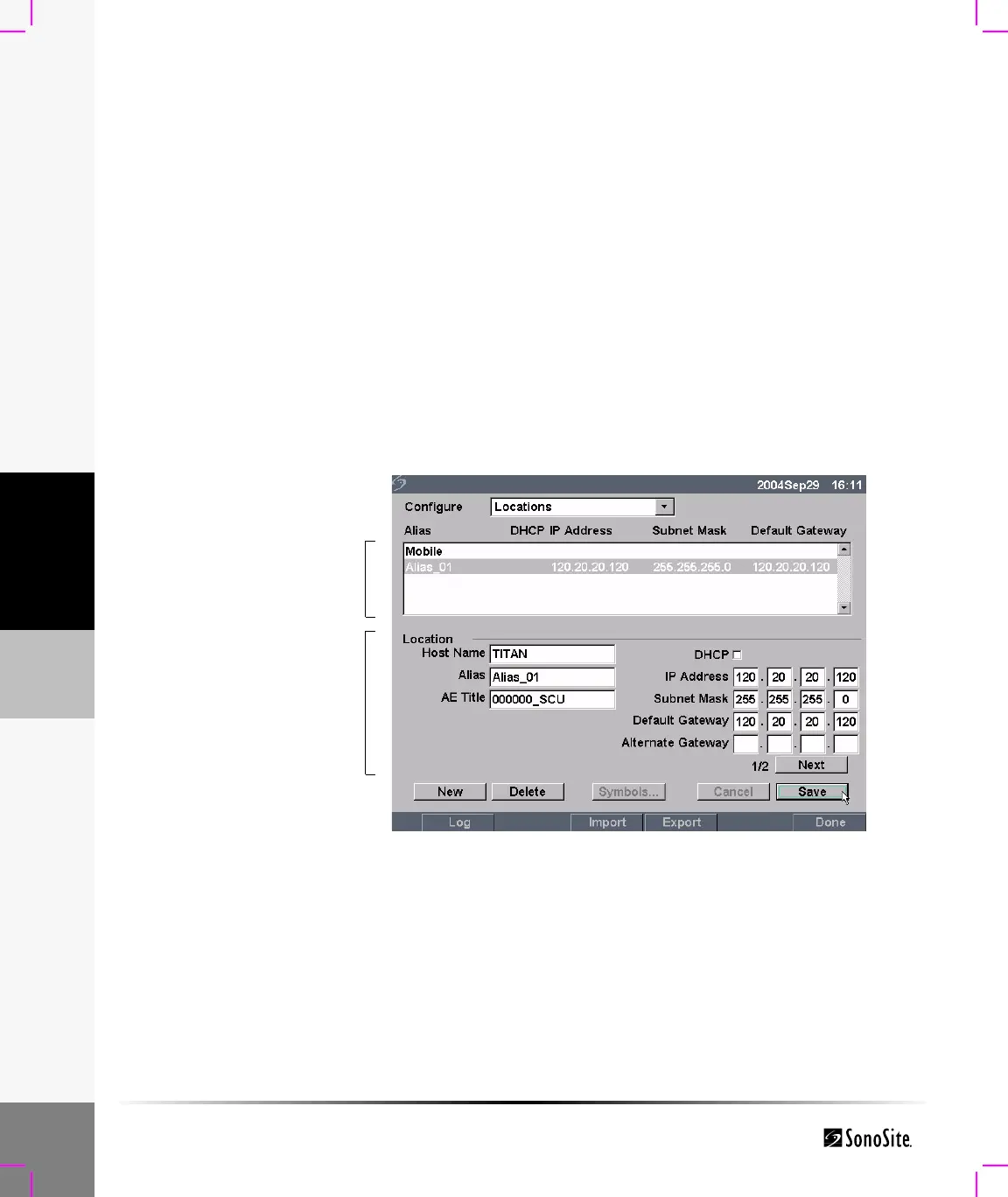
Figure 1 Locations Configuration (Page 1)
Locations List of locations for the TITAN system.
Archivers Devices for storing patient images.
Printers Film printers for printing patient exam images.
Worklist List of scheduled patient procedures used to enter patient data in the
Patient Information form.
Procedure List of system and user defined procedures.
List of locations
Location specific
network information
Host Name Unique network host name for the TITAN system. The default host
name is TITAN.
Alias Personalized name for the TITAN system.
AE Title TITAN system DICOM Application Entity Title.
DHCP Dynamic Host Configuration Protocol: A protocol for automating and
managing the network configuration of the TITAN system.



 To Next Page