Chapter 2: Getting Started 13
Getting Started
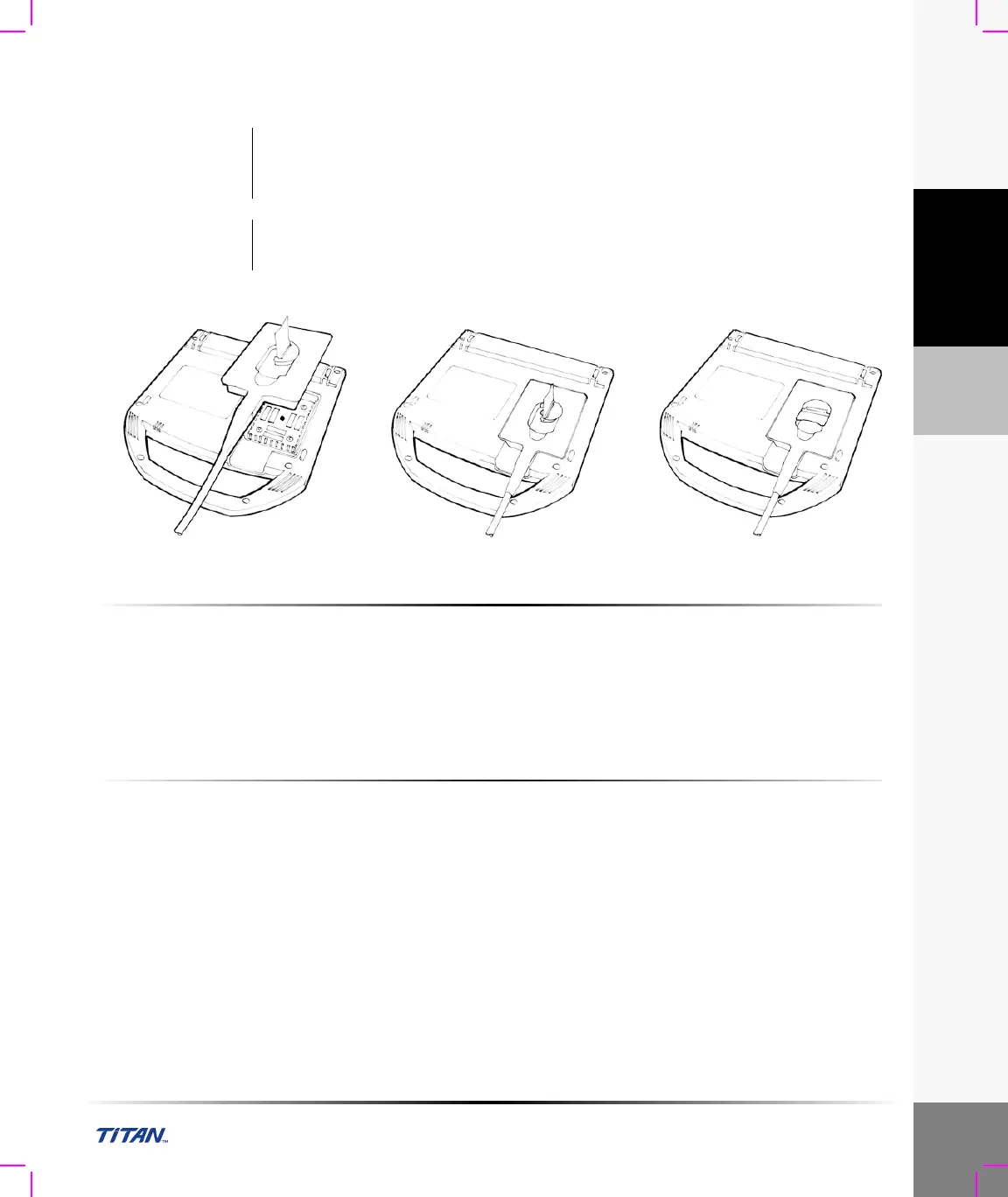
Connecting and Removing the Transducer
Figure 2 Connect the Transducer
To connect the transducer:
1 Turn the system upside down (if not in docking system).
2 Pull the transducer latch up and rotate it clockwise.
3 Align the transducer connector with the connector on the bottom of the system.
4 Insert the transducer connector into the system connector.
5 Turn the latch counterclockwise.
6 Press the latch down, securing the transducer connector to the system.
To remove the transducer:
1 Pull the latch up and rotate it clockwise.
2 Pull the transducer connector away from the system.
Warning: The transducer connector can become hot during operation. This is normal.
Operate the system in the docking system or on a flat, hard surface to allow air flow
past the connector.
Caution: The electrical contacts inside the system transducer connector may be damaged by
foreign material. Keep foreign material out of the connector.



 To Next Page