Chapter 2: Getting Started 19
Getting Started
Remappable Controls
The remappable controls consists of six sets of 2-button groups at the top of the control panel. They
adjust the values of each control displayed in the context menu. The buttons function in one of four
ways, depending on context.
Annotation and Text
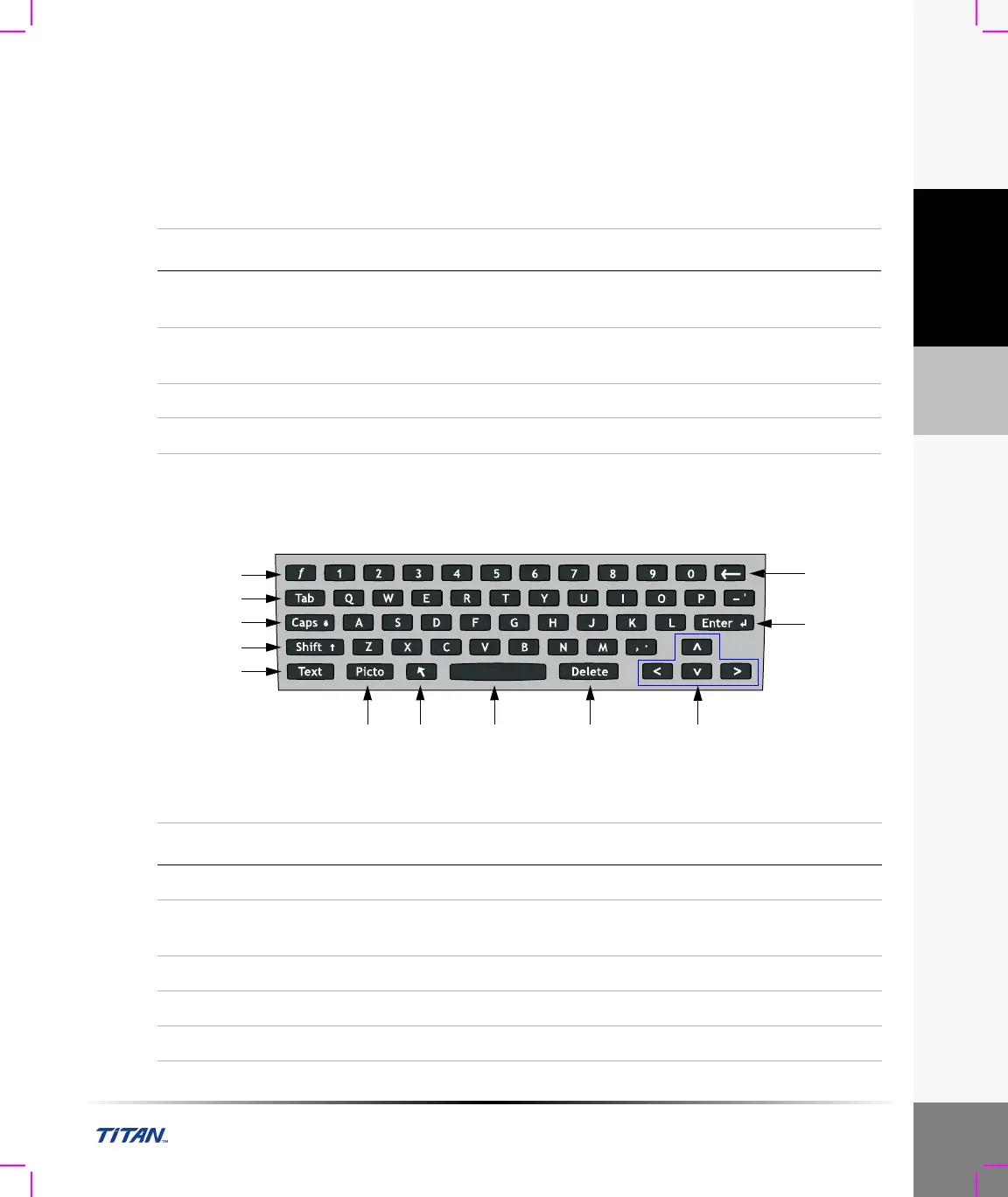
Keyboard Controls
Figure 5 Keyboard Controls
Table 4: Remappable Control Options
Control Description
Cycle Moves through a list of values, then begins again when the bottom or
top of the list is reached.
Up-Down Stops at the top and bottom of a value list, not allowing user to go from
the first to last or last to first value in one button press.
On-Off Turns available features on or off depending on their current state.
Action Performs some action related to an object on the screen.
3
4
5
6 7 9 10
12
11
1
2
8
Table 5: Keyboard Controls
Number Key Description
1 f Function key used with numbered key to display predefined text.
2 Tab Moves cursor among fields in the forms and tabs between text
position in dual screens.
3 Caps Locks keyboard in caps mode.
4 Shift Allows entry of capitalized characters and international characters.
5 Text Turns the keyboard on and off for text entry.



 To Next Page