14 Chapter 2: Getting Started
Getting Started
System Controls
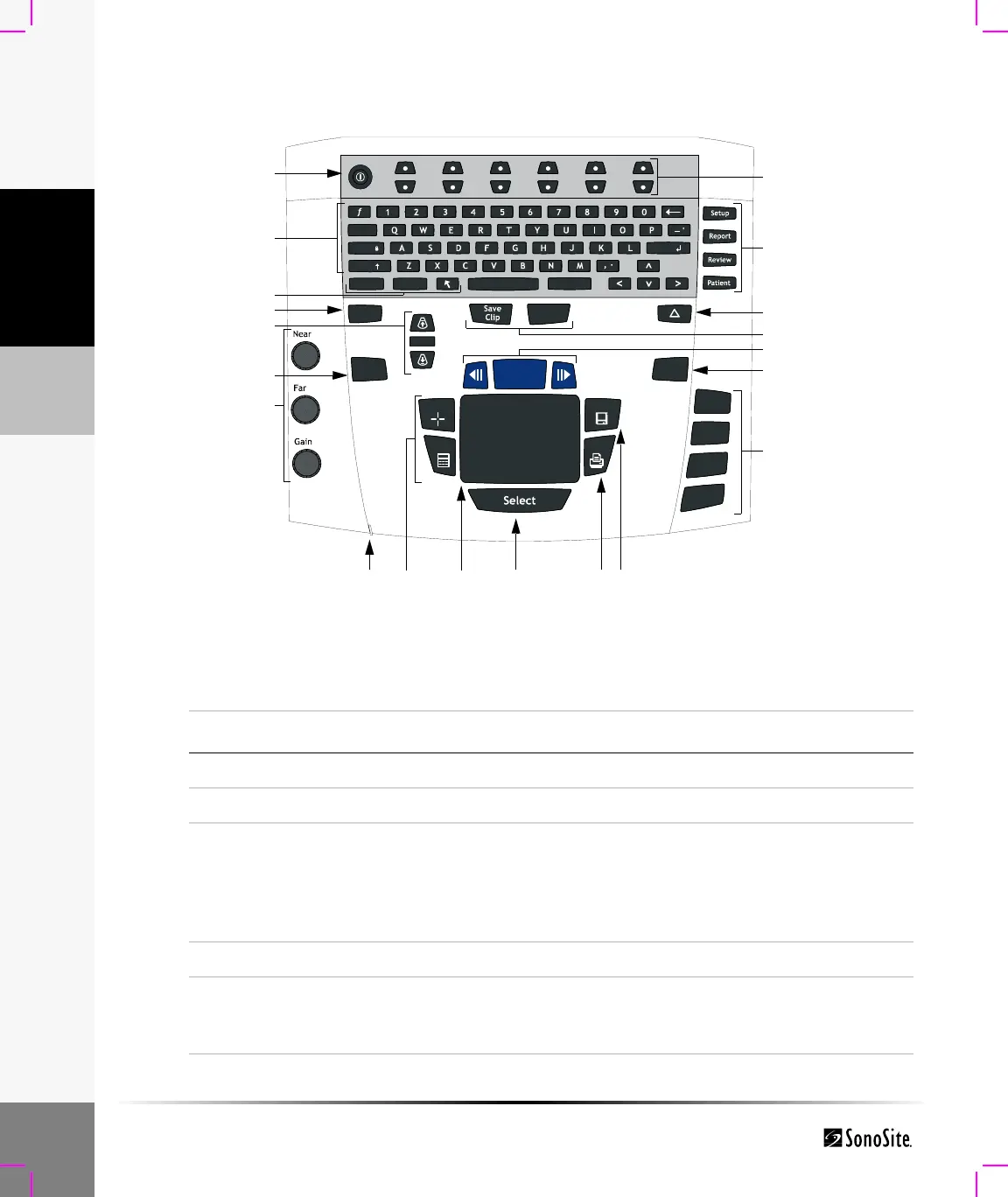
Figure 3 System Controls
Update
M Mode
Doppler
Color
2D
Zoom
THI
Depth
Record
Enter
Delete
PictoText
Shift
Caps
Tab
Freeze
Caliper
Calcs
Print
Save
1
2
3
4
6
7
8 9 11 12 13
14
15
17
16
18
19
20
5
10
Table 1: System Controls
Number System Control Description
1 Power Turns system on and off.
2 Alphanumeric Use to enter text and numbers.
3 Annotation Text Turns the keyboard on and off for text entry.
Picto Turns the pictographs/pictograph marker on and
off.
Arrow Displays an arrow that can be moved and rotated
within the image area.
4 THI Turns Tissue Harmonic Imaging on and off.
5 Depth Depth Adjusts the imaging depth for 2D.
Depth Up Decreases imaging depth.
Depth Down Increases imaging depth.



 To Next Page