Chapter 4: Measurements and Calculations 65
Meas. & Calcs
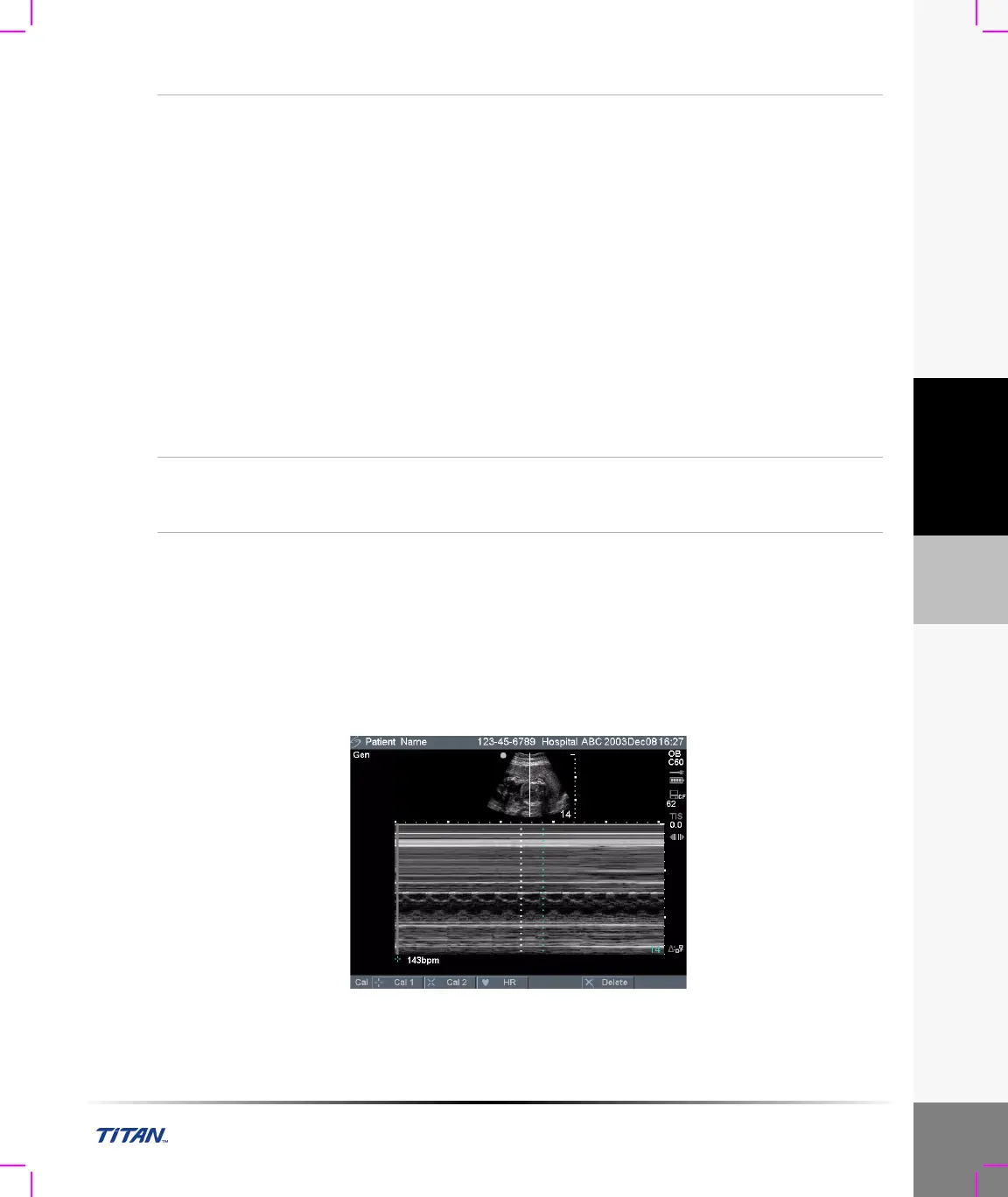
M Mode Measurements
The basic measurements and calculations that can be performed in M Mode are:
• Distance in cm
• Time in seconds
• Heart Rate (HR) in beats per minute (bpm)
Note: The time scale at the top of the trace has small marks at 200 ms intervals and large marks at one second
intervals.
Figure 2 M Mode Trace Image with Heart Rate
Area/
Circumference
Measurement
1 On a frozen 2D image, press the Caliper key.
2 Select Ellipse from the on-screen menu.
3 Press the Select key and use the touchpad to adjust the position of the
first caliper.
The active caliper is highlighted green.
4 Press the Select key and use the touchpad to adjust the position of the
second caliper.
5 Press the Select key and use the touchpad to adjust the size of the
ellipse.
The results are displayed in the measurement and calculation data
area and are updated as the caliper moves. The measurement is
complete when you finish moving the calipers.
Note: When an ellipse measurement is performed, only one distance
measurement is available.
6 If desired, press the Save key to save the image with the
measurements displayed.
7 Select Ellipse again from the on-screen menu to turn off the ellipse.
Delete
Measurement
1 Select first or second caliper set or Ellipse from the on-screen menu.
2 Select Delete from the on-screen menu.
This will remove the active set of calipers from the screen.



 To Next Page