22 Chapter 2: Getting Started
Getting Started
To setup security settings:
SonoSite provides a comprehensive set of tools on the TITAN system that allows its customers to
meet the applicable security requirements listed in the HIPAA standard. SonoSite's customers are
ultimately responsible for ensuring the security and protection of all electronic protected health
information
collected, stored, reviewed and transmitted on the TITAN system.
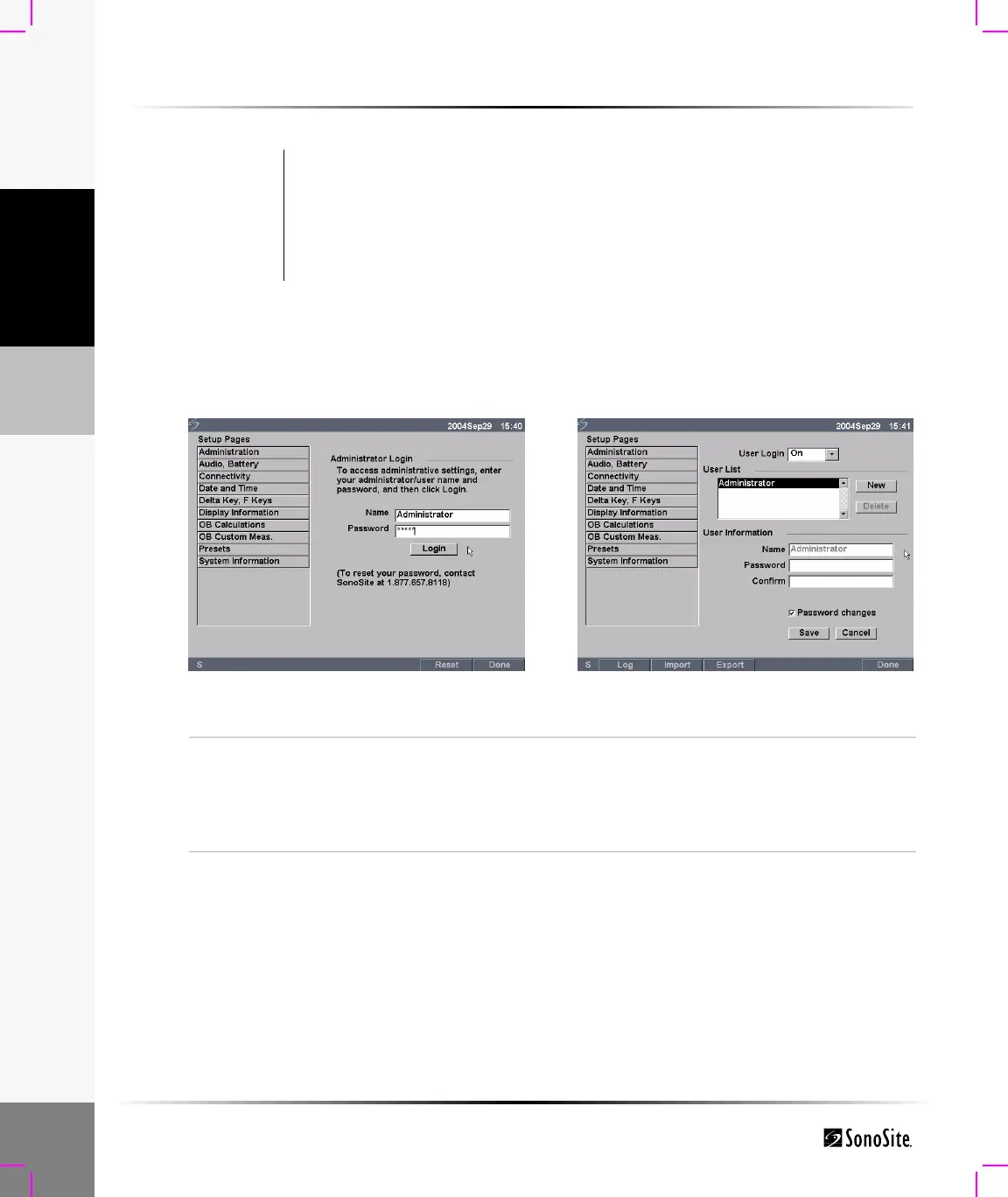
Figure 7 Setup Screens: Administration and Administrator Information
Warning: Health care providers who maintain or transmit health information are required by
the Health Insurance Portability and Accountability Act (HIPAA) of 1996 and the
European Union Data Protection Directive (95/46/EC) to implement appropriate
procedures: to ensure the integrity and confidentiality of information; to protect
against any reasonably anticipated threats or hazards to the security or integrity of
the information or unauthorized uses or disclosures of the information.
Administrator Login
1 Press the Setup key.
2 Select Administration.
3 In Administrator Login, type Administrator in the Name field.
4 Call SonoSite for the password (1-877-657-8118).
5 Select Login.



 To Next Page