24 Chapter 2: Getting Started
Getting Started
To add new users:
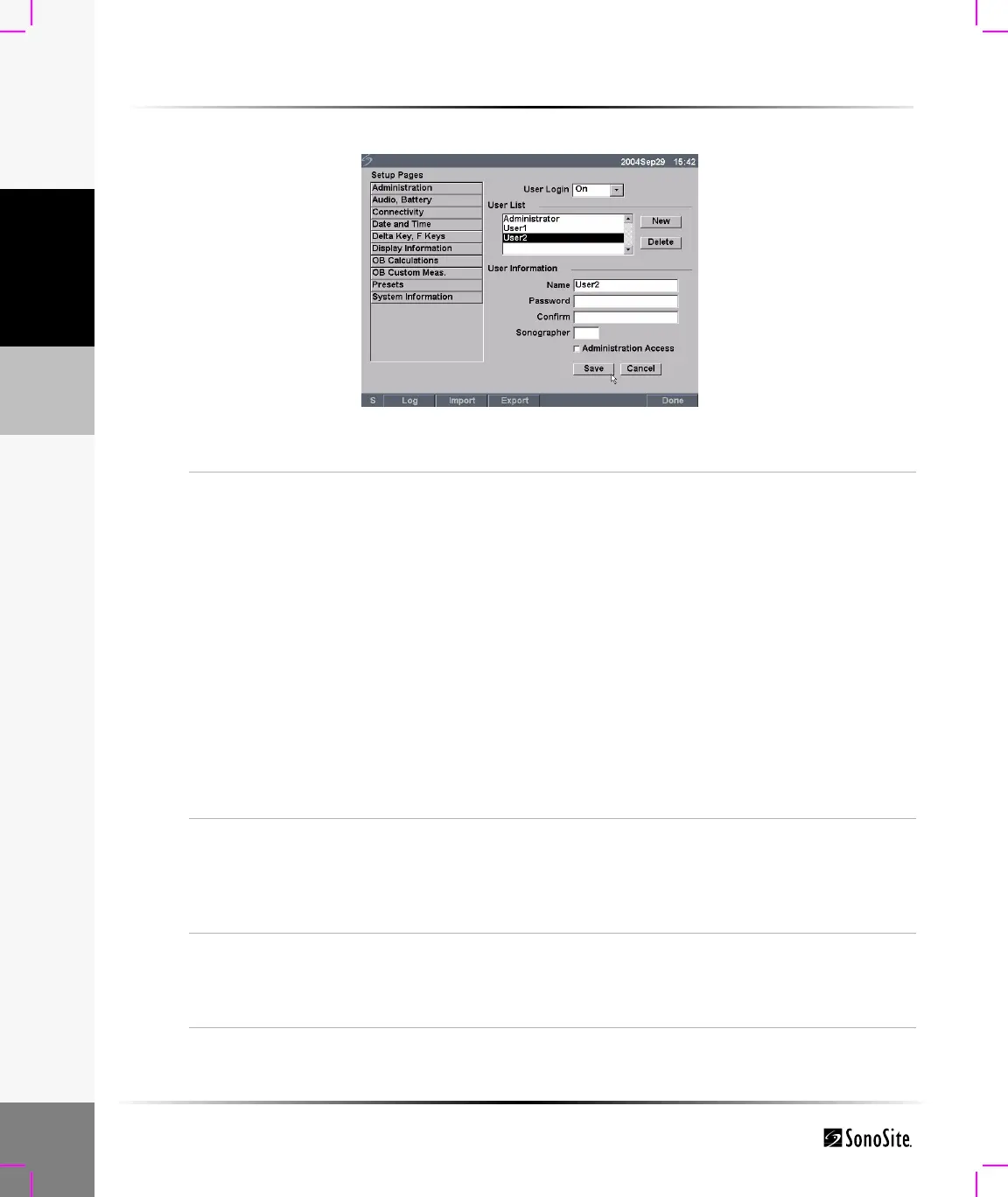
Figure 8 Setup Screen: User List Information
Add New User
1 Select New.
2 In User Information, enter information in Name, Password, and
Confirm fields.
To ensure passwords are secure, it is recommended that
passwords contain characters from the following categories:
• Upper case characters: A-Z
• Lower case characters: a-z
• Numbers: 0-9
Note: The name and password are case-sensitive.
3 In Sonographer, enter the user’s initials to display the
information in the patient header and the sonographer field in
the Patient Information form. (Optional)
4 In Administration Access, click the check box to allow users
access to all administration privileges or leave unchecked to
restrict access. (Optional)
5 Select Save.
Modify User
Information
1 In the User List, select desired user name.
2 Enter the new name.
3 Enter the new password and confirm.
4 Select Save.
Any change to the user name replaces the old name.
Delete User
1 In the User List, select the desired user name.
2 Select Delete.
A dialog is displayed.
3 Select Yes to delete or No to cancel.



 To Next Page