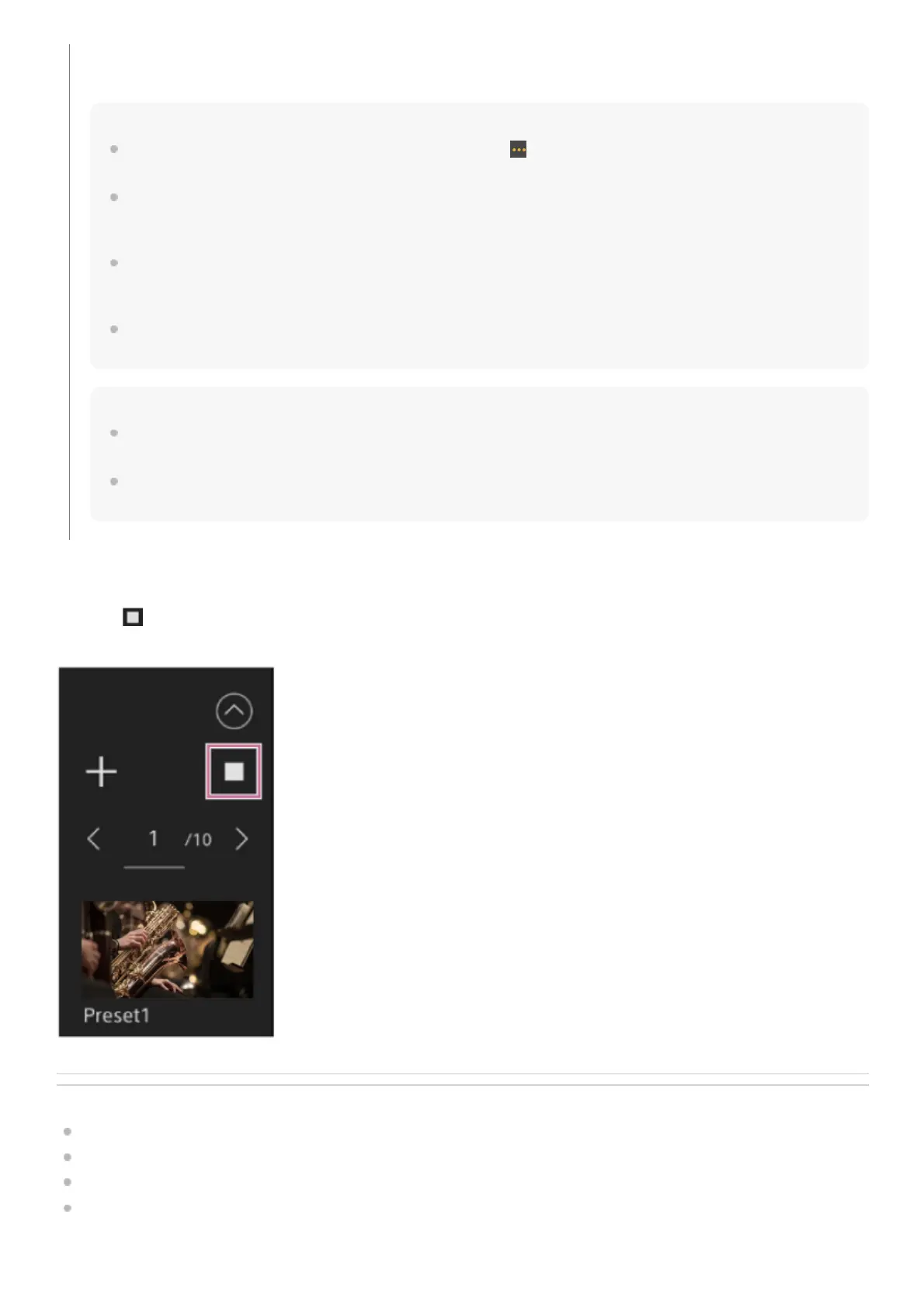
To cancel the restore preset position operation
Press the
(Cancel restore) button displayed on the preset position control panel during restore preset position operation
to cancel the restore operation. Use the joystick and [Zoom] slider to adjust the framing.
Related Topic
Preset Position Saved Items
Renaming Preset Positions Using the Web App
Changing the Transition Speed (Pan-Tilt/Zoom/Focus) When Restoring a Preset Position
Setting the Pan/Tilt Operation Acceleration
TP1001804501
Double-press the position thumbnail you want to restore in the preset position control panel to restore the corresponding
position.
Hint
You can also restore a position by pressing the image, pressing the
(Preset position menu) button that appears and selecting
[Recall].
The transition speed to a saved position is determined by the [Pan-Tilt] – [P/T Preset] – [Pan-Tilt Speed] – [Common Speed]
setting in the web menu when the position was saved. You can also change the transition speed after saving. For details, see
“Changing the Transition Speed (Pan-Tilt/Zoom/Focus) When Restoring a Preset Position.”
The degree of change in the pan/tilt position when moving to a preset position can be adjusted using the transition speed and
[Ramp Curve] settings. For details, see “Changing the Transition Speed (Pan-Tilt/Zoom/Focus) When Restoring a Preset
Position” and “Setting the Pan/Tilt Operation Acceleration.”
If a different preset is recalled during preset playback, the operation of the first recalled preset stops and operation of the
subsequently recalled preset starts.
Note
If the temperature of the environment has changed significantly between when a preset position was saved and when it is
restored, deviation in the framing may occur.
While a preset position is being restored, you cannot perform any operations other than restoring or canceling the preset
position.



 To Next Page