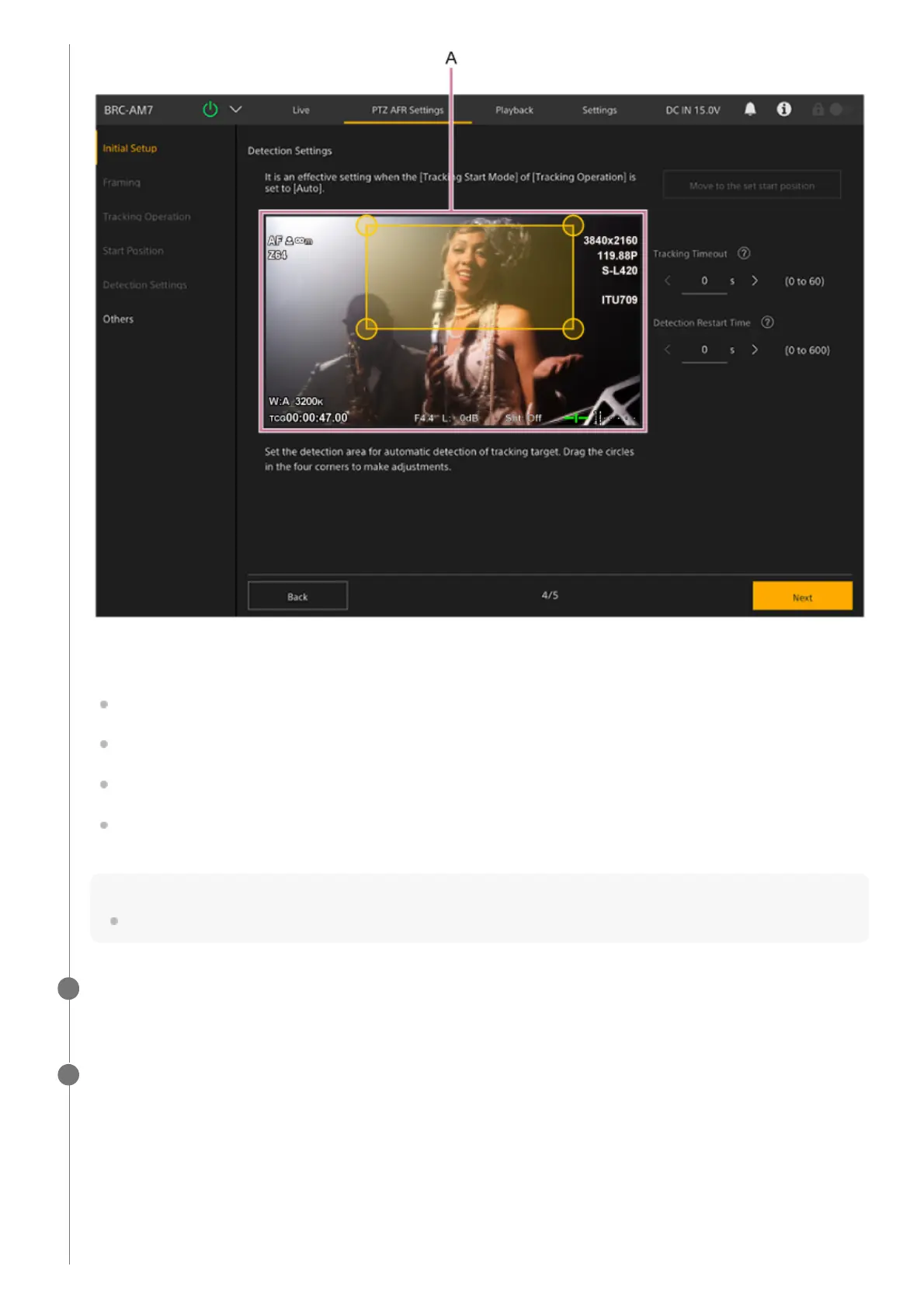
A: Detection range setup panel
Sets the range for detecting the target person to track.
Set the tracking range by dragging the circles on the four corners of the orange frame in the detection range setup
panel while monitoring the camera image. A person entering this range will become the target for auto tracking.
By default, the [Move to the set start position] button is disabled. It is enabled after the initial configuration is
completed. Press it to move to the currently configured start position.
[Tracking Timeout]: Set the time for returning to the start position if detection of the tracking target face is lost. Set to
0 seconds to disable the timeout function (default value: 0 seconds).
[Detection Restart Time]: Set the time between when auto tracking starts until it restarts automatically. Set to 0
seconds to disable the auto restart function (default value: 0 seconds).
Note
Reconfiguration will be required if the start position setting is changed.
When finished configuring, press the [Next] button.
The next setup screen appears.
10
Configure the settings on the [Others] screen.
11



 To Next Page