Help Guide
Color Video Camera
BRC-AM7
Connecting an RM-IP500 Remote Controller via Wired LAN
For details about assigning functions, refer to the operating instructions for the RM-IP500.
For details about connecting via VISCA (RS-422 standard), see “Connecting to the Unit using a Remote Controller
(Option) via RS-422.”
Related Topic
Connecting the Unit to a Network Device Via Wired Connection
Connecting to the Unit using a Remote Controller (Option) via RS-422
TP1001804706
5-065-326-11(1) Copyright 2024 Sony Corporation
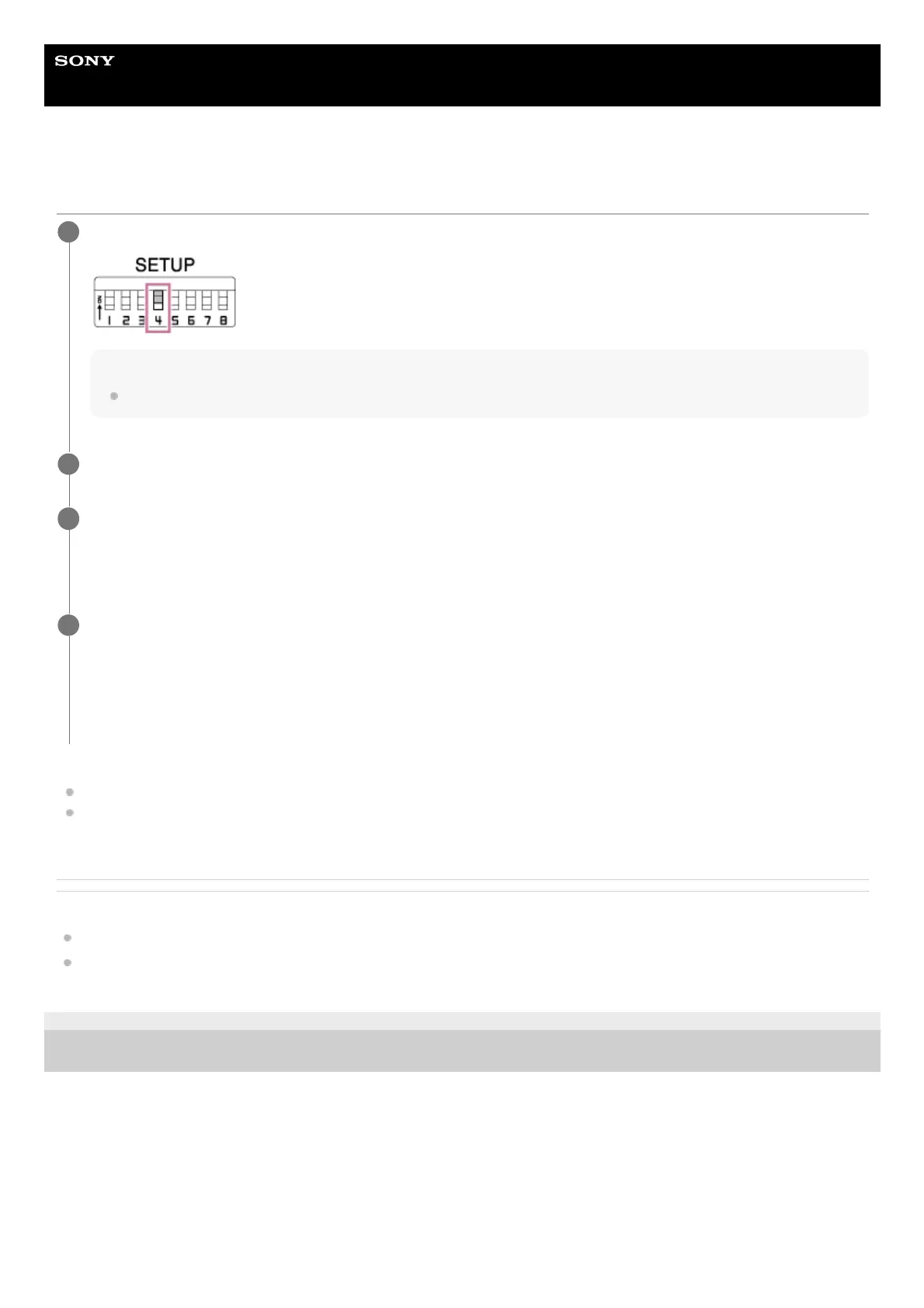
Set SETUP switch 4 of the unit to the ON position to enable VISCA over IP communication.
Note
The switch setting is applied when the unit is next turned on.
1
Connect the RM-IP500 to the same network as the unit.
2
Follow the procedure in the RM-IP500 operating instructions to configure VISCA over IP (LAN) connection on
the RM-IP500.
Assign this unit using RM menu > AUTO IP SETUP > ASSIGN CAM.
3
Assign functions of this unit to buttons and knobs, as required, using the following RM menu items of the RM-
IP500.
SW ASSIGN
AE CONFIG2
WB MODE
4



 To Next Page