Function Reference
[Iris] “Adjusting the Iris Automatically” and “Adjusting the Iris Manually” in “Adjusting the Iris”
[ND Filter] “About the ND Filter” in “Adjusting the Light Level (ND Filter)”
[Scene File] “Look Overview” and other topics in “Shooting with the Desired Look”
[Base Look/LUT] “Shooting with Look Adjustment in Post-Production”
[White Balance] “White Balance Adjustment Screen”
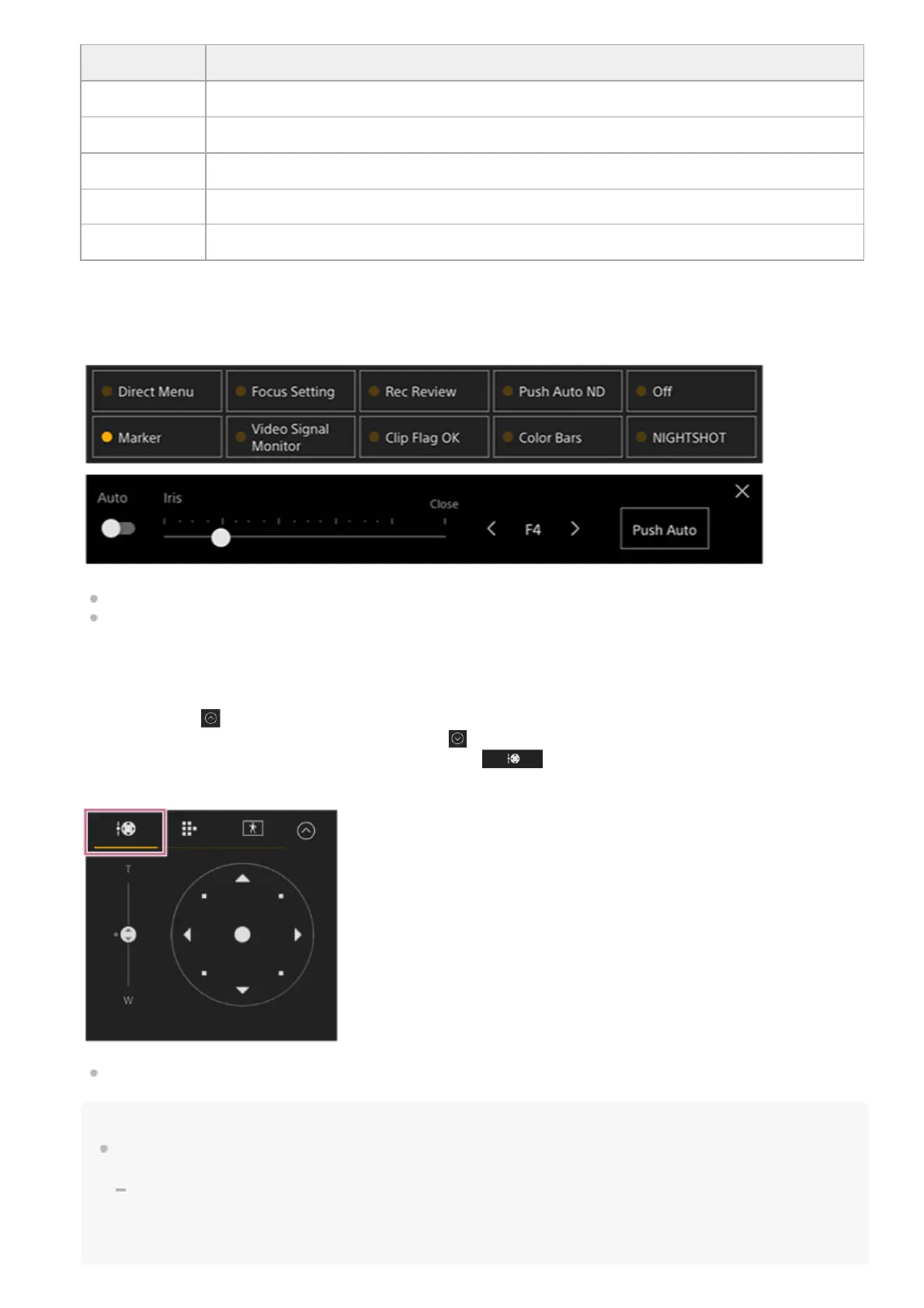
Assignable buttons/Camera basic configuration adjustment panel
Displays assignable buttons during normal operation. Press the camera basic configuration panel buttons (item 6) to
display the corresponding setup items. Press the [X] button or press the camera setup panel button again to return to the
assignable button display.
For details about assignable buttons, see “Assignable Buttons.”
For details about the camera basic configuration adjustment panel, refer to the description of each function.
7.
Framing control panel / GUI control panel / AFR composition adjustment panel
Switch between the framing control panel, GUI control panel, and AFR composition adjustment panel using the tabs at
the top.
You can press the
(Close) button at the top right of the screen to hide the control panel to prevent inadvertent
operation. If the control panel is not displayed, press the
(Open) button to display it.
Use the framing control panel to adjust the framing. Press the
(Pan/tilt/zoom) tab to display the framing control
panel.
For details about operation, see “Adjusting the Framing.”
Hint
The joystick part of the framing control panel is displayed as shown below when pan/tilt operation is disabled and when pan/tilt
initialization is required.
When pan/tilt operation is not initialized
8.



 To Next Page