25
GB
Basic printing operations
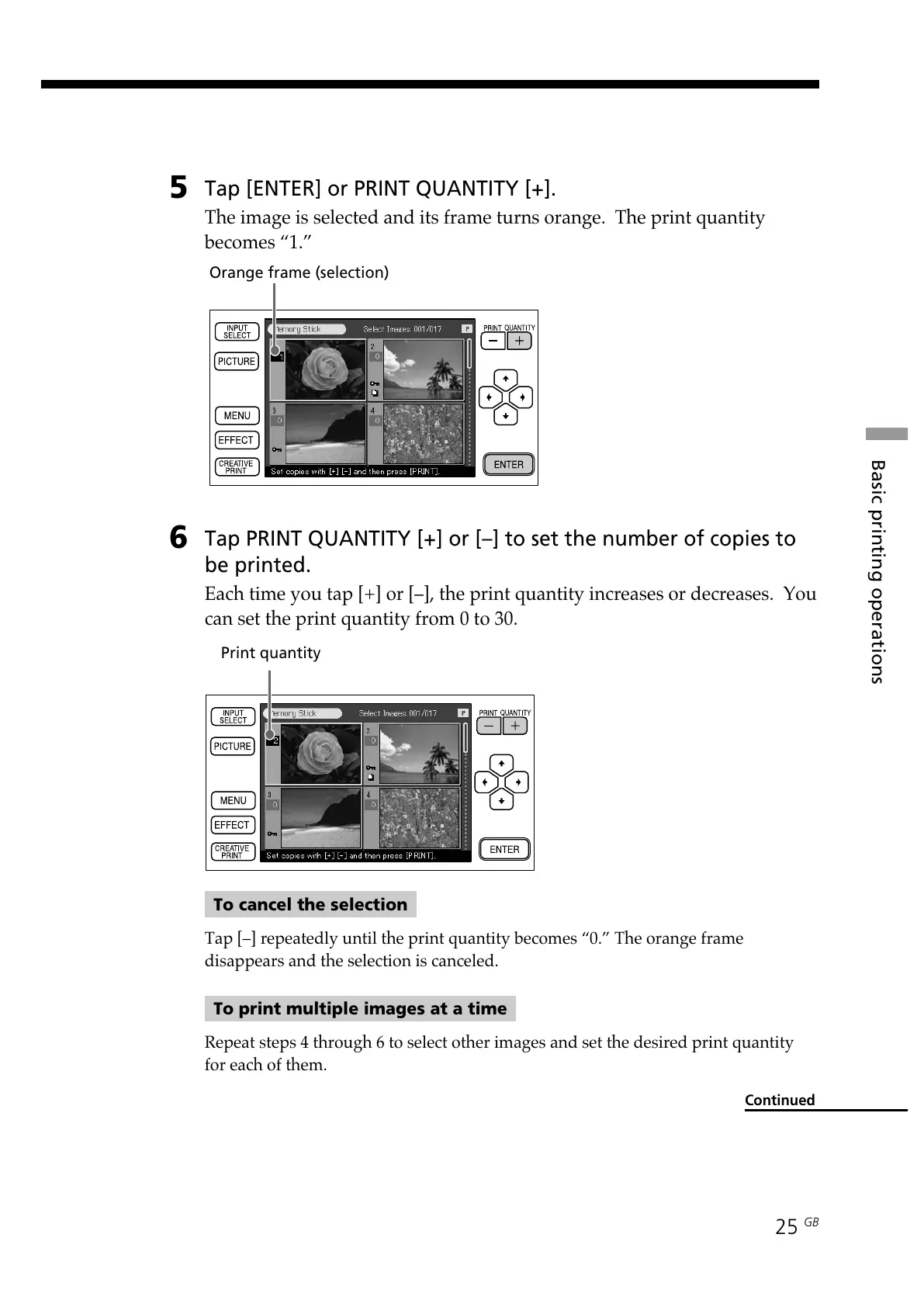
Print quantity
5
Tap [ENTER] or PRINT QUANTITY [+].
The image is selected and its frame turns orange. The print quantity
becomes “1.”
6
Tap PRINT QUANTITY [+] or [–] to set the number of copies to
be printed.
Each time you tap [+] or [–], the print quantity increases or decreases. You
can set the print quantity from 0 to 30.
To cancel the selection
Tap [–] repeatedly until the print quantity becomes “0.” The orange frame
disappears and the selection is canceled.
To print multiple images at a time
Repeat steps 4 through 6 to select other images and set the desired print quantity
for each of them.
Continued
Orange frame (selection)



 To Next Page