EasyManua.ls Logo

Sony HDR-SR11 - Page 49

Sony HDR-SR11
188 pages
Print Icon
To Next Page IconTo Next Page
To Previous Page IconTo Previous Page
Loading...
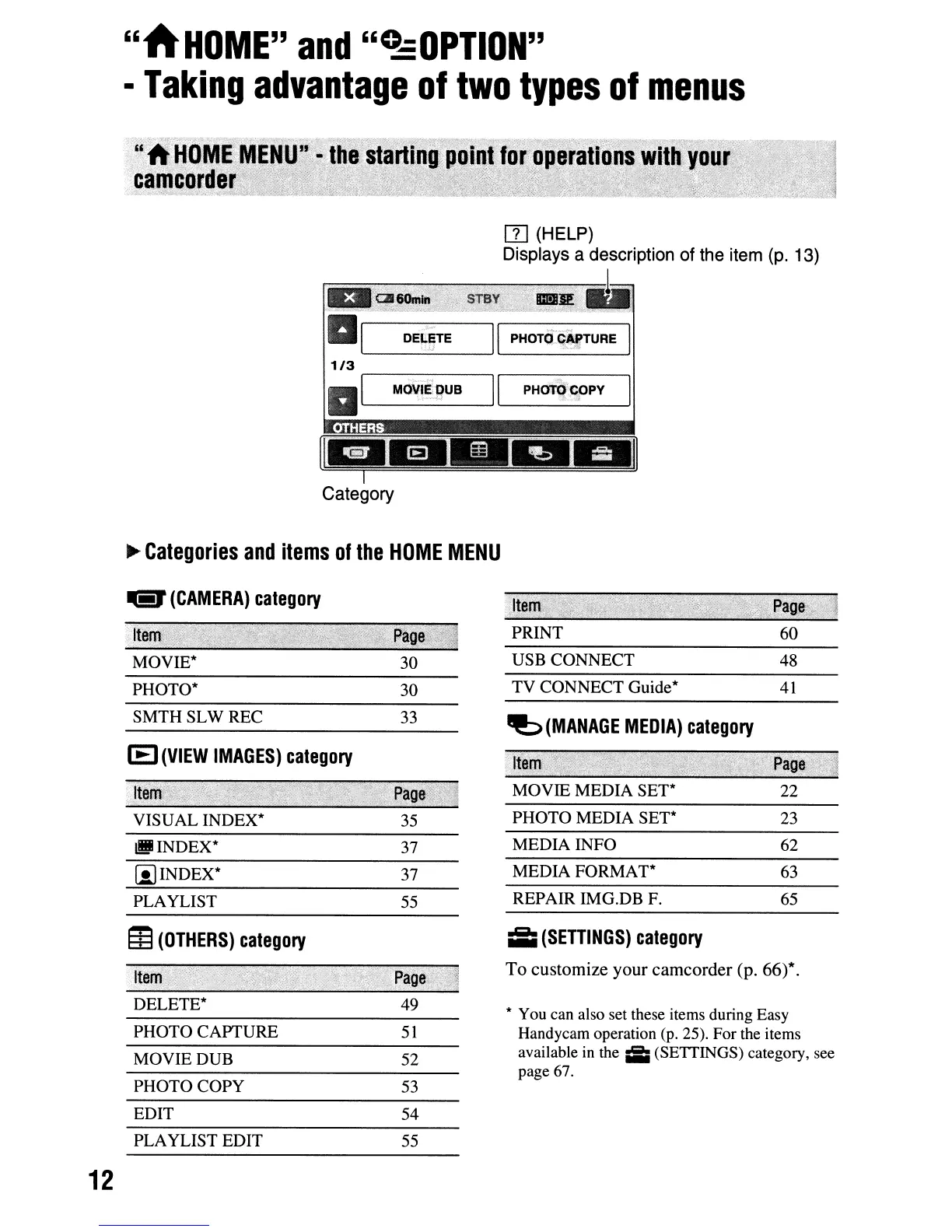
"AHOME"
and
"C!:OPTION"
Taking
advantage
of
two
types
of
menus
ITl
(HELP)
Displays a description of the item (p. 13)
r==~~~-...,.,...=~1
""a/'
DELETE
:-
,l
~
THERS
-
-
Category
~
Categories
and
items
of
the
HOME
MENU
TV CONNECT Guide*
USB CONNECT
PRINT
~
(MANAGE
MEDIA)
category
"I
MOVIE MEDIA SET* 22
PHOTO MEDIA SET* 23
35
PHOTO*
SMTHSLWREC
lEI
(VIEW
IMAGES)
category
Ita
VISUAL INDEX*
...
(CAMERA)
category
Ita
MOVIE*
lIJINDEX*
37
MEDIA INFO 62
[iJINDEX*
37
MEDIA FORMAT* 63
PLAYLIST
m
(OTHERS)
category
Item:
~>
DELETE*
PHOTO CAPTURE
MOVIE DUB
PHOTOCOPY
EDIT
PLAYLIST EDIT
55
REPAIR IMG.DB F. 65
;;;
(SETTINGS)
category
To customize your camcorder (p. 66)*.
* You can also set these items during Easy
Handycam operation (p. 25). For the items
available
in
the
iii
(SETTINGS) category, see
page 67.
12

Table of Contents